
 FA+
FA+ Shop
Shop

A dumb internet related anxiety.
5 months ago
General
So I watch a few streamers on Twitch. Lately I have been having a couple of issues on Twitch so I was hoping to log out and then log back in in the hopes of fixing the issues.
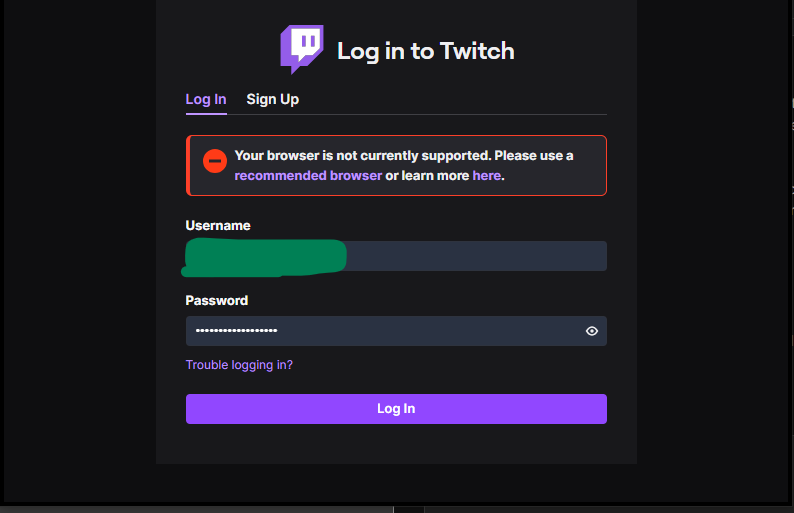
However as I was trying to sign back in I got this message:
https://forums.opera.com/assets/upl....._162516373.png
(I got that image online it's not from me but it is what I got.)
I am on Google Chrome so I know that it IS a supported browser.
If I were to guess the log in issue is likely on account of my Adblock and/or uBlock Origin Lite. Which I am NOT going to uninstall on Chrome.
Now I have been able to sign in on to Twitch on Firefox, however for whatever reason Firefox uses up more RAM than Chrome and that is not good for my aged computer. Which is also why I do no wish to use Firefox as a default browser.
So what is my anxiety here? Well I am guessing if I were to clear my browsing history on Chrome this COULD fix the issue and I could sign back in on Twitch, MAYBE.
But the real "back of my mind" issue I am having anxiety over is what if I cannot log back in on say FurAffinity, or Discord. These two sites are FAR more important to me than Twitch, especially since I CAN watch the few Twitch streams I watch on Firefox.
I know this anxiety is likely pointless and everything would be fine, but it's still something I am VERY uneasy about. ._.
However as I was trying to sign back in I got this message:
https://forums.opera.com/assets/upl....._162516373.png
(I got that image online it's not from me but it is what I got.)
I am on Google Chrome so I know that it IS a supported browser.
If I were to guess the log in issue is likely on account of my Adblock and/or uBlock Origin Lite. Which I am NOT going to uninstall on Chrome.
Now I have been able to sign in on to Twitch on Firefox, however for whatever reason Firefox uses up more RAM than Chrome and that is not good for my aged computer. Which is also why I do no wish to use Firefox as a default browser.
So what is my anxiety here? Well I am guessing if I were to clear my browsing history on Chrome this COULD fix the issue and I could sign back in on Twitch, MAYBE.
But the real "back of my mind" issue I am having anxiety over is what if I cannot log back in on say FurAffinity, or Discord. These two sites are FAR more important to me than Twitch, especially since I CAN watch the few Twitch streams I watch on Firefox.
I know this anxiety is likely pointless and everything would be fine, but it's still something I am VERY uneasy about. ._.

I know the ads make it seem iffy
But its based on Chrome so all your extensions will work
And they haven't blocked Ublock Origin
That and the ram limiter feature is very useful
For cookies themselves, you can go to Settings -> Privacy and Security -> Third-Party Cookies -> See All Site Data And Permissions and that will let you delete cookies for specific sites, in this case Twitch. Deleting your FA cookies or any other cookie isn't gonna help anything since no other site cares about them. If deleting the cookie doesn't solve anything, then it's not a cookie problem. I don't know what it would be in that case, since computers are weird, but at least it rules that out.
As said in the journal I am guessing it may have something to do with either adBlocker or uBlock Origin Lite doing something in the background that confuses Twitch's log in.
Also when you clear browser history there's an option to not remove the passwords and just to remove cached scripts and cookies, and leave all your saved passwords intact
And I may try that second option some time.