
 FA+
FA+ Shop
Shop

Woo! Tablet! Yay Problems!
15 years ago
General
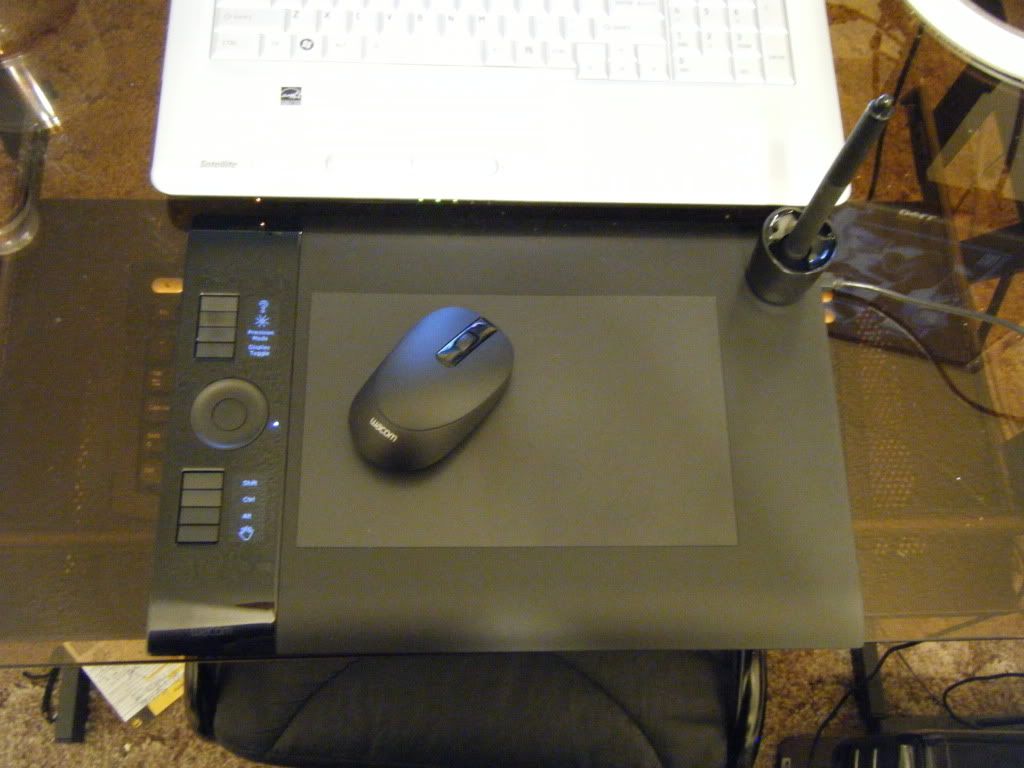
Ok, good news first. The tablet arrived! It's SOOO pretty. I'm gonna love it to death... as soon as I can get it fully functional...
Pretty!
Ok, here's the issue. Right now I'm using Photoshop CS3 and as you all know I just go the intuos4 M. (Which is preeeetttty) However, when I open up photoshop it will not recognize that I'm using a device with pressure sensitivity. I open up the brushes tab in photoshop, got to shape dynamics and I have the "size jitter" set to 0% with pen pressure. When I have pen pressure selected it has a little warning icon next to it that when moused over says "control by pen pressure requires a pressure sensitive tablet" When I go to the tablet options it can sense the pen pressure and I've added Photoshop as one of the applications for pen pressure so it shouldn't be a driver issue.
Things I have done to rectify the situation thus far:
-Went to wacom.com downloaded newest drivers for my tablet. Restarted computer
-Unplugged old Wacom tablet to prevent issues there. Restarted computer
-Made sure to turn off all programs that might be eating up too much memory for Photoshop to use pressure sensitivity.
-Plugged tablet directly into PC and not a hub to make sure it's getting enough power.
-Cursed a lot
None of these have alleviated the problem.
[EDIT] Installed just the drivers from the CD on the lap top and it works like a dream. They're both running the same version of vista with the same settings in photoshop so... I'm lost. I'm going to reinstall the drivers on the PC and see if that fixes the problem.
Pretty!
Ok, here's the issue. Right now I'm using Photoshop CS3 and as you all know I just go the intuos4 M. (Which is preeeetttty) However, when I open up photoshop it will not recognize that I'm using a device with pressure sensitivity. I open up the brushes tab in photoshop, got to shape dynamics and I have the "size jitter" set to 0% with pen pressure. When I have pen pressure selected it has a little warning icon next to it that when moused over says "control by pen pressure requires a pressure sensitive tablet" When I go to the tablet options it can sense the pen pressure and I've added Photoshop as one of the applications for pen pressure so it shouldn't be a driver issue.
Things I have done to rectify the situation thus far:
-Went to wacom.com downloaded newest drivers for my tablet. Restarted computer
-Unplugged old Wacom tablet to prevent issues there. Restarted computer
-Made sure to turn off all programs that might be eating up too much memory for Photoshop to use pressure sensitivity.
-Plugged tablet directly into PC and not a hub to make sure it's getting enough power.
-Cursed a lot
None of these have alleviated the problem.
[EDIT] Installed just the drivers from the CD on the lap top and it works like a dream. They're both running the same version of vista with the same settings in photoshop so... I'm lost. I'm going to reinstall the drivers on the PC and see if that fixes the problem.

1)
"1. Hit F5 to bring up the brushed panel.
2. Click “Shape dynamics” (The words, not the check box or lock)
3. Make sure pen pressure is selected from the control drop down and make sure photoshop recognizes your tablet. If it does not recognize your pallet then there will be a yellow triangle with an exclamation point next to the word control.
4. Set the various options to your liking.
5. Enjoy!"
2)
"Can you open the tablet properties panel and see pressure reaction there or in other applications ? If not, uninstall the driver and restart the system. Then go to the SYSTEM32 folder and check for any remaining files with the name wintab*.* Delete all such files, then install the tablet driver again. If that is not sufficient, go to Windows services, set the 'TabletPC Input Service' to 'disabled', restart and test."
3)
"Are you adjusting the Variation setting for the Brush preference as well?
A brush set to use Pressure but a variation of 0 will seemingly not have any pressure appearance. You need to increase the Variation setting to tell Illustrator the range that will be applied based on pressure."
the first two are designed for windows CS3, the second one is specifically for windows. If you have mac, either adjust or disregard. Hope any of these help. :<
I just gave up on it, but hopefully you can get it working. Best of luck on the treacherous journey.
Remove all drivers related to the old tablet > restart > and reinstall.
Verify the new driver is installed.
If that doesn't work, you can always call the company to tell them your having an issue with their product and they can tell you what to do to fix it. < Why don't more people do this?
I have a Trust Tablet XD haha