
 FA+
FA+ Shop
Shop

LAME!!!!
15 years ago
General
**EDit* - So apparently it is just my computer.. which still confuses me on why the same picture would show up different colors...
Oh well...*
So... my computer is officially retarded, and by retarded I mean mentally slow, and by that I mean that it doesn't like me. xD
When I've spent a lot of time on a picture and then save it, the colors show up weird when I upload or view it on Window Photo Gallery and Paint. So far this has only happened with pictures that have purple in them(even just a small amount).
They show up fine in the drawing program (Photoshop, Sai) but when uploaded to Photobucket, or viewed in Windows Photo Gallery, the colors are off and some shadow layers end up extremely dark. Some shading will have a brighter color as shading, etc.
Example:
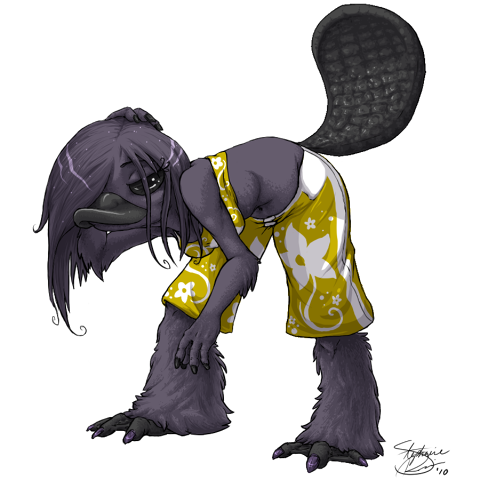
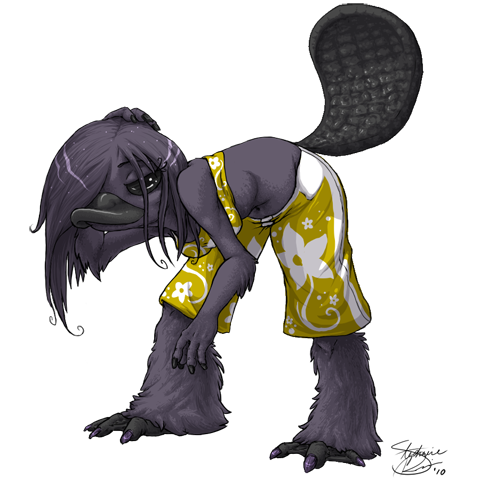
Somehow got this one working: http://img.photobucket.com/albums/v.....snipSai480.png
This is the same picture, but what they generally save like: http://img.photobucket.com/albums/v.....Parsnip480.png
Example2:
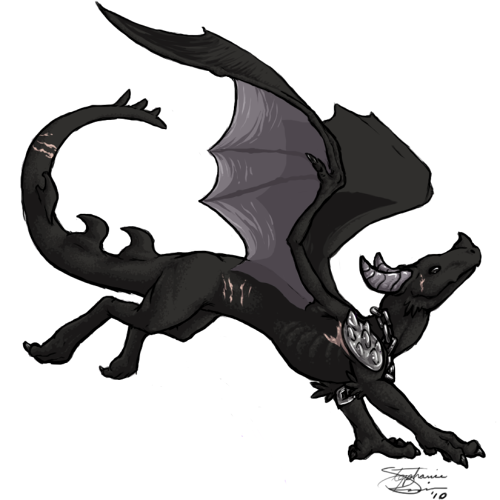
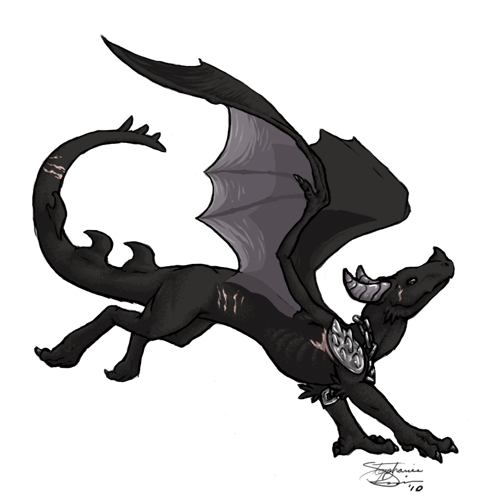
Adjusted the layers and kept saving until it looked normal when viewed: http://img.photobucket.com/albums/v.....ostedMoon2.png
What it looked like saved normally: http://img.photobucket.com/albums/v.....tedMoon1-1.png (This might have been edited slightly, I can't remember)
How am I supposed to keep motivated to draw, if I can't save my pictures correctly.
And yes, I've gone and tested different settings... however, the same thing happens in Paint. So I really have no idea. Dx
;__;
Oh well...*
So... my computer is officially retarded, and by retarded I mean mentally slow, and by that I mean that it doesn't like me. xD
When I've spent a lot of time on a picture and then save it, the colors show up weird when I upload or view it on Window Photo Gallery and Paint. So far this has only happened with pictures that have purple in them(even just a small amount).
They show up fine in the drawing program (Photoshop, Sai) but when uploaded to Photobucket, or viewed in Windows Photo Gallery, the colors are off and some shadow layers end up extremely dark. Some shading will have a brighter color as shading, etc.
Example:
Somehow got this one working: http://img.photobucket.com/albums/v.....snipSai480.png
This is the same picture, but what they generally save like: http://img.photobucket.com/albums/v.....Parsnip480.png
Example2:
Adjusted the layers and kept saving until it looked normal when viewed: http://img.photobucket.com/albums/v.....ostedMoon2.png
What it looked like saved normally: http://img.photobucket.com/albums/v.....tedMoon1-1.png (This might have been edited slightly, I can't remember)
How am I supposed to keep motivated to draw, if I can't save my pictures correctly.
And yes, I've gone and tested different settings... however, the same thing happens in Paint. So I really have no idea. Dx
;__;

It really sounds like you're gonna need to reinstall the operating system from your factory CDs >_<
I guess now would be as good a time as any. Thank you. =)
(I'll see if those other file types work)
I'll just reformat. =P