FA+
FA+ Shop
Shop

Navigating the Network
General | Posted 10 years agoAs long as we're gonna discuss networky things (like DHCP), we should talk about routing, and how devices get a hold of each other on a network. Trust me, it's really not that complicated. I mean, if I can understand it... although I may get a little nuts-and-bolts when giving background information.
Any device connected to an IP network has at a minimum two pieces of information: the IP address and the subnet mask. The IP address is that dotted-quad address we're all familiar with, like 192.168.53.107 and that's the address used to communicate with the device. The subnet mask (also known as a "netmask") is a bitmap mask of what addresses belong to the sub-network that this device resides on. It's often expressed as a dotted-quad and each part of the quad relates to that part in the IP address. The numbers in the part range from 0 (all addresses) to 255 (only this address).
For example, a computer on 192.168.53.107 will probably have a subnet mask of 255.255.255.0. That says that the machine is on a subnet that ranges from 192.168.53.0 to 192.168.53.254 (255 is always reserved for a broadcast address). If the subnet mask had been 255.255.0.0, the subnet would range from 192.168.1.1 to 192.168.255.254. The "255"s mark that only that specific number is part of the subnet, while the "0"s mark the entire full range of possible numbers.
0 and 255 aren't the only options, but they are the most common. You can play fun games, such as a subnet of 255.240.0.0. This would include all address from 192.0.0.0 to 192.15.255.254. Notice how the "240" marks only the first 16 numbers as part of the address. I know that because our work happens to use that subnet for its local network. But trust me, for anything outside of 0 and 255, I have to go running for a subnet calculator of some sort.
Now that we know about subnets, we turn to routing tables. Routing tables are simple things. They're nothing more than a table of what addresses are on what physical interfaces connected to the device. For the vast majority of devices out there with only one interface, the routing table will likely have two entries: one for the physical interface and a "default gateway". Some devices such as your smart phone that have both a wireless interface and a cellular interface might have three entries in the routing table.
Back to our example computer on 192.168.53.107 and a subnet of 255.255.255.0. It would have a routing table entry for 192.168.53.1 (255.255.255.0) that points to the network interface. In essence, it says "Anything headed for an address on 192.168.53 goes out ethernet card 1". When printing to the laserjet on the local network, the computer checks the printer's address (192.168.53.22) and sees it matches the entry in the routing table for ethernet card 1 and attempts to contact the printer directly using that interface.
But let's say you want to push a file to your laptop. The laptop is on the wireless network, and its address is on a different subnet: 192.168.100.99/255.255.255.0. The computer tries to look up 192.168.100.99 in its routing table but doesn't have an entry for it. Whenever a lookup doesn't match anything in the routing table, the device sends the packets to the default gateway.
In this case, the default gateway is a server that is acting as a router for the wired and wireless networks as well as a gateway to the Internet. The server receives the packets from the computer and looks up the address in its own routing table. Because it's also connected to the wireless network, it finds a match and sends the packets over the wireless network through the proper interface and they reach the laptop.
Replies from the laptop follow the same steps: 192.168.53.107 isn't found in the laptop's routing table so it kicks the packets up to it's default gateway, the server. And the server is attached to the wired network, so it can send the packets along back to the computer.
So to recap: the address is checked against the local routing table. If a match is found, the packets are sent out that interface. If no match is found, the packets are sent to the default gateway. Simple, right?
Congratulations, you now know how the Internet works.
No really. I'm serious.
I'm on my computer and I want to reach out to Google (216.58.220.164). My computer checks that address against it's routing table... no matches so it kicks it upstairs to its default gateway, the server. The server checks its routing table... no matches so it kicks it upstairs to its default gateway, which is my ISP. Now unless my ISP is Google (and even then, their ISP service probably wouldn't be on the same subnet as their search service), my ISP's router checks its routing tables and doesn't find a match, so it kicks it upstairs to its default gateway... and this keeps happening until finally your request lands on a router that's high enough up the chain that it does know where to send your request. And it trickles back down through routers until it reaches Google's web server at 216.58.220.164.
Want to see it in action? There's a utility called TraceRoute that does exactly what it says on the tin. Open up your command shell and type in "tracert furrymuck.org" (Linux uses "traceroute" instead of "tracert"). You can watch the responses of the various routers that are traversed while running the path to FurryMUCK. I'm on motel wireless right now, but I can see it hit the default gateway, another private address and a public address before jumping on "10gigabitethernet" in Seattle. From there it goes to 10GbE in San Jose, 10GbE in Fremont and then Linode (in Fremont) before landing at the FurryMUCK server.
But you can get a general sense of the process in action: it goes from my laptop to the motel to larger and larger networks until finally Seattle knows to send it to San Jose. San Jose knows to send it to Fremont, Fremont knows to send it to Linode, and Linode knows the subnet on which the actual server is located. It's really that simple.
Next time we'll get into why out in the network world, IP addresses are a lot like URLs. But don't URLs resolve into IP address? Yes, they do... stay tuned!
Wait a second, if the computer doesn't know how to reach a particular address and goes for the default gateway device, how does it know how to contact the default gateway? Well, the default gateway has an address, and the computer looks that address up in its routing table. And hopefully it finds a match, since the default gateway for the network the computer is on should be reachable on that network...
Something that will add a few more entries to your computer's routing table is opening up a Virtual Private Network (VPN) connection. After all, if you're now virtually a part of your work network (with an IP inside your work's address space), your computer needs to know how to handle traffic headed to that network as well. But that is most likely a topic for another entry...
Any device connected to an IP network has at a minimum two pieces of information: the IP address and the subnet mask. The IP address is that dotted-quad address we're all familiar with, like 192.168.53.107 and that's the address used to communicate with the device. The subnet mask (also known as a "netmask") is a bitmap mask of what addresses belong to the sub-network that this device resides on. It's often expressed as a dotted-quad and each part of the quad relates to that part in the IP address. The numbers in the part range from 0 (all addresses) to 255 (only this address).
For example, a computer on 192.168.53.107 will probably have a subnet mask of 255.255.255.0. That says that the machine is on a subnet that ranges from 192.168.53.0 to 192.168.53.254 (255 is always reserved for a broadcast address). If the subnet mask had been 255.255.0.0, the subnet would range from 192.168.1.1 to 192.168.255.254. The "255"s mark that only that specific number is part of the subnet, while the "0"s mark the entire full range of possible numbers.
0 and 255 aren't the only options, but they are the most common. You can play fun games, such as a subnet of 255.240.0.0. This would include all address from 192.0.0.0 to 192.15.255.254. Notice how the "240" marks only the first 16 numbers as part of the address. I know that because our work happens to use that subnet for its local network. But trust me, for anything outside of 0 and 255, I have to go running for a subnet calculator of some sort.
Now that we know about subnets, we turn to routing tables. Routing tables are simple things. They're nothing more than a table of what addresses are on what physical interfaces connected to the device. For the vast majority of devices out there with only one interface, the routing table will likely have two entries: one for the physical interface and a "default gateway". Some devices such as your smart phone that have both a wireless interface and a cellular interface might have three entries in the routing table.
Back to our example computer on 192.168.53.107 and a subnet of 255.255.255.0. It would have a routing table entry for 192.168.53.1 (255.255.255.0) that points to the network interface. In essence, it says "Anything headed for an address on 192.168.53 goes out ethernet card 1". When printing to the laserjet on the local network, the computer checks the printer's address (192.168.53.22) and sees it matches the entry in the routing table for ethernet card 1 and attempts to contact the printer directly using that interface.
But let's say you want to push a file to your laptop. The laptop is on the wireless network, and its address is on a different subnet: 192.168.100.99/255.255.255.0. The computer tries to look up 192.168.100.99 in its routing table but doesn't have an entry for it. Whenever a lookup doesn't match anything in the routing table, the device sends the packets to the default gateway.
In this case, the default gateway is a server that is acting as a router for the wired and wireless networks as well as a gateway to the Internet. The server receives the packets from the computer and looks up the address in its own routing table. Because it's also connected to the wireless network, it finds a match and sends the packets over the wireless network through the proper interface and they reach the laptop.
Replies from the laptop follow the same steps: 192.168.53.107 isn't found in the laptop's routing table so it kicks the packets up to it's default gateway, the server. And the server is attached to the wired network, so it can send the packets along back to the computer.
So to recap: the address is checked against the local routing table. If a match is found, the packets are sent out that interface. If no match is found, the packets are sent to the default gateway. Simple, right?
Congratulations, you now know how the Internet works.
No really. I'm serious.
I'm on my computer and I want to reach out to Google (216.58.220.164). My computer checks that address against it's routing table... no matches so it kicks it upstairs to its default gateway, the server. The server checks its routing table... no matches so it kicks it upstairs to its default gateway, which is my ISP. Now unless my ISP is Google (and even then, their ISP service probably wouldn't be on the same subnet as their search service), my ISP's router checks its routing tables and doesn't find a match, so it kicks it upstairs to its default gateway... and this keeps happening until finally your request lands on a router that's high enough up the chain that it does know where to send your request. And it trickles back down through routers until it reaches Google's web server at 216.58.220.164.
Want to see it in action? There's a utility called TraceRoute that does exactly what it says on the tin. Open up your command shell and type in "tracert furrymuck.org" (Linux uses "traceroute" instead of "tracert"). You can watch the responses of the various routers that are traversed while running the path to FurryMUCK. I'm on motel wireless right now, but I can see it hit the default gateway, another private address and a public address before jumping on "10gigabitethernet" in Seattle. From there it goes to 10GbE in San Jose, 10GbE in Fremont and then Linode (in Fremont) before landing at the FurryMUCK server.
But you can get a general sense of the process in action: it goes from my laptop to the motel to larger and larger networks until finally Seattle knows to send it to San Jose. San Jose knows to send it to Fremont, Fremont knows to send it to Linode, and Linode knows the subnet on which the actual server is located. It's really that simple.
Next time we'll get into why out in the network world, IP addresses are a lot like URLs. But don't URLs resolve into IP address? Yes, they do... stay tuned!
Wait a second, if the computer doesn't know how to reach a particular address and goes for the default gateway device, how does it know how to contact the default gateway? Well, the default gateway has an address, and the computer looks that address up in its routing table. And hopefully it finds a match, since the default gateway for the network the computer is on should be reachable on that network...
Something that will add a few more entries to your computer's routing table is opening up a Virtual Private Network (VPN) connection. After all, if you're now virtually a part of your work network (with an IP inside your work's address space), your computer needs to know how to handle traffic headed to that network as well. But that is most likely a topic for another entry...
Smart Drive
General | Posted 10 years agoBack in the mid-80s, there was a floppy drive that was truly smart. It was literally (and I mean that) a computer in and of itself. I speak of the Commodore 1541 floppy drive.
The 1541 was unique in that it was a stand-alone unit. There was no ribbon cable leading to a controller card plugged into the computer. There was only a 6-pin DIN cable and a mains power connector (the drive had its own independent power supply). And this was possible because inside the 1541 was a separate MOS 6502 CPU with it's own ROM and RAM. It was its own machine, communicating with the computer via a serial protocol. How did we know it was smart? The clue was in the activity light.
It has been my experience that most floppy drive lights were nothing more than mirrors of the spindle motor activity. If the disk was spinning, the light would light and people would be warned that something was going on. And for almost every case, that was enough. But when the 1541 was issued a LOAD command, sharp-eyed observers might realize that the disk would spin up and the head seek to the directory track and only then would the red activity light come on, now that the drive was actually reading data.
Where things got crafty was when reading and writing data files to a disk. This required a little more work, opening up a communications channel and then feeding commands and data over that channel to the drive. Now you might feed it some bits of data, which would spin up the disk and turn on the activity light. But after that, let's say your program waits for user input, or does some heavy number-crunching. The drive would spin down the floppy, but because the data channel was still open and active, the activity light would remain on, letting the user know that files are still open on the disk even if there isn't any obvious activity.
The activity light was a real-time indicator of reading or writing data. If the drive struggled to read (from alignment issues or intentionally placed errors for copy protection) the light would flicker and blink as data was mis-read and re-read, a visual gauge of the struggle.
And then there were the errors. Oh Lord, the errors. If you ever made a 1541 mad, it let you know. File Not Found? Error Reading Disk? Send a bad command over the communications channel? The activity light would begin flashing. And it would keep flashing until either a successful command was performed or the error channel was read. The disk would spin down... still flashing. You could take the disk out and like The Telltale Heart, the light would keep flashing, letting everyone know you dun screwed up!
The 1541 had RAM not just for buffering, but actual user-addressable RAM. And like the Commodore 64, most of it's kernal calls were vectors that could be pointed elsewhere. This opened the door to custom programming of the 1541. There were simple things like programming the activity light to smoothly fade in and out (although that was stopped once a legitimate activity turned on the light). But there were other, more clever things.
The serial bus for Commodore peripherals supported daisy-chaining, and devices on the bus were assigned addresses. Addresses 8-11 were reserved for disk drives, allowing up to four physical floppies attached to one computer. If you had two floppy drives on the bus, there were some disk copy programs that loaded "read and send" code into the source drive, "receive and write" code into the destination drive and then said GO! And the drives would independently communicate with each other over the bus, leaving the computer free to do something else.
But the 1541 will never be remembered as a smart drive. No, it will be remembered as a slow drive. It was slow. Dog slow. Molasses in the dead of winter slow. One might argue there were tape drives that could beat the 1541. And it wasn't entirely the 1541's fault: it was the communication protocol, The engineers at Commodore had a fast serial protocol for the drive, but it wasn't reliable. They tried to troubleshoot it but the ship-date was arriving all too soon. Rather than delay the ship date (or delay it even more, if it already had been), the engineers pulled back to a "slow but reliable" protocol and sent the drive on its way.
This would be remedied years later by enterprising third-parties. Because you will remember that the Commodore 64's kernal routines were vectors that could be hooked to custom code. And as mentioned above, the 1541's kernal routines were no different. So third party developers wrote custom communication code for both the C64 and 1541, hooked the appropriate vectors (replacing the stock communication protocol code with their own) and the fast-load revolution began. Usually it came in the form of a plug-in cartridge that would load the custom code chunks at boot-up, but TurboDisk was published as type-in code in a popular magazine. And many game publishers started building fast-load code into their program loaders, so even those without a cartridge could benefit from a speed boost.
So imagine that. Way back in the 1980s, someone built a floppy drive that was a computer in it's own right. It was independent (even with it's own power supply), programmable, customizable, upgradeable and designed to get along with other devices on a single serial bus. It's almost the kind of device that engineers would build for themselves if given the chance... but that's a story for another entry.
The 1541 was unique in that it was a stand-alone unit. There was no ribbon cable leading to a controller card plugged into the computer. There was only a 6-pin DIN cable and a mains power connector (the drive had its own independent power supply). And this was possible because inside the 1541 was a separate MOS 6502 CPU with it's own ROM and RAM. It was its own machine, communicating with the computer via a serial protocol. How did we know it was smart? The clue was in the activity light.
It has been my experience that most floppy drive lights were nothing more than mirrors of the spindle motor activity. If the disk was spinning, the light would light and people would be warned that something was going on. And for almost every case, that was enough. But when the 1541 was issued a LOAD command, sharp-eyed observers might realize that the disk would spin up and the head seek to the directory track and only then would the red activity light come on, now that the drive was actually reading data.
Where things got crafty was when reading and writing data files to a disk. This required a little more work, opening up a communications channel and then feeding commands and data over that channel to the drive. Now you might feed it some bits of data, which would spin up the disk and turn on the activity light. But after that, let's say your program waits for user input, or does some heavy number-crunching. The drive would spin down the floppy, but because the data channel was still open and active, the activity light would remain on, letting the user know that files are still open on the disk even if there isn't any obvious activity.
The activity light was a real-time indicator of reading or writing data. If the drive struggled to read (from alignment issues or intentionally placed errors for copy protection) the light would flicker and blink as data was mis-read and re-read, a visual gauge of the struggle.
And then there were the errors. Oh Lord, the errors. If you ever made a 1541 mad, it let you know. File Not Found? Error Reading Disk? Send a bad command over the communications channel? The activity light would begin flashing. And it would keep flashing until either a successful command was performed or the error channel was read. The disk would spin down... still flashing. You could take the disk out and like The Telltale Heart, the light would keep flashing, letting everyone know you dun screwed up!
The 1541 had RAM not just for buffering, but actual user-addressable RAM. And like the Commodore 64, most of it's kernal calls were vectors that could be pointed elsewhere. This opened the door to custom programming of the 1541. There were simple things like programming the activity light to smoothly fade in and out (although that was stopped once a legitimate activity turned on the light). But there were other, more clever things.
The serial bus for Commodore peripherals supported daisy-chaining, and devices on the bus were assigned addresses. Addresses 8-11 were reserved for disk drives, allowing up to four physical floppies attached to one computer. If you had two floppy drives on the bus, there were some disk copy programs that loaded "read and send" code into the source drive, "receive and write" code into the destination drive and then said GO! And the drives would independently communicate with each other over the bus, leaving the computer free to do something else.
But the 1541 will never be remembered as a smart drive. No, it will be remembered as a slow drive. It was slow. Dog slow. Molasses in the dead of winter slow. One might argue there were tape drives that could beat the 1541. And it wasn't entirely the 1541's fault: it was the communication protocol, The engineers at Commodore had a fast serial protocol for the drive, but it wasn't reliable. They tried to troubleshoot it but the ship-date was arriving all too soon. Rather than delay the ship date (or delay it even more, if it already had been), the engineers pulled back to a "slow but reliable" protocol and sent the drive on its way.
This would be remedied years later by enterprising third-parties. Because you will remember that the Commodore 64's kernal routines were vectors that could be hooked to custom code. And as mentioned above, the 1541's kernal routines were no different. So third party developers wrote custom communication code for both the C64 and 1541, hooked the appropriate vectors (replacing the stock communication protocol code with their own) and the fast-load revolution began. Usually it came in the form of a plug-in cartridge that would load the custom code chunks at boot-up, but TurboDisk was published as type-in code in a popular magazine. And many game publishers started building fast-load code into their program loaders, so even those without a cartridge could benefit from a speed boost.
So imagine that. Way back in the 1980s, someone built a floppy drive that was a computer in it's own right. It was independent (even with it's own power supply), programmable, customizable, upgradeable and designed to get along with other devices on a single serial bus. It's almost the kind of device that engineers would build for themselves if given the chance... but that's a story for another entry.
The DHCP Conversation
General | Posted 10 years agoThese days, almost all networks support the Dynamic Host Configuration Protocol, or DHCP to its friends. It's a method to allow computers to hook up to the network and get relevant information about how to connect to it, including an IP address for it to use. But how exactly does that work? Believe it or not, a conversation occurs between the DHCP server and the new machine.
First, the new machine sends a message on the network's broadcast address. This address (255.255.255.255) is not bound by any subnets. It is everywhere. The machine essentially shouts across the entire physical network. And it sends a DHCPDISCOVER message. Essentially, it says "HEY! Any DHCP Servers out there?"
If a DHCP server is listening on that physical network, it will reply to the machine with a DHCPOFFER message and an IP address. "Yeah, I'm here and you can have 192.168.50.33."
If that machine finds that address acceptable (and for a first-time request, it should have no reason not to), it sends back a DHCPREQUEST message with that address. "May I have 192.168.50.33?"
And if the DHCP server finds that acceptable, it sends back a DHCPACK (DHCP Acknowledge) message with the IP address. "Yes, you may have 192.168.50.33." And life is good.
Mind you there's more than just the IP address given out by the DHCP server. Other common information includes subnet mask, network gateway and DNS servers for the new machine to use. But there are many other pieces of information that can be given out (like BOOTP information, for remote-booting workstations).
Now just because the addresses are dynamic doesn't mean a machine gets a new address every time. Machines are required to renew their address leases after a certain amount of time, even if the machine has not been turned off or disconnected from the network during that period. In that case, the machine sends a DHCPREQUEST to the server with its current address and if things are still cool, the server sends back a DHCPACK.
But if a machine is returning after being gone for a while, chances are still good it'll get the same address it had before provided that address hasn't been given out to another machine. All the DHCP messages contain the requesting machine's MAC address, and it's trivial for a server to go through its old leases, find what address it had given to that MAC address before and give it back out again.
It's also possible on many DHCP servers to make sure a certain MAC address will get a specific IP address when it makes a request. While the same result could be accomplished by giving the machine a fixed IP address, the advantage to doing it through DHCP is that the machine still gets all the extra info provided by DHCP (netmask, gateway, etc) while having a fixed address. The machine need only be set for dynamic address, making configuration by the end user a breeze.
Just in case you don't quite believe the story about the conversation, here's a log dump. The addresses have been changed to protect the guilty.
Aug 21 19:16:43 server dhcpd: DHCPDISCOVER from 4b:1e:3e:ce:2e:1c (SmartPhone) via eth2.1
Aug 21 19:16:43 server dhcpd: DHCPOFFER on 10.8.25.34 to 4b:1e:3e:ce:2e:1c (SmartPhone) via eth2.1
Aug 21 19:16:43 server dhcpd: DHCPREQUEST for 10.8.25.34 (10.8.25.1) from 4b:1e:3e:ce:2e:1c (SmartPhone) via eth2.1
Aug 21 19:16:43 server dhcpd: DHCPACK on 10.8.25.34 to 4b:1e:3e:ce:2e:1c via eth2.1
First, the new machine sends a message on the network's broadcast address. This address (255.255.255.255) is not bound by any subnets. It is everywhere. The machine essentially shouts across the entire physical network. And it sends a DHCPDISCOVER message. Essentially, it says "HEY! Any DHCP Servers out there?"
If a DHCP server is listening on that physical network, it will reply to the machine with a DHCPOFFER message and an IP address. "Yeah, I'm here and you can have 192.168.50.33."
If that machine finds that address acceptable (and for a first-time request, it should have no reason not to), it sends back a DHCPREQUEST message with that address. "May I have 192.168.50.33?"
And if the DHCP server finds that acceptable, it sends back a DHCPACK (DHCP Acknowledge) message with the IP address. "Yes, you may have 192.168.50.33." And life is good.
Mind you there's more than just the IP address given out by the DHCP server. Other common information includes subnet mask, network gateway and DNS servers for the new machine to use. But there are many other pieces of information that can be given out (like BOOTP information, for remote-booting workstations).
Now just because the addresses are dynamic doesn't mean a machine gets a new address every time. Machines are required to renew their address leases after a certain amount of time, even if the machine has not been turned off or disconnected from the network during that period. In that case, the machine sends a DHCPREQUEST to the server with its current address and if things are still cool, the server sends back a DHCPACK.
But if a machine is returning after being gone for a while, chances are still good it'll get the same address it had before provided that address hasn't been given out to another machine. All the DHCP messages contain the requesting machine's MAC address, and it's trivial for a server to go through its old leases, find what address it had given to that MAC address before and give it back out again.
It's also possible on many DHCP servers to make sure a certain MAC address will get a specific IP address when it makes a request. While the same result could be accomplished by giving the machine a fixed IP address, the advantage to doing it through DHCP is that the machine still gets all the extra info provided by DHCP (netmask, gateway, etc) while having a fixed address. The machine need only be set for dynamic address, making configuration by the end user a breeze.
Just in case you don't quite believe the story about the conversation, here's a log dump. The addresses have been changed to protect the guilty.
Aug 21 19:16:43 server dhcpd: DHCPDISCOVER from 4b:1e:3e:ce:2e:1c (SmartPhone) via eth2.1
Aug 21 19:16:43 server dhcpd: DHCPOFFER on 10.8.25.34 to 4b:1e:3e:ce:2e:1c (SmartPhone) via eth2.1
Aug 21 19:16:43 server dhcpd: DHCPREQUEST for 10.8.25.34 (10.8.25.1) from 4b:1e:3e:ce:2e:1c (SmartPhone) via eth2.1
Aug 21 19:16:43 server dhcpd: DHCPACK on 10.8.25.34 to 4b:1e:3e:ce:2e:1c via eth2.1
Railway Timetable
General | Posted 10 years agoWhile you stroll around Disneyland and ride the rides, you'll notice that almost all of them have some sort of holding area for the active cars. When the ride is completed, the cars queue up and wait to offload their passengers at the platform. This helps account for different loading times or passengers that may need a little extra time getting situated. It makes sense, and almost all the rides operate this way.
Almost.
Back in the corner of Frontierland, past the shooting gallery and across the square from Golden Horseshoe Review is the Big Thunder Railroad. And this railroad runs on a very precise timetable. This delicate ballet is overseen by the computer control system, but carried out by the human operators. And if the timing is thrown off, everything comes to a very quick halt.
The railroad has a unique loading arrangement. Most rides either stop the car in one location to offload and move up to load or stop in one position and allow outgoing riders to exit to one side while incoming riders enter from the other side. Big Thunder shakes this up: as the track approaches the platform, it splits to the left and right of a central building with a track switch to route the trains to the proper side. Riders exit to the "outside" and new riders enter from the center building. At the end of the platforms, the tracks join back into one with another track switch.
Big Thunder Railroad can operate from two to five trains depending on demand. Two trains actually present no issues as there is always one open platform for an arriving train to enter. New trains are added to the sequence by bringing them in from a storage yard to an empty platform before a train on course arrives. They are "merged" into a gap in the traffic pattern, not unlike aircraft on approach to an airport.
Once there are more than two trains on the course, timing becomes a factor. One of the platforms must be cleared before the train on the course arrives as there is no "holding space" like in other rides. As the train on the course reaches the end of its run, the pre-ride cautionary message is triggered. Up in the rafters of the station, there are two mining lamps that are more than just decoration. As the time for departure approaches, the lamp on the appropriate side begins to flash. When it's time to cut the train loose, the lamp shines steady and if everything is in order, the human operator presses the button and away the train goes, freeing up the platform for the inbound train. With three or four trains running, there's still a gap that allows the timing to be a little more relaxed. However, when running at full capacity, there is no room to dawdle. When launch time is indicated, the incoming train is not very far out.
What happens when the train doesn't make it out in time? I once got to see it firsthand. When you see it enough, you get a feel for the timing and at what point in the pre-ride message the trains usually roll out (they roll out just as the messages is finishing). I realized one train was behind schedule, and that it wasn't going to make it out at the proper time. The attendants even got alongside and pushed the train out in an attempt to clear the platform in time, but... they were unable to do it. And the entire ride came to an abrupt halt.
Big Thunder is a very different place when the computer system is in lockdown. There are no train sounds or rail sounds. No shouting and piano playing from the tavern. There are no water effects. It is only trains moving near-silently.
At that point, it was necessary to offload the passengers from the trains in the station and roll one back into the storage yard. Each train that had been stranded out on the track was brought in one-by-one, offloaded and stored until only two trains were left at the platforms. At that point, the system was re-initialized and operations began again, bringing out a train from the yard at each opportunity until they were back up to the full five trains. And things proceeded smoothly (and precisely) from that point on.
Big Thunder illustrates one of the things I love the most about Disneyland: system indications are never just out there, they're almost always hidden in with the scenery. If you don't know what you're looking for, you look right past it. The mining lamps in the rafters of the Big Thunder station adhere to this rule. Or a hanging lamp at the end of the pier in Pirates Of The Caribbean that lights up when there's enough of a gap to launch the next boat. Or I think there's a desk lamp that serves the same function in Mr. Toad's Wild Ride.
Hidden indications of the ride status... right under your nose.
Almost.
Back in the corner of Frontierland, past the shooting gallery and across the square from Golden Horseshoe Review is the Big Thunder Railroad. And this railroad runs on a very precise timetable. This delicate ballet is overseen by the computer control system, but carried out by the human operators. And if the timing is thrown off, everything comes to a very quick halt.
The railroad has a unique loading arrangement. Most rides either stop the car in one location to offload and move up to load or stop in one position and allow outgoing riders to exit to one side while incoming riders enter from the other side. Big Thunder shakes this up: as the track approaches the platform, it splits to the left and right of a central building with a track switch to route the trains to the proper side. Riders exit to the "outside" and new riders enter from the center building. At the end of the platforms, the tracks join back into one with another track switch.
Big Thunder Railroad can operate from two to five trains depending on demand. Two trains actually present no issues as there is always one open platform for an arriving train to enter. New trains are added to the sequence by bringing them in from a storage yard to an empty platform before a train on course arrives. They are "merged" into a gap in the traffic pattern, not unlike aircraft on approach to an airport.
Once there are more than two trains on the course, timing becomes a factor. One of the platforms must be cleared before the train on the course arrives as there is no "holding space" like in other rides. As the train on the course reaches the end of its run, the pre-ride cautionary message is triggered. Up in the rafters of the station, there are two mining lamps that are more than just decoration. As the time for departure approaches, the lamp on the appropriate side begins to flash. When it's time to cut the train loose, the lamp shines steady and if everything is in order, the human operator presses the button and away the train goes, freeing up the platform for the inbound train. With three or four trains running, there's still a gap that allows the timing to be a little more relaxed. However, when running at full capacity, there is no room to dawdle. When launch time is indicated, the incoming train is not very far out.
What happens when the train doesn't make it out in time? I once got to see it firsthand. When you see it enough, you get a feel for the timing and at what point in the pre-ride message the trains usually roll out (they roll out just as the messages is finishing). I realized one train was behind schedule, and that it wasn't going to make it out at the proper time. The attendants even got alongside and pushed the train out in an attempt to clear the platform in time, but... they were unable to do it. And the entire ride came to an abrupt halt.
Big Thunder is a very different place when the computer system is in lockdown. There are no train sounds or rail sounds. No shouting and piano playing from the tavern. There are no water effects. It is only trains moving near-silently.
At that point, it was necessary to offload the passengers from the trains in the station and roll one back into the storage yard. Each train that had been stranded out on the track was brought in one-by-one, offloaded and stored until only two trains were left at the platforms. At that point, the system was re-initialized and operations began again, bringing out a train from the yard at each opportunity until they were back up to the full five trains. And things proceeded smoothly (and precisely) from that point on.
Big Thunder illustrates one of the things I love the most about Disneyland: system indications are never just out there, they're almost always hidden in with the scenery. If you don't know what you're looking for, you look right past it. The mining lamps in the rafters of the Big Thunder station adhere to this rule. Or a hanging lamp at the end of the pier in Pirates Of The Caribbean that lights up when there's enough of a gap to launch the next boat. Or I think there's a desk lamp that serves the same function in Mr. Toad's Wild Ride.
Hidden indications of the ride status... right under your nose.
ABC Upfront 2015
General | Posted 10 years agoAh, Spring. When the major TV networks' thoughts turn to captivating their advertising clients with the exciting and new programming they have lined up for the rest of the year. And so they engage in what are called "Upfronts": large, often lavish displays to wow their clients and encourage them to spend their advertising money with the network. ABC is no exception and back in May they had their Upfront 2015 presentation. Believe me, this is more than just a GoToMeeting with corporate in their boardroom. When I said large and lavish, I'm talking renting entire theatres, choreographed multi-screen video presentations, dancers, celebrity speakers... no expense is spared.
For all the rest of us not a convenient distance from WABC in New York, the presentation is fed through private channels to allow local station sales and marketing and even clients to attend by remote. In fact, two or three years ago our station held such an event, inviting advertisers to a buffet and bar and the Upfront presentation. Sadly, the times being what they are now, this year it was simply our own sales and marketing team.
The feed is offered on ABC's on-line network as a web stream and also on one of their satellite services. Since our station still lives in the simi-stone age, it was no problem to kick one of our ABC receivers over to Service 11 and run a few patches on our patch panels to send that into our theater in glorious, full 720p HD.
The opening video is a pretty clever parody with characters from all walks of ABC's programming. You can find clips of it on YouTube if you search for ABC Upfront 2015. But because I like you, I thought I'd offer you the insider's view. When the presentation happened, not only was it piped to the theater, not only was I recording it on the hard drive of our DVD recorder (for later burns to give to clients), but I also made sure one of our HD video encoders was rolling on it.
Of course I wouldn't subject you to the entire 90-minute presentation (although I do have it still archived, if anyone is interested) but I did an edit of the introduction video, plus a little surprise at the end. All in full 720p with Dolby AC3/AC52 surround audio. Enjoy.
(That link is on my private server, if the URL didn't give it away. Due to upload bandwidth being what it is for cable internet, you may do well to let the video buffer before playing it. I don't think the connection can sustain the video data rate.)
Why did it take two months to post this? Because I recorded the HD feed with every intention of sharing it with you. It wasn't for any legal or ethical reasons. No, in all honestly it was more a matter of "who cares?".
Because nobody watches TV anymore. And even if they did, who's going to watch ABC's programming? Sure, maybe some people are watching it on-line or through an on-line service, but I still doubt any of you are watching. Hell, I work at the station and I only watch one show regularly. More than half the characters in the video I only recognize because I've seen them in promos.
So nobody's going to laugh when David Muir says "That's news to me!" Or understand why it's a spoiler that Victoria Grayson is dead. You might giggle when Mark Cuban says "I'm out!", but probably because you've seen him elsewhere in re-runs. But I doubt anyone gets why "How To Get A Win With ABC" is so terribly, terribly clever. Or the entire classroom setting with Annalise Keating teaching, for that matter.
Still, I hope you enjoy your peek into what incredible lengths a network will take to woo advertisers. As they say, you gotta spend money to make money.
For all the rest of us not a convenient distance from WABC in New York, the presentation is fed through private channels to allow local station sales and marketing and even clients to attend by remote. In fact, two or three years ago our station held such an event, inviting advertisers to a buffet and bar and the Upfront presentation. Sadly, the times being what they are now, this year it was simply our own sales and marketing team.
The feed is offered on ABC's on-line network as a web stream and also on one of their satellite services. Since our station still lives in the simi-stone age, it was no problem to kick one of our ABC receivers over to Service 11 and run a few patches on our patch panels to send that into our theater in glorious, full 720p HD.
The opening video is a pretty clever parody with characters from all walks of ABC's programming. You can find clips of it on YouTube if you search for ABC Upfront 2015. But because I like you, I thought I'd offer you the insider's view. When the presentation happened, not only was it piped to the theater, not only was I recording it on the hard drive of our DVD recorder (for later burns to give to clients), but I also made sure one of our HD video encoders was rolling on it.
Of course I wouldn't subject you to the entire 90-minute presentation (although I do have it still archived, if anyone is interested) but I did an edit of the introduction video, plus a little surprise at the end. All in full 720p with Dolby AC3/AC52 surround audio. Enjoy.
(That link is on my private server, if the URL didn't give it away. Due to upload bandwidth being what it is for cable internet, you may do well to let the video buffer before playing it. I don't think the connection can sustain the video data rate.)
Why did it take two months to post this? Because I recorded the HD feed with every intention of sharing it with you. It wasn't for any legal or ethical reasons. No, in all honestly it was more a matter of "who cares?".
Because nobody watches TV anymore. And even if they did, who's going to watch ABC's programming? Sure, maybe some people are watching it on-line or through an on-line service, but I still doubt any of you are watching. Hell, I work at the station and I only watch one show regularly. More than half the characters in the video I only recognize because I've seen them in promos.
So nobody's going to laugh when David Muir says "That's news to me!" Or understand why it's a spoiler that Victoria Grayson is dead. You might giggle when Mark Cuban says "I'm out!", but probably because you've seen him elsewhere in re-runs. But I doubt anyone gets why "How To Get A Win With ABC" is so terribly, terribly clever. Or the entire classroom setting with Annalise Keating teaching, for that matter.
Still, I hope you enjoy your peek into what incredible lengths a network will take to woo advertisers. As they say, you gotta spend money to make money.
Quote of the Day
General | Posted 10 years ago"Oh I know there will always be people better than me at the things I like to do. I just never got a chance to meet them all personally until the Internet came along."
-- KeroselWhat the World Wants
General | Posted 10 years ago"Lately I’ve been having conversations with a few colleagues about being in our forties and still not making any money. We commiserate and bitch and confess to secret insecurities and shameful jealousies, and give each other halfhearted pep talks. Of course, money is not the reason anyone goes into the arts. But money's not only a useful thing to have lying around in case of hunger; it’s the token by which society recognizes the worth of what we do. And after twenty years of not making any money it’s hard to escape the impression that what you do is worth nothing in the eyes of the world. More and more lately I am troubled by the possibility that what I’ve done with my life has been stupid. As my colleague Megan put it -- speaking not only of the arts, I think, but of life in general -- 'It’s a slog, a goddamn slog.'"
"That watch costs more than your car. I made $970,000 last year. How much'd you make? You see pal, that's who I am, and you're nothing. Nice guy? I don't give a shit. Good father? Fuck you! Go home and play with your kids. You wanna work here - close! You think this is abuse? You think this is abuse, you cocksucker? You can't take this, how can you take the abuse you get on a sit? You don't like it, leave. I can go out there tonight with the materials you've got and make myself $15,000. Tonight! In two hours! Can you? Can YOU?"
"No. You're doing it for what the money says and it says... well it says... that any player that makes big money, that they're worth it."
(I tried. I really tried to find the clip from Moneyball for that last quote, but I've been searching for over an hour and I just can't find it. I can find the scene before it, and the scene after it, but the only place I can find the clip with the quote is in an extremely shitty full-movie encoding. I can't subject you to that [yes, it's that bad]. If you can find a copy of it, it's around the 2h30m mark.)
- Tim Kreider"That watch costs more than your car. I made $970,000 last year. How much'd you make? You see pal, that's who I am, and you're nothing. Nice guy? I don't give a shit. Good father? Fuck you! Go home and play with your kids. You wanna work here - close! You think this is abuse? You think this is abuse, you cocksucker? You can't take this, how can you take the abuse you get on a sit? You don't like it, leave. I can go out there tonight with the materials you've got and make myself $15,000. Tonight! In two hours! Can you? Can YOU?"
- Blake"No. You're doing it for what the money says and it says... well it says... that any player that makes big money, that they're worth it."
- Peter Brand(I tried. I really tried to find the clip from Moneyball for that last quote, but I've been searching for over an hour and I just can't find it. I can find the scene before it, and the scene after it, but the only place I can find the clip with the quote is in an extremely shitty full-movie encoding. I can't subject you to that [yes, it's that bad]. If you can find a copy of it, it's around the 2h30m mark.)
Mathematical Personalities
General | Posted 10 years agoA lot of code has been written to make computers behave like humans; to give them a personality and make them seem like they're really thinking. Heck, there are contests to see if people can tell the difference between a computer AI and an actual human being, getting into extremely complex programs with huge databases and parsers and decision trees. But sometimes, all you need to make a personality is some simple math and logic.
I'm talking about the ghosts in Pac Man. Contrary to what it may appear, the ghosts do not randomly move around the maze. In fact, Pac Man didn't even have a random number generator (the best it could do was use the lower four bits of consecutive memory locations to get pseudo-random numbers). Anyone who has played enough Pac Man may already be aware that Blinky (the red ghost) always seems to be on the heels of Pac Man. That's no coincidence.
First, we have to know that the screen in Pac Man is divided in to 8-by-8 pixel "tiles", each one holding part of the playfield: maze walls, curved walls, dots, power pellets... each one is an 8-by-8 tile. And an actor (Pac Man or one of the ghosts) is said to occupy a tile when the center of the actor is within that tile. The actor may be almost halfway overlapping an adjoining tile, but the official location of the character is the tile that has the center of the actor. In fact, there is no collision detection or hit-boxes in the game. When Pac Man and a ghost both occupy the same tile, they're deemed to have collided with each other. This is why you could be running for your life with a ghost overlapping Pac Man... and still be running for your life.
Second, all ghosts have a target, and they seek that target using a basic distance-measuring routine. A ghost will check the next tile ahead of it and look for the directions it can move from that tile. In a straight hallway, there is only one way to go: forward. This is because ghosts are not allowed to reverse direction except under one or two specific circumstances that arise in the game. If there is more than one direction to go, the routine checks one tile in each valid direction and compares the distance from it to the target tile. The direction with the shortest distance to the target is the direction the ghost will travel. In the case of a tie, the order of preference is up, left, down and right.
Each ghost uses a different set of rules to compute its target tile, and that's where the personalities arise.
Blinky (the red ghost) always seeks Pac Man's location. This is the simplest rule-set, but it makes Blinky aggressive and tenacious. He is always after Pac Man, chasing him down.
Pinky (the... uh... pink ghost) targets the location four tiles ahead of Pac Man. Pinky is crafty, trying to get out ahead of Pac Man and cut him off. When you combine Pinky with Blinky, the two of them become diabolical! Blinky will chase Pac Man from behind while Pinky is trying to get out in front. I'm sure the two of them have boxed in and killed many a Pac Man player.
Inky (the blue ghost) is perhaps the most interesting of the four. His target is computed by starting at Pinky's location and drawing a vector to two tiles ahead of Pac Man, then doubling the distance of that vector. The upshot of this is that when Blinky is far away from Pac Man, Inky tends to stay far away too. But as Blinky closes in on Pac Man, Inky closes the distance and joins the chase. It's almost as if he refuses to go in without help. In fact with Blinky behind Pac Man in a straight corridor, Inky is targeting the area ahead of Pac Man, just like Pinky.
Clyde (the orange ghost)... Clyde doesn't want to get too close to Pac Man. Normally his target is Pac Man's tile, like Blinky. But once Clyde gets inside a certain radius from Pac Man, his tile shifts to a point outside the maze at the bottom-left. So Clyde will keep his distance from Pac Man... except when Pac Man is in the bottom-left of the maze. If both Pac Man and Clyde are in the bottom-left of the maze, Clyde's target is the bottom-left but he's already there... so he wanders around that area, getting in Pac Man's way. This is almost worse than the other ghosts, because he's not targeting Pac Man, which makes him unpredictable.
And there you have it. How four different bits of math and logic can give distinct personalities to AI characters in an arcade game. Sometimes it's the simplest things that work out the best.
Players very familiar with Pac Man may know it's possible to play chicken with Pinky and make him "blink" and veer off course. It's a byproduct of his target algorithm. Say Pac Man and Pinky are moving toward each other with an intersection between them. Pinky arrives at the tile just before the intersection with Pac Man three tiles away. It's time for Pinky to chose the direction to go at the intersection.
Pinky's target square is four tiles ahead of Pac Man, and because Pac Man is three tiles away, this puts Pinky's target one tile behind him. Remember that ghosts can't reverse direction, so Pinky can only turn or move forward. And in comparison to the tiles on either side of the intersection, the one in the forward direction of travel is further away from the target than either of the turns. So Pinky takes the turn, getting out of Pac Man's way.
If you happen to have absolute sub-second-accurate timing (or more likely get extremely lucky) it's possible to pass through a ghost without being killed. This happens because the actors occupy the tile that the center of their sprite is in, and collisions are detected when two actors occupy the same tile.
Pac Man and Blinky approach each other and through a miracle of timing, the center of both actors is at the edge of their respective adjoining tiles at the same time. In the next 1/60th of a second update, Blinky moves forward into Pac Man's tile... and Pac Man moves forward into the tile that was occupied by Blinky. As far as the game logic is concerned, the two actors were never occupying the same tile at the same time, and Pac Man gets a free pass.
Of course if this happens when you're trying to chase down a frightened ghost, you pass through them without eating them...
I'm talking about the ghosts in Pac Man. Contrary to what it may appear, the ghosts do not randomly move around the maze. In fact, Pac Man didn't even have a random number generator (the best it could do was use the lower four bits of consecutive memory locations to get pseudo-random numbers). Anyone who has played enough Pac Man may already be aware that Blinky (the red ghost) always seems to be on the heels of Pac Man. That's no coincidence.
First, we have to know that the screen in Pac Man is divided in to 8-by-8 pixel "tiles", each one holding part of the playfield: maze walls, curved walls, dots, power pellets... each one is an 8-by-8 tile. And an actor (Pac Man or one of the ghosts) is said to occupy a tile when the center of the actor is within that tile. The actor may be almost halfway overlapping an adjoining tile, but the official location of the character is the tile that has the center of the actor. In fact, there is no collision detection or hit-boxes in the game. When Pac Man and a ghost both occupy the same tile, they're deemed to have collided with each other. This is why you could be running for your life with a ghost overlapping Pac Man... and still be running for your life.
Second, all ghosts have a target, and they seek that target using a basic distance-measuring routine. A ghost will check the next tile ahead of it and look for the directions it can move from that tile. In a straight hallway, there is only one way to go: forward. This is because ghosts are not allowed to reverse direction except under one or two specific circumstances that arise in the game. If there is more than one direction to go, the routine checks one tile in each valid direction and compares the distance from it to the target tile. The direction with the shortest distance to the target is the direction the ghost will travel. In the case of a tie, the order of preference is up, left, down and right.
Each ghost uses a different set of rules to compute its target tile, and that's where the personalities arise.
Blinky (the red ghost) always seeks Pac Man's location. This is the simplest rule-set, but it makes Blinky aggressive and tenacious. He is always after Pac Man, chasing him down.
Pinky (the... uh... pink ghost) targets the location four tiles ahead of Pac Man. Pinky is crafty, trying to get out ahead of Pac Man and cut him off. When you combine Pinky with Blinky, the two of them become diabolical! Blinky will chase Pac Man from behind while Pinky is trying to get out in front. I'm sure the two of them have boxed in and killed many a Pac Man player.
Inky (the blue ghost) is perhaps the most interesting of the four. His target is computed by starting at Pinky's location and drawing a vector to two tiles ahead of Pac Man, then doubling the distance of that vector. The upshot of this is that when Blinky is far away from Pac Man, Inky tends to stay far away too. But as Blinky closes in on Pac Man, Inky closes the distance and joins the chase. It's almost as if he refuses to go in without help. In fact with Blinky behind Pac Man in a straight corridor, Inky is targeting the area ahead of Pac Man, just like Pinky.
Clyde (the orange ghost)... Clyde doesn't want to get too close to Pac Man. Normally his target is Pac Man's tile, like Blinky. But once Clyde gets inside a certain radius from Pac Man, his tile shifts to a point outside the maze at the bottom-left. So Clyde will keep his distance from Pac Man... except when Pac Man is in the bottom-left of the maze. If both Pac Man and Clyde are in the bottom-left of the maze, Clyde's target is the bottom-left but he's already there... so he wanders around that area, getting in Pac Man's way. This is almost worse than the other ghosts, because he's not targeting Pac Man, which makes him unpredictable.
And there you have it. How four different bits of math and logic can give distinct personalities to AI characters in an arcade game. Sometimes it's the simplest things that work out the best.
Players very familiar with Pac Man may know it's possible to play chicken with Pinky and make him "blink" and veer off course. It's a byproduct of his target algorithm. Say Pac Man and Pinky are moving toward each other with an intersection between them. Pinky arrives at the tile just before the intersection with Pac Man three tiles away. It's time for Pinky to chose the direction to go at the intersection.
Pinky's target square is four tiles ahead of Pac Man, and because Pac Man is three tiles away, this puts Pinky's target one tile behind him. Remember that ghosts can't reverse direction, so Pinky can only turn or move forward. And in comparison to the tiles on either side of the intersection, the one in the forward direction of travel is further away from the target than either of the turns. So Pinky takes the turn, getting out of Pac Man's way.
If you happen to have absolute sub-second-accurate timing (or more likely get extremely lucky) it's possible to pass through a ghost without being killed. This happens because the actors occupy the tile that the center of their sprite is in, and collisions are detected when two actors occupy the same tile.
Pac Man and Blinky approach each other and through a miracle of timing, the center of both actors is at the edge of their respective adjoining tiles at the same time. In the next 1/60th of a second update, Blinky moves forward into Pac Man's tile... and Pac Man moves forward into the tile that was occupied by Blinky. As far as the game logic is concerned, the two actors were never occupying the same tile at the same time, and Pac Man gets a free pass.
Of course if this happens when you're trying to chase down a frightened ghost, you pass through them without eating them...
Engine Placement
General | Posted 10 years agoNon petrolheads (and maybe even some petrolheads) might wonder... what's the big deal about where the engine is placed in a car? What so good about having the engine in the front? Why is just about every formula car mid-engine? And why does Porsche keep putting the engine way in the back, beyond the rear axle?
There are plenty of good reasons. Front-engine cars (at least with rear-wheel drive) can be uncomplicated: engine, transmission, driveshaft, differential. None of this transaxle stuff, or crazy compact gearboxes with two final-drive ratios (as the R32 has). A mid-engine car works better toward an even balance. No heavy block of metal hanging out over the front wheels, leaving the rear end rather lighter (especially in front-wheel drive cars). And rear-engine cars can take that weight and use it to an advantage: putting it over the driven wheels and giving them more grip (this can also be true for front-wheel drive front-engine cars).
But where it really counts is three little words: Moment Of Inertia. Or: how much does a body with mass resist a rotational force?
When you turn your car, it doesn't pirouette perfectly around the center. Because the front wheels steer and the rear wheels track, the pivot point is more toward the rear axle than the center of the car. And you will recall from your physics courses that the further out from the rotational center a mass is, the more momentum it carries. You're probably already starting to put it all together, but I propose a field experiment.
Next time you're down at the grocery store, grab a cart. Make sure it's a standard cart with steerable front wheels and fixed rear wheels: no crazy steerable rear-wheel-drifting-the-corners antics. If you're like me, you'll always get the cart that pulls to one side. Resist the urge to pull out your multi-tool and do an alignment. Can you adjust the toe-in on a cart?
Make your way to the beer aisle. Or if you're not a beer drinker, head for the soda aisle. While in transit, get a feel for your cart's maneuverability. Once in the drink aisle, grab a 20 or 24 can suitcase of your favorites. This is your engine. There's a reason why one slang term for an engine is a "lump". Put the suitcase up front in the nose of the cart. This is your front-engine car.
Take some laps around the store. Throw in some curves, maybe a chicane, some esses... please don't be rude and cut off other shoppers and please don't cause any accidents. But notice how easy it is to change direction. Which... it probably isn't. It takes a lot of force to get the nose to come around.
Okay, enough of that. Slide the suitcase of drinks back to the back of the cart. If only it was that easy to make a front-engine car into a mid-engine car. Hit the store for more laps. You should notice a definite difference in maneuverability without that lump of aluminum hanging out at the nose of the car... er... cart. The weight of the engine is a lot closer to the rotational center of the car and thus has a lower moment of inertia when trying to change direction.
If you could hang the suitcase off the back of the cart, that would simulate a rear-engine car. I think as far as inertial moment goes, it's similar to mid-engine. The only different I can think of is that it swings the opposite direction when turning and carries it's momentum into the turn rather than against it. Perhaps this is part of why Porsche's have a reputation for being tail-happy?
This isn't to say that there are no good front-engine race cars. But if you put a Toyota MR2 up against a similarly weighted and powered Honda Civic, the MR2 may have the edge when darting through corners.
Now that you're aware of engine placement, we'll need to talk about the advantages of driving which set of wheels. But that's a journal for another time.
Manufacturers play games with the drivetrain layout, in attempts to cheat some of the inertial moment. The Honda S2000 is a front-engine roadster with a very long hood. When you pop that hood, you'll find the 4-cylinder engine back nearly against the firewall with lots of space in front of it before reaching the nose of the car. This keeps the front wheels where they should be but moves the weight of the engine back as far as reasonable. The RX-7 and RX-8 can benefit from this too, with the rotary engines being rather short and placed far back against the firewall.
There are plenty of good reasons. Front-engine cars (at least with rear-wheel drive) can be uncomplicated: engine, transmission, driveshaft, differential. None of this transaxle stuff, or crazy compact gearboxes with two final-drive ratios (as the R32 has). A mid-engine car works better toward an even balance. No heavy block of metal hanging out over the front wheels, leaving the rear end rather lighter (especially in front-wheel drive cars). And rear-engine cars can take that weight and use it to an advantage: putting it over the driven wheels and giving them more grip (this can also be true for front-wheel drive front-engine cars).
But where it really counts is three little words: Moment Of Inertia. Or: how much does a body with mass resist a rotational force?
When you turn your car, it doesn't pirouette perfectly around the center. Because the front wheels steer and the rear wheels track, the pivot point is more toward the rear axle than the center of the car. And you will recall from your physics courses that the further out from the rotational center a mass is, the more momentum it carries. You're probably already starting to put it all together, but I propose a field experiment.
Next time you're down at the grocery store, grab a cart. Make sure it's a standard cart with steerable front wheels and fixed rear wheels: no crazy steerable rear-wheel-drifting-the-corners antics. If you're like me, you'll always get the cart that pulls to one side. Resist the urge to pull out your multi-tool and do an alignment. Can you adjust the toe-in on a cart?
Make your way to the beer aisle. Or if you're not a beer drinker, head for the soda aisle. While in transit, get a feel for your cart's maneuverability. Once in the drink aisle, grab a 20 or 24 can suitcase of your favorites. This is your engine. There's a reason why one slang term for an engine is a "lump". Put the suitcase up front in the nose of the cart. This is your front-engine car.
Take some laps around the store. Throw in some curves, maybe a chicane, some esses... please don't be rude and cut off other shoppers and please don't cause any accidents. But notice how easy it is to change direction. Which... it probably isn't. It takes a lot of force to get the nose to come around.
Okay, enough of that. Slide the suitcase of drinks back to the back of the cart. If only it was that easy to make a front-engine car into a mid-engine car. Hit the store for more laps. You should notice a definite difference in maneuverability without that lump of aluminum hanging out at the nose of the car... er... cart. The weight of the engine is a lot closer to the rotational center of the car and thus has a lower moment of inertia when trying to change direction.
If you could hang the suitcase off the back of the cart, that would simulate a rear-engine car. I think as far as inertial moment goes, it's similar to mid-engine. The only different I can think of is that it swings the opposite direction when turning and carries it's momentum into the turn rather than against it. Perhaps this is part of why Porsche's have a reputation for being tail-happy?
This isn't to say that there are no good front-engine race cars. But if you put a Toyota MR2 up against a similarly weighted and powered Honda Civic, the MR2 may have the edge when darting through corners.
Now that you're aware of engine placement, we'll need to talk about the advantages of driving which set of wheels. But that's a journal for another time.
Manufacturers play games with the drivetrain layout, in attempts to cheat some of the inertial moment. The Honda S2000 is a front-engine roadster with a very long hood. When you pop that hood, you'll find the 4-cylinder engine back nearly against the firewall with lots of space in front of it before reaching the nose of the car. This keeps the front wheels where they should be but moves the weight of the engine back as far as reasonable. The RX-7 and RX-8 can benefit from this too, with the rotary engines being rather short and placed far back against the firewall.
Subnormal Quotations
General | Posted 10 years agoWe worked harder than we thought possible because we had finally found a place filled with adults where things are taken seriously and we put everything we had into it and you have died anyway, and you are gone and you will be buried at the side of the road and the rest of us will continue on with the adventure. And I ask about this, and I ask myself, and they and I tell me that it is the price of creating things because when nothing is ventured nothing is gained, but we leave out the part where we cannot see what is being ventured.
Fuck, I dunno. The fuckin' speech is always about having the courage to break free of conformity and be yourself or whatever. I got no problem being myself -- the real issue is how do you break free of hating existence once it's become clear that who you've courageously become is unlikely to pay the rent.
Yeah. It's just like... you have this image of yourself that you've built since you were a kid, like I can still remember word-for-word stuff you told me when I was like five, and it all just becomes this big list of instructions you work off forever, but it's just like what if that's all I've been doing -- what if I've only been doing what I'm told, as an excuse for not having to think, 'cause you can only be told so much, you have to question things for yourself too, and all I want is to be a good person, but what if this whole time... I don't know, please can you just tell me what to think??
We are all watching at one point or another.
And the reasons are many,
But they are really only one.
We watch to understand.
And I am watching the sick girl.
And I do not understand.
Believe me, I know, it sucks -- constantly looking at where you're supposed to be and hating that you're not there. But, like, one day you'll probably look up and find yourself there with everyone else, on your way to something further, and there are so many ways to get there that it'll be no wonder you didn't notice. 'Cause I'm getting the impression that nothing happens like it's supposed to.
It was June, the end of one stage of school and in the distance the beginning of the next. We'd been friends since the end of grade ten when we connected over being the only two people with no friends, and I was glad/relieved that I'd have the memory of walking home with him after the last day of class. There was definitely a mutual nervous giddiness, like what now?? Too disoriented by the sudden freedom to be afraid. We weren't ready to go home yet.
Fuck, I dunno. The fuckin' speech is always about having the courage to break free of conformity and be yourself or whatever. I got no problem being myself -- the real issue is how do you break free of hating existence once it's become clear that who you've courageously become is unlikely to pay the rent.
Yeah. It's just like... you have this image of yourself that you've built since you were a kid, like I can still remember word-for-word stuff you told me when I was like five, and it all just becomes this big list of instructions you work off forever, but it's just like what if that's all I've been doing -- what if I've only been doing what I'm told, as an excuse for not having to think, 'cause you can only be told so much, you have to question things for yourself too, and all I want is to be a good person, but what if this whole time... I don't know, please can you just tell me what to think??
We are all watching at one point or another.
And the reasons are many,
But they are really only one.
We watch to understand.
And I am watching the sick girl.
And I do not understand.
Believe me, I know, it sucks -- constantly looking at where you're supposed to be and hating that you're not there. But, like, one day you'll probably look up and find yourself there with everyone else, on your way to something further, and there are so many ways to get there that it'll be no wonder you didn't notice. 'Cause I'm getting the impression that nothing happens like it's supposed to.
It was June, the end of one stage of school and in the distance the beginning of the next. We'd been friends since the end of grade ten when we connected over being the only two people with no friends, and I was glad/relieved that I'd have the memory of walking home with him after the last day of class. There was definitely a mutual nervous giddiness, like what now?? Too disoriented by the sudden freedom to be afraid. We weren't ready to go home yet.
Runoffs Update
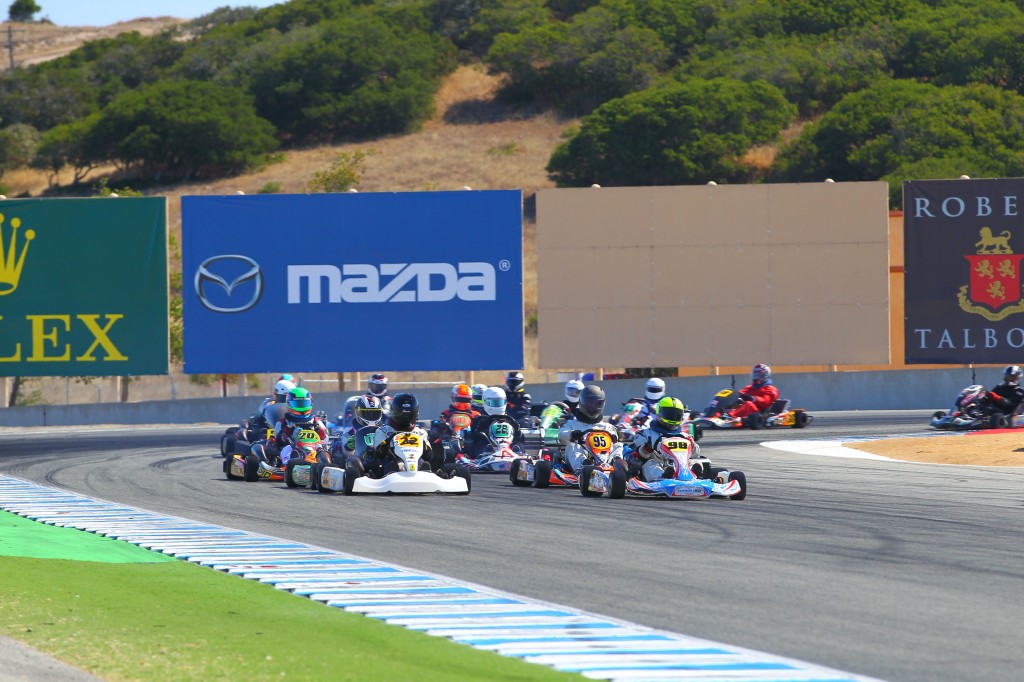
General | Posted 11 years agoSo you're interested, but can't make it all the way out to Laguna Seca? Have no fear... the actual races (Friday, Saturday and Sunday) will be streamed live online, complete with heavy-hitting celebrities calling the races (including the celebrated Randy Pobst).
The announcement says to head over to SpeedCastTV.com to watch. (It appears right now all they have are a few races on demand from last year).
Meanwhile, we've gotten our turn assignments! Barring any last minute changes, you can find me:
Monday: Turn 7 - the right-hand kink at the top of the back straight just before the left-hand turn into the corkscrew.
Tuesday: Turn 6 - A blind left down in a pocket at the start of the uphill back straight. If the car isn't balanced, the back end will try to pass you!
Wednesday: Turn 4A - A flat right-hand with a fast exit at the edge of the paddock. (I <3 tilt-shift photos!)
Thursday: Turn 9 - Downhill left-hander after the corkscrew, easily viewed from the campsites up on the hill.
Friday: Turn 11 - The slow left that leads onto the front straight.
Saturday: Turn 8A - The corkscrew proper, a right-hander that drops 60 feet
Sunday: Turn 5 - A tricky uphill left that can be taken faster than it looks due to compression forces
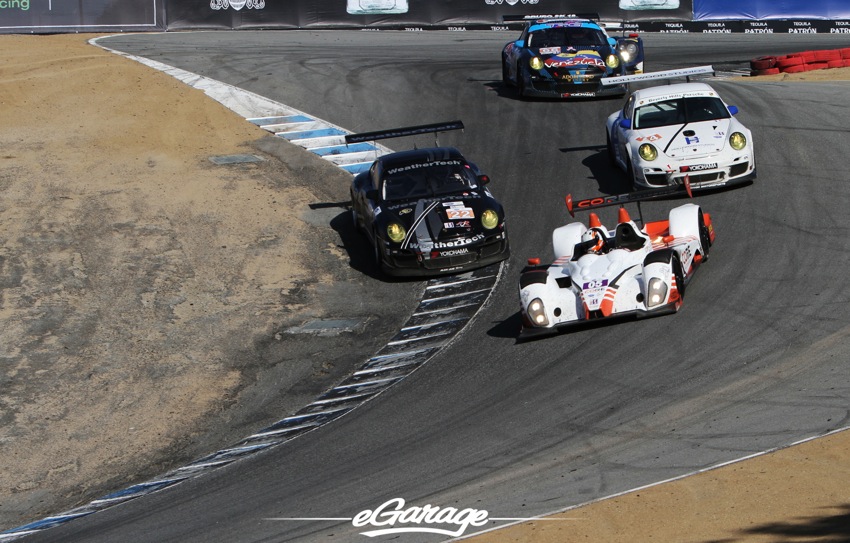
For those who need a better reference, here's a track map and a picture of the track in it's natural habitat. And if you want to virtually walk the track, you can do that too, thanks to Google Street View.
Fun fact: Noise restrictions are in place all non-race days. This is why Spec Racer Ford is the first group out on all qualifying days: they're quiet enough (relatively speaking) to not bust noise limits that early in the morning.
The announcement says to head over to SpeedCastTV.com to watch. (It appears right now all they have are a few races on demand from last year).
Meanwhile, we've gotten our turn assignments! Barring any last minute changes, you can find me:
Monday: Turn 7 - the right-hand kink at the top of the back straight just before the left-hand turn into the corkscrew.
Tuesday: Turn 6 - A blind left down in a pocket at the start of the uphill back straight. If the car isn't balanced, the back end will try to pass you!
Wednesday: Turn 4A - A flat right-hand with a fast exit at the edge of the paddock. (I <3 tilt-shift photos!)
Thursday: Turn 9 - Downhill left-hander after the corkscrew, easily viewed from the campsites up on the hill.
Friday: Turn 11 - The slow left that leads onto the front straight.
Saturday: Turn 8A - The corkscrew proper, a right-hander that drops 60 feet
Sunday: Turn 5 - A tricky uphill left that can be taken faster than it looks due to compression forces
For those who need a better reference, here's a track map and a picture of the track in it's natural habitat. And if you want to virtually walk the track, you can do that too, thanks to Google Street View.
Fun fact: Noise restrictions are in place all non-race days. This is why Spec Racer Ford is the first group out on all qualifying days: they're quiet enough (relatively speaking) to not bust noise limits that early in the morning.
Crazy Commodore Tricks - Part One
General | Posted 11 years agoThere are so many things I find amazing when looking back on the Commodore 64. A lot of "if I knew then what I knew now". Especially over the SID chip. Now that I'm big into music, I see it for what it was: a 3-voice synthesizer with envelopes, ring-modulation, variable pulse width waveforms and filters... even the ability to take the output of the third voice and feed it back into the filter control as an LFO. I never appreciated that stuff when I had the machine in my hands.
Lately I've been tripping down memory lane with back issues of COMPUTE! magazine. Our family got COMPUTE! regularly, until the Commodore-only spin-off COMPUTE!'s Gazette started up. Which means there's a whole section of COMPUTE! that overlapped Gazette that I never saw, but (oddly enough) seemed to share the same programs at times. And looking back into that archive, I've come across some mind-blowing tricks that people pulled with those great 8-bit machines.
Today, we're going to examine the story of TurboTape.
TurboTape was a utility for the C64 that (as the name implies) sped up tape access... sort of. What it did was save data in a different coding on the tape, allowing much faster loading... nearly as fast as they might load from disk. How was this accomplished? Very simply: each bit was encoded as either a short tone (1) or a long tone (0). (When I say "short" and "long", we're talking about milliseconds here... something that would sound like noise if you played it back on an audio player). Using the TurboSave utility, you could save your program in this new, efficient coding.
Reading the data back was criminally simple: the reader would set a hardware timer to a value between the short and long durations. Then it employed a tight loop that would fire the timer when the tone started, and check the timer status register when the tone ended. If the timer was still going, it was a short tone and the register held a 1. A long tone, the timer would have expired and the register would hold a 0. Copy the status register into the byte you were building and do it again.
The loading times were further cut by throwing out redundant information: none of this had any sort of checksumming or CRC, and Commodore machines would save two copies of a program on tape, just in case the first one had errors in it. TurboTape was then a bit of a high-wire act without a net, but it was rather reliable even without the extra redundancy.
Now you might think that you'd need a similar TurboLoad utility to load programs saved with TurboTape. After all, a stock C64 isn't going to recognize the custom coding. But you'd be wrong. Once you saved a program in TurboTape format, you could take it to your friend's house and load it right up on their plain-vanilla no-TurboTape Commodore 64. No joking! It would even load at turbo speed. How in the world did that work?
Well, the first thing you have to know about the Commodore 64 was there was that the memory was wide open. We probably didn't know the term at the time (I sure didn't) but this was working closer to the metal than machines these days. No fancy graphics or sound commands, no exception handlers, development environments. No execution protection to slap the hands of a program trying to mess with memory it shouldn't... you POKED your values into memory locations and the computer trusted you knew what you were doing. <Jeff Foxworthy>You wanna POKE weird numbers into zero-page memory? Try that out. OHH! Crashed the computer, didn't it? Don't do that no more.</Jeff Foxworthy>
So in that spirit, you could make saved data load anywhere in memory and the machine would happily do it for you. Every saved program, on tape and on disk, is saved with a starting memory location for loading. In the case of BASIC programs it's the start of BASIC memory. For machine language programs it's the starting address for the code. And it didn't have to be a program: this was super-efficient for loading sprite data directly into their indexed memory locations, or even dropping character data directly to screen memory for game playfields. These days this would be viewed as frighteningly insecure, but again... you were trusted to know what you were doing.
The second thing to know is about the standard format of saved data on tape. Mainly that the format called for 180 characters dedicated to a filename. And the machine will dutifully read all 180 characters into the cassette buffer memory, even though the kernel only uses the first 16 of them for the actual name.
So armed with those two items, how exactly does a TurboTape-saved program load correctly on a vanilla C64? Before the actual new coding starts on the tape, TurboTape saves a more standard program that any C64 can read. A very, very short program with an interesting filename. The first 16 characters of the filename are what you'd expect... the name of the program when it was saved. But after that... in the remaining 164 characters... are characters that when loaded into memory, comprise the values of the machine language code for the TurboTape loader. Which as noted in point two above, the system loads into the cassette buffer memory.
Somebody out there is scratching their head, thinking, "Wait, isn't that a...?" Yes, yes it is. A classic buffer overrun exploit. So now the TurboTape reader is loaded into memory. How does it get run?
Remember point one? Every saved program has a starting address, and the computer loads the data where it's told. So after the filename on the tape is the actual program. Only this "program" is a few bytes that make up the address in the cassette buffer memory where the reader is loaded. And the address to load them into is the jump-vector for the close-all-files routine that is run when a program is done loading.
So we have the TurboTape reader loaded into the cassette buffer via a buffer overrun. We have the close-all-files vector re-written to point to the reader by the actual loading of the "program" saved on tape. Now that program has finished loading, so what happens? The system needs to close out the file and jumps to the location pointed at by the re-written vector... which starts the TurboTape loader! Interception! The "play" button is still pressed on the Datasette, so TurboTape sets the bits to start the motor and takes over, reading the specially coded data saved afterward and decoding it into memory. Once it's done, it jumps to the proper close-all-files routine to wrap things up and life carries on normally.
Amazing, isn't it? Exploiting a buffer overrun and the ability to load anything anywhere allows you to save programs in a special, fast-reading format that contain their own self-executing loader code. Talk about thinking out of the box!
Now if you thought that was mind-bending, wait until our next installment. Wherein we learn how some very inspired memory-warping can get you programs (both BASIC or machine language) that run automatically when loaded.
COMPUTE! would later publish TurboDisk, a utility to speed up the Commodore 64's infamously slow 1541 disk drive. There's less trickery there, but only because the 1541 disk drive contained its own 6502 processor, ROM and even RAM. It was a computer unto itself, which let it do so much more than any disk drive before or after. But... that's a story for another journal entry.
Lately I've been tripping down memory lane with back issues of COMPUTE! magazine. Our family got COMPUTE! regularly, until the Commodore-only spin-off COMPUTE!'s Gazette started up. Which means there's a whole section of COMPUTE! that overlapped Gazette that I never saw, but (oddly enough) seemed to share the same programs at times. And looking back into that archive, I've come across some mind-blowing tricks that people pulled with those great 8-bit machines.
Today, we're going to examine the story of TurboTape.
TurboTape was a utility for the C64 that (as the name implies) sped up tape access... sort of. What it did was save data in a different coding on the tape, allowing much faster loading... nearly as fast as they might load from disk. How was this accomplished? Very simply: each bit was encoded as either a short tone (1) or a long tone (0). (When I say "short" and "long", we're talking about milliseconds here... something that would sound like noise if you played it back on an audio player). Using the TurboSave utility, you could save your program in this new, efficient coding.
Reading the data back was criminally simple: the reader would set a hardware timer to a value between the short and long durations. Then it employed a tight loop that would fire the timer when the tone started, and check the timer status register when the tone ended. If the timer was still going, it was a short tone and the register held a 1. A long tone, the timer would have expired and the register would hold a 0. Copy the status register into the byte you were building and do it again.
The loading times were further cut by throwing out redundant information: none of this had any sort of checksumming or CRC, and Commodore machines would save two copies of a program on tape, just in case the first one had errors in it. TurboTape was then a bit of a high-wire act without a net, but it was rather reliable even without the extra redundancy.
Now you might think that you'd need a similar TurboLoad utility to load programs saved with TurboTape. After all, a stock C64 isn't going to recognize the custom coding. But you'd be wrong. Once you saved a program in TurboTape format, you could take it to your friend's house and load it right up on their plain-vanilla no-TurboTape Commodore 64. No joking! It would even load at turbo speed. How in the world did that work?
Well, the first thing you have to know about the Commodore 64 was there was that the memory was wide open. We probably didn't know the term at the time (I sure didn't) but this was working closer to the metal than machines these days. No fancy graphics or sound commands, no exception handlers, development environments. No execution protection to slap the hands of a program trying to mess with memory it shouldn't... you POKED your values into memory locations and the computer trusted you knew what you were doing. <Jeff Foxworthy>You wanna POKE weird numbers into zero-page memory? Try that out. OHH! Crashed the computer, didn't it? Don't do that no more.</Jeff Foxworthy>
So in that spirit, you could make saved data load anywhere in memory and the machine would happily do it for you. Every saved program, on tape and on disk, is saved with a starting memory location for loading. In the case of BASIC programs it's the start of BASIC memory. For machine language programs it's the starting address for the code. And it didn't have to be a program: this was super-efficient for loading sprite data directly into their indexed memory locations, or even dropping character data directly to screen memory for game playfields. These days this would be viewed as frighteningly insecure, but again... you were trusted to know what you were doing.
The second thing to know is about the standard format of saved data on tape. Mainly that the format called for 180 characters dedicated to a filename. And the machine will dutifully read all 180 characters into the cassette buffer memory, even though the kernel only uses the first 16 of them for the actual name.
So armed with those two items, how exactly does a TurboTape-saved program load correctly on a vanilla C64? Before the actual new coding starts on the tape, TurboTape saves a more standard program that any C64 can read. A very, very short program with an interesting filename. The first 16 characters of the filename are what you'd expect... the name of the program when it was saved. But after that... in the remaining 164 characters... are characters that when loaded into memory, comprise the values of the machine language code for the TurboTape loader. Which as noted in point two above, the system loads into the cassette buffer memory.
Somebody out there is scratching their head, thinking, "Wait, isn't that a...?" Yes, yes it is. A classic buffer overrun exploit. So now the TurboTape reader is loaded into memory. How does it get run?
Remember point one? Every saved program has a starting address, and the computer loads the data where it's told. So after the filename on the tape is the actual program. Only this "program" is a few bytes that make up the address in the cassette buffer memory where the reader is loaded. And the address to load them into is the jump-vector for the close-all-files routine that is run when a program is done loading.
So we have the TurboTape reader loaded into the cassette buffer via a buffer overrun. We have the close-all-files vector re-written to point to the reader by the actual loading of the "program" saved on tape. Now that program has finished loading, so what happens? The system needs to close out the file and jumps to the location pointed at by the re-written vector... which starts the TurboTape loader! Interception! The "play" button is still pressed on the Datasette, so TurboTape sets the bits to start the motor and takes over, reading the specially coded data saved afterward and decoding it into memory. Once it's done, it jumps to the proper close-all-files routine to wrap things up and life carries on normally.
Amazing, isn't it? Exploiting a buffer overrun and the ability to load anything anywhere allows you to save programs in a special, fast-reading format that contain their own self-executing loader code. Talk about thinking out of the box!
Now if you thought that was mind-bending, wait until our next installment. Wherein we learn how some very inspired memory-warping can get you programs (both BASIC or machine language) that run automatically when loaded.
COMPUTE! would later publish TurboDisk, a utility to speed up the Commodore 64's infamously slow 1541 disk drive. There's less trickery there, but only because the 1541 disk drive contained its own 6502 processor, ROM and even RAM. It was a computer unto itself, which let it do so much more than any disk drive before or after. But... that's a story for another journal entry.
The Runoffs Are Here!
General | Posted 11 years agoAlright everybody, save the dates: October 6th through October 12th is the 2014 SCCA Runoffs and this year they're happening on the west coast at the world-renown Laguna Seca Raceway. And yes, it really does span an entire week. Monday is open practice. Tuesday/Wednesday/Thrusday is qualifying and Friday/Saturday/Sunday is racing Racing RACING! I will be there, perched out on a corner somewhere working Flagging and Communication. Ruthiel will be there, up in the tower working Timing and Scoring. And for those of you on the west coast (and especially you guys in the Bay Area) I hope you'll be there too! Tickets are $25 for one day GA and $60 for a three-day pass. Parking is free, premier parking extra.
"But Kerosel, what will they be racing at the Runoffs?" Good Lord, what won't they race? There will be over 25 different classes represented at the Runoffs. To borrow a line from David Brenner, "It's not what is there to race, it's what d'yer feel like racing?" The beautiful thing about the SCCA is if it has wheels and an engine, there's a class (and often more than one class) it can race in!
Production cars your thing? SCCA's got you covered, from the ground-pounding thunder of GT-1 down to B-Spec sub-compacts. American Sedan keeps the spirit of Trans-Am racing alive with Cameros, GTOs and Mustangs. And you've never seen tighter, wheel-to-wheel racing than when the boys (and girls) of Spec Miata take to the track.
More of a Sports Racer person? No sweat. There's C-Sports Racer, powered by engines from cars, D-Sports Racer with their high-revving motorcycle-based drivetrains and the more recently created Prototype classes. For big fields and close racing, you can't beat Spec Racer Ford.
Ah, but you say you're a tried-and-true Formula fan? Oh man, where do I begin? Formula Atlantic, Formula Continental, Formula Ford, Formula 500, Formula 1000 (aka FB), Formula Mazda (both old and new), Formula Enterprise and the inexpensive Formula Vee class that tends to draw huge numbers to national events. It's a little slice of heaven for the lovers of open-wheel racing.
Next year, the Runoffs are in Daytona. After that, back to Mid-Ohio. If you want to see a lot of racing by top drivers from the 112 SCCA regions around the United States, you can't afford to miss the Runoffs. And if you're on the west coast, this is your chance.
I'll see you there!
"But Kerosel, what will they be racing at the Runoffs?" Good Lord, what won't they race? There will be over 25 different classes represented at the Runoffs. To borrow a line from David Brenner, "It's not what is there to race, it's what d'yer feel like racing?" The beautiful thing about the SCCA is if it has wheels and an engine, there's a class (and often more than one class) it can race in!
Production cars your thing? SCCA's got you covered, from the ground-pounding thunder of GT-1 down to B-Spec sub-compacts. American Sedan keeps the spirit of Trans-Am racing alive with Cameros, GTOs and Mustangs. And you've never seen tighter, wheel-to-wheel racing than when the boys (and girls) of Spec Miata take to the track.
More of a Sports Racer person? No sweat. There's C-Sports Racer, powered by engines from cars, D-Sports Racer with their high-revving motorcycle-based drivetrains and the more recently created Prototype classes. For big fields and close racing, you can't beat Spec Racer Ford.
Ah, but you say you're a tried-and-true Formula fan? Oh man, where do I begin? Formula Atlantic, Formula Continental, Formula Ford, Formula 500, Formula 1000 (aka FB), Formula Mazda (both old and new), Formula Enterprise and the inexpensive Formula Vee class that tends to draw huge numbers to national events. It's a little slice of heaven for the lovers of open-wheel racing.
Next year, the Runoffs are in Daytona. After that, back to Mid-Ohio. If you want to see a lot of racing by top drivers from the 112 SCCA regions around the United States, you can't afford to miss the Runoffs. And if you're on the west coast, this is your chance.
I'll see you there!
The Hacker Ethos
General | Posted 12 years agoI can't even remember where I read it originally (it was probably in 2600), but I do remember reading an article about hackers. And at one point, the author made the statement that when it comes to doing their job, a lot of times hackers don't even care who gets the credit, they just get the job done. It's an idea that has stayed with me ever since, because not surprisingly, I feel the same way.
I was blessed to see it in action at Anime Expo a few years ago. We (Main Events Technical) were hanging out backstage when a stage equipment rental worker shows up. He's got all the instruments we'll need for all the bands, ready to be offloaded. And slowly it dawned on us that due to a logistical shakeup... there was no backstage staff! No stage manager or roadies! We looked at each other and then one of my camera guys got up. And the rest of us looked at each other and got up and followed. We shagged drum kits, keyboard cases, guitars, amps and more Marshall speaker cabs than I care to remember. It wasn't our job, but we got it done.
The next day, when the bands started realizing they didn't have the right gear, my camera guy took it upon himself to get it all sorted out and squared away. He spent hours checking serial numbers and models and hunting down where the stuff had gone and getting those people the instruments they were supposed to have. Not anywhere near his job description for the weekend. But he did it.
We all did it. All weekend, in addition to our actual technical duties. And we did it with a smile.
So with this ethos in mind, I can understand why I had a bad reaction to a story from a friend about his work. About how he wanted to snag a fellow employee from a contract that had just finished and put that guy in charge of his current contract... so my friend could jump to a bigger, better contract. Because the current contract was too small-potatoes for him to ever advance, and he needed more big-time contracts if he was ever going to make partner in the company... He told it like he was proud of it.
And I was... well... the best term I can use is that I was completely offended by his actions. How could he possibly justify ducking out on his current client because they're not a big enough contract? How do you look your client in the eye and say "Sorry, if I keep working for you I'll never advance my career."? (I'm sure you don't... you just do it and your replacement shows up in your place) What kind of customer service is that? If it was me, you know I'd stick with my client and see them through until the contract was up and we were finished.
But... I guess that's why I'm coming up on 40 and making fast-food wages, while he's five years out of college and knocking down a six figure salary.
"Some of these guys will never make a dime. Some of these guys will die broke and alone. But in the process, they've become the true renegades. And the true rebels always walk alone anyway..."
I was blessed to see it in action at Anime Expo a few years ago. We (Main Events Technical) were hanging out backstage when a stage equipment rental worker shows up. He's got all the instruments we'll need for all the bands, ready to be offloaded. And slowly it dawned on us that due to a logistical shakeup... there was no backstage staff! No stage manager or roadies! We looked at each other and then one of my camera guys got up. And the rest of us looked at each other and got up and followed. We shagged drum kits, keyboard cases, guitars, amps and more Marshall speaker cabs than I care to remember. It wasn't our job, but we got it done.
The next day, when the bands started realizing they didn't have the right gear, my camera guy took it upon himself to get it all sorted out and squared away. He spent hours checking serial numbers and models and hunting down where the stuff had gone and getting those people the instruments they were supposed to have. Not anywhere near his job description for the weekend. But he did it.
We all did it. All weekend, in addition to our actual technical duties. And we did it with a smile.
So with this ethos in mind, I can understand why I had a bad reaction to a story from a friend about his work. About how he wanted to snag a fellow employee from a contract that had just finished and put that guy in charge of his current contract... so my friend could jump to a bigger, better contract. Because the current contract was too small-potatoes for him to ever advance, and he needed more big-time contracts if he was ever going to make partner in the company... He told it like he was proud of it.
And I was... well... the best term I can use is that I was completely offended by his actions. How could he possibly justify ducking out on his current client because they're not a big enough contract? How do you look your client in the eye and say "Sorry, if I keep working for you I'll never advance my career."? (I'm sure you don't... you just do it and your replacement shows up in your place) What kind of customer service is that? If it was me, you know I'd stick with my client and see them through until the contract was up and we were finished.
But... I guess that's why I'm coming up on 40 and making fast-food wages, while he's five years out of college and knocking down a six figure salary.
"Some of these guys will never make a dime. Some of these guys will die broke and alone. But in the process, they've become the true renegades. And the true rebels always walk alone anyway..."
A Retraction
General | Posted 12 years agoThat was a pretty good story I penned yesterday about strange network routes, wasn't it? Yeah... too bad it was just that: a story. A work of quasi-fiction. On further review, what I said was happening, wasn't. Oh the server still didn't need a default gateway to function, that part was true.
What I didn't realize is the gateway doesn't know about the public network. What it does know is that to get out to the public network it has to traverse the firewall (the gateway for the gateway) and the packets undergo NAT mangling. The firewall's external interface is in our public IP block.
So the firewall and the web server are both on the same public network and don't need a gateway to talk to each other. The return traffic goes to the firewall over the public network, the firewall NATs the response and away it goes over the private network back to my workstation.
So let this be a lesson to all of you: if you're gonna bust out of the gate with a good story of life, best to do your research first or you'll end up looking like a fool.
What I didn't realize is the gateway doesn't know about the public network. What it does know is that to get out to the public network it has to traverse the firewall (the gateway for the gateway) and the packets undergo NAT mangling. The firewall's external interface is in our public IP block.
So the firewall and the web server are both on the same public network and don't need a gateway to talk to each other. The return traffic goes to the firewall over the public network, the firewall NATs the response and away it goes over the private network back to my workstation.
So let this be a lesson to all of you: if you're gonna bust out of the gate with a good story of life, best to do your research first or you'll end up looking like a fool.
A Circuitous Route
General | Posted 12 years agoUPDATE: I didn't do adequate research and this tale -- as engaging as it is -- is only a half-truth. The big payoff is pretty much a bust. Check out the real story here, in a much less dramatic, much more defeatist style.
I installed Shorewall on my server over the weekend, and in the documentation, there was an option to make traffic return by the same route it entered. Because (it said) traffic does not have to follow the same path it took to get to you: it follows the routing tables. "Huh," I said. Interesting, but I was at a loss for how exactly that might happen. Of course life being what it is... I would get a personal example two days later.
I was tasked with transferring our website to new hardware. After more than a week of practice, development runs, testing and many e-mail exchanges with our contractor that keeps watch over our servers, I was ready. Both servers were connected to the public network so the contractor could access them (and the current webserver would keep working) and to the private network so I could copy files between them at gigabit speeds, By the way, SCP has become my new favorite tool, I don't know how I ever got along without it, but I digress...
Okay, so... maintenance window opens. Down the public interfaces, stop the web service, stop the database service and start copying the web-related files. That was a 10-minute affair and I kept thinking, "Tick tock tick tock..." Set the new server to use the same public IP address as the old (praying there wouldn't be ARP-cache issues). Copy the database, fix up permissions, bring up the public interface on the new server, start the database service, start the web service and... it lives! Both via the private address and the public URL. Total downtime: 20 minutes.
I told my boss and he suggested I try it from one of the newsroom iPads, which are on the open wireless. It's a physically separate network from the building network through a different ISP. And... it didn't load! Damn! Tried it on my phone (same wireless connection), no dice. Ping it from my phone... no answer. It's down! But how can it be down when I can hit it from my desk -- using the public URL/address -- and get the site?
I checked a few things on the server before trying to load Google's website and got an immediate "can not connect" notice. Could it be... why yes, the default route wasn't set, I had apparently used a blunt-force tool to bring up the interface and it had done just that... and nothing more. I added the default gateway to the routing table and no sooner had I pressed enter than the website popped up on the iPad, Fixed! And I had to bail for a dental appointment, so I called it good and dashed out the door.
But by the afternoon, I was getting some fridge-logic. Why had it worked from my computer? And from the Director of New Media's computer, too? The networking on the server was obviously broken: it couldn't even contact the internet without the default gateway. Why could I interact with it via the public address? By the evening, I had that light bulb moment and realized the strange truth.
Okay, so I request the website via the URL on my machine. It asks the domain DNS for the address, which it doesn't know so it asks our public name server which does know, and my machine gets back the public IP. Of course the public IP isn't on the private network and the request gets booted upstairs (literally) to the default gateway.
Puzzle-piece #1: Our gateway is a Cisco Catalyst managed switch that handles and is aware of both the private and public networks. When it gets the request for the web server on the public network, it simply routes the packets from the private to the public network, It seems strange, but traffic from our workstations going to our public-facing servers never gets onto the internet. It never even leaves the building.
Okay, so the network traffic goes through the gateway and arrives at the server on the public interface. The web server processes the request and attempts to send packets back. But there's no default gateway.
Puzzle-piece #2: Because the traffic never leaves the building, it doesn't need to undergo any sort of NAT or masquerading. The reply address is still the private network IP of my workstation.
Puzzle-piece #3: The web server has an address on the private network. It already knows how to get the traffic back to the private address: directly out the interface on the private network! No default gateway necessary. And that's what it does... creating a crazy triangular path from my workstation to the gateway, to the server... and directly back to my workstation.
Exactly what the documentation to Shorewall said: outbound traffic doesn't have to follow the same route as inbound traffic. Who knew?
The first couple of copy rehearsals between servers took hours, even over the gigabit link. Why? Because there was a directory of thumbnails... with over a million JPEGs in it. I wish I was kidding! None of them were much over a few kilobytes, but the sheer number of files! The overhead of each file made the transfer speed slow to a crawl and it just took forever! Thank the silicon gods we found out that directory didn't need to be moved to the new server.
The thumbnail directory on our sister station's web server is approaching that same milestone. We need to find a way to keep those directories cleaned up!
I installed Shorewall on my server over the weekend, and in the documentation, there was an option to make traffic return by the same route it entered. Because (it said) traffic does not have to follow the same path it took to get to you: it follows the routing tables. "Huh," I said. Interesting, but I was at a loss for how exactly that might happen. Of course life being what it is... I would get a personal example two days later.
I was tasked with transferring our website to new hardware. After more than a week of practice, development runs, testing and many e-mail exchanges with our contractor that keeps watch over our servers, I was ready. Both servers were connected to the public network so the contractor could access them (and the current webserver would keep working) and to the private network so I could copy files between them at gigabit speeds, By the way, SCP has become my new favorite tool, I don't know how I ever got along without it, but I digress...
Okay, so... maintenance window opens. Down the public interfaces, stop the web service, stop the database service and start copying the web-related files. That was a 10-minute affair and I kept thinking, "Tick tock tick tock..." Set the new server to use the same public IP address as the old (praying there wouldn't be ARP-cache issues). Copy the database, fix up permissions, bring up the public interface on the new server, start the database service, start the web service and... it lives! Both via the private address and the public URL. Total downtime: 20 minutes.
I told my boss and he suggested I try it from one of the newsroom iPads, which are on the open wireless. It's a physically separate network from the building network through a different ISP. And... it didn't load! Damn! Tried it on my phone (same wireless connection), no dice. Ping it from my phone... no answer. It's down! But how can it be down when I can hit it from my desk -- using the public URL/address -- and get the site?
I checked a few things on the server before trying to load Google's website and got an immediate "can not connect" notice. Could it be... why yes, the default route wasn't set, I had apparently used a blunt-force tool to bring up the interface and it had done just that... and nothing more. I added the default gateway to the routing table and no sooner had I pressed enter than the website popped up on the iPad, Fixed! And I had to bail for a dental appointment, so I called it good and dashed out the door.
But by the afternoon, I was getting some fridge-logic. Why had it worked from my computer? And from the Director of New Media's computer, too? The networking on the server was obviously broken: it couldn't even contact the internet without the default gateway. Why could I interact with it via the public address? By the evening, I had that light bulb moment and realized the strange truth.
Okay, so I request the website via the URL on my machine. It asks the domain DNS for the address, which it doesn't know so it asks our public name server which does know, and my machine gets back the public IP. Of course the public IP isn't on the private network and the request gets booted upstairs (literally) to the default gateway.
Puzzle-piece #1: Our gateway is a Cisco Catalyst managed switch that handles and is aware of both the private and public networks. When it gets the request for the web server on the public network, it simply routes the packets from the private to the public network, It seems strange, but traffic from our workstations going to our public-facing servers never gets onto the internet. It never even leaves the building.
Okay, so the network traffic goes through the gateway and arrives at the server on the public interface. The web server processes the request and attempts to send packets back. But there's no default gateway.
Puzzle-piece #2: Because the traffic never leaves the building, it doesn't need to undergo any sort of NAT or masquerading. The reply address is still the private network IP of my workstation.
Puzzle-piece #3: The web server has an address on the private network. It already knows how to get the traffic back to the private address: directly out the interface on the private network! No default gateway necessary. And that's what it does... creating a crazy triangular path from my workstation to the gateway, to the server... and directly back to my workstation.
Exactly what the documentation to Shorewall said: outbound traffic doesn't have to follow the same route as inbound traffic. Who knew?
The first couple of copy rehearsals between servers took hours, even over the gigabit link. Why? Because there was a directory of thumbnails... with over a million JPEGs in it. I wish I was kidding! None of them were much over a few kilobytes, but the sheer number of files! The overhead of each file made the transfer speed slow to a crawl and it just took forever! Thank the silicon gods we found out that directory didn't need to be moved to the new server.
The thumbnail directory on our sister station's web server is approaching that same milestone. We need to find a way to keep those directories cleaned up!
Teleportation
General | Posted 12 years agoTeleportation seems like a pretty cool idea, right? Who wouldn't love stepping into a box (or on a pad, if you're of the Star Trek mindset) and being sent near-instantly to where you'd like to go? Across town or across the planet, vacation would never be the same. The transportation industry would collapse, traffic jams would be a thing of the past. Unless the lines for using the teleportation station ended up being long...
Of course if you really think about it, there's a bit of an moral dilemma with teleportation...
Wait, did somebody say National Film Board of Canada? Hmmmm...
This one's a classic, too... man, I'm suddenly missing Spike and Mike's Sick and Twisted Festival of Animation. Where I first saw this long, long ago and still remember it to this day. And for cryin' out loud, now I see it was done by John R. Dilworth? It probably figures Courage the Cowardly Dog is one of my all-time favorite shows.
Of course if you really think about it, there's a bit of an moral dilemma with teleportation...
Wait, did somebody say National Film Board of Canada? Hmmmm...
This one's a classic, too... man, I'm suddenly missing Spike and Mike's Sick and Twisted Festival of Animation. Where I first saw this long, long ago and still remember it to this day. And for cryin' out loud, now I see it was done by John R. Dilworth? It probably figures Courage the Cowardly Dog is one of my all-time favorite shows.
The Dark Hidden Past of Underworld
General | Posted 12 years agoWe all know Underworld, right? When Born Slippy hit the college radio circuit, we'd never quite heard anything like it. And those of you into futuristic racers on the PSX will no doubt remember Tin There. Or the strange bittersweet of Jumbo. And of course, my personal favorite, Pearl's Girl.
But that's the post 1990's Underworld.
See, on Sire Sampler Vol. 3 (Just Say Mao!) there's a track that's straight-up 80's synth. Thrash by... Underworld? Nah, it couldn't be, right? I mean... it's... like... cheesy synthpop!
It would take me years to finally find the connection, but yes, it is the same Underworld! In the 80's, they had quite a different sound. They released two albums, Underneath The Radar and Change The Weather. And I gotta say, the title track from Change The Weather is pretty damn catchy! I could definitely groove to more of this!
I guess you never know what you might find in a group's past before they make that big break into the public consciousness.
But that's the post 1990's Underworld.
See, on Sire Sampler Vol. 3 (Just Say Mao!) there's a track that's straight-up 80's synth. Thrash by... Underworld? Nah, it couldn't be, right? I mean... it's... like... cheesy synthpop!
It would take me years to finally find the connection, but yes, it is the same Underworld! In the 80's, they had quite a different sound. They released two albums, Underneath The Radar and Change The Weather. And I gotta say, the title track from Change The Weather is pretty damn catchy! I could definitely groove to more of this!
I guess you never know what you might find in a group's past before they make that big break into the public consciousness.
30 for 30 and Beyond...
General | Posted 12 years agoWhat if I told you that after the Baltimore Colts bailed for Indianapolis in the middle of the night, the team band kept on playing? That the seeds to the billion-dollar fantasy sports empire were sown by a group of friends in a lousy restaurant? Or that on June 17th 1994, no less than six major stories ran through the sporting world, all of them overshadowed by a slow speed chase in a white Ford Bronco?
What if I told you how a black president and a white rugby team united a nation torn apart by racial tension? That even as the campus of the University of Mississippi erupted over integration, the students swelled with pride over their football team threatening to go undefeated in the season? That a lot of those broke young men suddenly thrust into the high life of sports end up even worse off at the end of it all?
What if I told you that when the NCAA dropped the "death penalty" on Southern Methodist University and suspended their football program for two years, it would devastate the fan base for decades after? That for a brief moment, it appeared the United States Football League might overtake the National Football League in popularity? Or that the true story of one fan's quest to return James Naismith's original rules of basketball to it's birthplace in Lawrence, Kansas is one you couldn't write, even if you tried?
And what if I told you that the best sports documentaries are almost never about the sport itself? That the human emotion and struggle are more dramatic than any amount of game footage? That in the end, it truly is only a game?
You can watch these stories and many, many more through ESPN's 30 for 30 series, rerunning regularly on ESPN Classic with new films debuting on ESPN. I can tell you personally that I'm not too deep into sports, but I have not watched a 30 for 30 yet that I haven't been completely fascinated by.
Perhaps you will be too.
What if I told you how a black president and a white rugby team united a nation torn apart by racial tension? That even as the campus of the University of Mississippi erupted over integration, the students swelled with pride over their football team threatening to go undefeated in the season? That a lot of those broke young men suddenly thrust into the high life of sports end up even worse off at the end of it all?
What if I told you that when the NCAA dropped the "death penalty" on Southern Methodist University and suspended their football program for two years, it would devastate the fan base for decades after? That for a brief moment, it appeared the United States Football League might overtake the National Football League in popularity? Or that the true story of one fan's quest to return James Naismith's original rules of basketball to it's birthplace in Lawrence, Kansas is one you couldn't write, even if you tried?
And what if I told you that the best sports documentaries are almost never about the sport itself? That the human emotion and struggle are more dramatic than any amount of game footage? That in the end, it truly is only a game?
You can watch these stories and many, many more through ESPN's 30 for 30 series, rerunning regularly on ESPN Classic with new films debuting on ESPN. I can tell you personally that I'm not too deep into sports, but I have not watched a 30 for 30 yet that I haven't been completely fascinated by.
Perhaps you will be too.
This is why we can't have nice things
General | Posted 12 years agoOver a decade ago when I de-mothballed my "server" and began tinkering with Linux (something that would alter the entire course of my life... but that's a story for a different journal), it quickly went from an experimental server to being integrated into the family household, first sharing dial-up and later sharing cable internet.
One of the things that happened was a lot of "why not?" reasoning. FTP server? Why not. Helix Server? Sure, why not. E-mail? Why the heck not. Industrial strength BIND DNS services? Well why not!
Having your own e-mail server is an interesting experience. Back when I started with it, I could almost send e-mail to anyone I wanted. Almost... because already at that time some places were checking the e-mail source. And because my DNS entry failed a reverse-lookup, some mail providers would block me. That's fair, of course. No legitimate e-mail server wouldn't have a real DNS record with a proper reverse-lookup PTR record. As time wore on, it got worse. Now there are very few mail servers that will accept mail from me, because my IP address range is blacklisted. Again, this is totally understandable as no legitimate mail server would reside on a domestic IP block.
So what about incoming mail? That's a story in itself! When the internet was fresh and new, e-mail servers could relay mail... that is, if a mail was sent to your server that didn't originate from your domain and wasn't destined for your domain, your server would happily pass it along. E-mail servers can still relay mail, but that's a quick way to make a lot of people mad because spammers love open relay sites to help cover their tracks.
Because I run a proper mailserver, relaying is forbidden. That didn't keep me from getting a lot of reports from my mailserver about illegal relay attempts. It was interesting to watch, and I found out there were two kinds of spammers: those that when given the "554 Relay Access Denied Error" would politely wrap things up with a QUIT command... and those who couldn't slam the connection closed fast enough once you dropped the 554 on them. Apparently they were in a hurry to go spam someone else!
Back in February of this year I noticed that all my illegal relay notices stopped. It wouldn't be until 6 months later I'd figure out the truth: sadly for us home-hobbyists, Comcast shut down incoming port 25 to all their residential customers. I know this is to fight the continuing fight against spambot networks on people's home machines, but some of us who had properly-configured mail services got caught in the blast radius. I know, I know... no legitimate mailserver would be... but it still kinda sucks. And I'm sure no amount of begging would convince Comcast to open my port 25 back up.
So you see? This is why we can't have nice things. Because sooner or later, they get exploited and shut down. It happened with the original mail relay concept, and now it's happened with home-brew mail servers.
Every now and then I'd get a funny session transcript from my mailserver. It happens when the originating server refuses to pay attention to the error messages and keeps plowing ahead as if nothing was wrong...
Transcript of session follows.
Out: 220 xxx.aviary.dyndns.org ESMTP Postfix (Debian/GNU)
In: EHLO 127.0.0.1
Out: 250-xxx.aviary.dyndns.org
Out: 250-PIPELINING
Out: 250-SIZE 10240000
Out: 250-VRFY
Out: 250-ETRN
Out: 250-ENHANCEDSTATUSCODES
Out: 250-8BITMIME
Out: 250 DSN
In: AUTH LOGIN
Out: 503 5.5.1 Error: authentication not enabled
In: mail from: testing[at]testers.com
Out: 250 2.1.0 Ok
In: rcpt to: csclus.smtp[at]gmail.com
Out: 554 5.7.1 <csclus.smtp@gmail.com>: Relay access denied
In: data
Out: 554 5.5.1 Error: no valid recipients
In: Content-Type: text/html
Out: 221 2.7.0 Error: I can break rules, too. Goodbye.
Silly geeks... always sneaking humor in unlikely places...
Then there was the time I clicked on my local server mailbox, only to hear the server's hard drive churn. It churned for close to 15 seconds and then Thunderbird reported over a thousand new messages. Hundreds of illegal relay messages, most of them not even 5 seconds apart, sometimes three with the same time stamp! Over the course of four days!
I'll never know for sure, but I think I was the target of a DoS attack! I made the big-time! ^_^
One of the things that happened was a lot of "why not?" reasoning. FTP server? Why not. Helix Server? Sure, why not. E-mail? Why the heck not. Industrial strength BIND DNS services? Well why not!
Having your own e-mail server is an interesting experience. Back when I started with it, I could almost send e-mail to anyone I wanted. Almost... because already at that time some places were checking the e-mail source. And because my DNS entry failed a reverse-lookup, some mail providers would block me. That's fair, of course. No legitimate e-mail server wouldn't have a real DNS record with a proper reverse-lookup PTR record. As time wore on, it got worse. Now there are very few mail servers that will accept mail from me, because my IP address range is blacklisted. Again, this is totally understandable as no legitimate mail server would reside on a domestic IP block.
So what about incoming mail? That's a story in itself! When the internet was fresh and new, e-mail servers could relay mail... that is, if a mail was sent to your server that didn't originate from your domain and wasn't destined for your domain, your server would happily pass it along. E-mail servers can still relay mail, but that's a quick way to make a lot of people mad because spammers love open relay sites to help cover their tracks.
Because I run a proper mailserver, relaying is forbidden. That didn't keep me from getting a lot of reports from my mailserver about illegal relay attempts. It was interesting to watch, and I found out there were two kinds of spammers: those that when given the "554 Relay Access Denied Error" would politely wrap things up with a QUIT command... and those who couldn't slam the connection closed fast enough once you dropped the 554 on them. Apparently they were in a hurry to go spam someone else!
Back in February of this year I noticed that all my illegal relay notices stopped. It wouldn't be until 6 months later I'd figure out the truth: sadly for us home-hobbyists, Comcast shut down incoming port 25 to all their residential customers. I know this is to fight the continuing fight against spambot networks on people's home machines, but some of us who had properly-configured mail services got caught in the blast radius. I know, I know... no legitimate mailserver would be... but it still kinda sucks. And I'm sure no amount of begging would convince Comcast to open my port 25 back up.
So you see? This is why we can't have nice things. Because sooner or later, they get exploited and shut down. It happened with the original mail relay concept, and now it's happened with home-brew mail servers.
Every now and then I'd get a funny session transcript from my mailserver. It happens when the originating server refuses to pay attention to the error messages and keeps plowing ahead as if nothing was wrong...
Transcript of session follows.
Out: 220 xxx.aviary.dyndns.org ESMTP Postfix (Debian/GNU)
In: EHLO 127.0.0.1
Out: 250-xxx.aviary.dyndns.org
Out: 250-PIPELINING
Out: 250-SIZE 10240000
Out: 250-VRFY
Out: 250-ETRN
Out: 250-ENHANCEDSTATUSCODES
Out: 250-8BITMIME
Out: 250 DSN
In: AUTH LOGIN
Out: 503 5.5.1 Error: authentication not enabled
In: mail from: testing[at]testers.com
Out: 250 2.1.0 Ok
In: rcpt to: csclus.smtp[at]gmail.com
Out: 554 5.7.1 <csclus.smtp@gmail.com>: Relay access denied
In: data
Out: 554 5.5.1 Error: no valid recipients
In: Content-Type: text/html
Out: 221 2.7.0 Error: I can break rules, too. Goodbye.
Silly geeks... always sneaking humor in unlikely places...
Then there was the time I clicked on my local server mailbox, only to hear the server's hard drive churn. It churned for close to 15 seconds and then Thunderbird reported over a thousand new messages. Hundreds of illegal relay messages, most of them not even 5 seconds apart, sometimes three with the same time stamp! Over the course of four days!
I'll never know for sure, but I think I was the target of a DoS attack! I made the big-time! ^_^
Wacky Concert Videos
General | Posted 12 years agoOne of the reasons I became progressively unglued as it became apparent I would be late for the Rush concert was I knew I'd never forgive myself if I missed the opening video. The intro, intermission and ending shorts that I'd seen on the previous two concert videos had convinced me they were a treat not to be missed.
It all started with the broadcast of the R:30 concert footage on Palladia. The introduction to the concert is a who's who of Rush album covers, turning out to be a fevered dream all in Jerry Stiller's mind. Sadly, for timing reasons, the Palladia broadcast cut the video short, going from the R:30 title ("Whoa, sorry dude!") and explosion of the title right to the stage with Stiller waking up. The full version... much cooler! And funny thing, Stiller says "They never play Bangkok". But they do... at least a bit of it in the opening overture.
(And yes, Geddy's bass cabinets appear to be a pair of "functional" dryers and Vend-o-mat machines... because why not?)
The intermission video features the wacky adventures of That Darned Dragon in its attempt to take over the world... or at least destroy a Rush concert merch stand. It's up to Dirk, Lerxst and Pratt to save the day! Sadly I can't seem to find a video of what leads up to this episode, which is a strange bit of "channel surfing" that finally ends up with a dragon on his couch in front of the TV, listlessly looking through the channels and pulling a fun gag with a nearly-empty bucket of popcorn. When he sees "That Darned Dragon" is on, he perks up and watches... and away we go.
When we turn to the Time Machine tour, we find... well, what exactly do we find? An alternate universe where a band called "Rash" is in a run down diner playing "The Spirit of Radio" as... a polka? Oh this is going to be good. This is going to be very good.
The intermission finds The Gefilter still getting everyone in trouble, this time on the set while trying to film a music video for Tom Sawyer. Imagine the alternate universes... the possibilities... the weird? And what better way to wrap it all up than with the Closer To The Heart... Polka? Yeah, that's fitting for the end of this tour of madness.
Time Machine changed things. I mean, R:30 was cute and inventive, but Time Machine (for me) showed that the guys are totally willing to play along and have some fun! I can't think of too many other bands that would go this far for videos. Well, the Foo Fighters, maybe...
(By the way, the chintzy muzak version of "Everlong" kills me every time...)
So... did I make it to the concert in time? Just about... if I hadn't initially forgotten my ticket and had to run 100 yards back to my car to get it. As it was, I found my section right as the lights went down and we got a peek into the fascinating world of what actually goes on backstage before Clockwork Angels... By the time I got to my seat, it was halfway over. But that's okay, I saw most of it. Was I disappointed? A little... it was short and fun, but it was no "Don't Be Rash".
(From this point on, you'll have to deal with fan-shot concert footage. I mean, the official concert video for Clockwork Angels isn't even out yet!)
Coming back from intermission was the real treat. Before you watch though, I have to say something about this video. At the point it's picked up on the YouTube video, it had probably been running for over ten minutes. It started very, very subtly... just a brief glow of bluish color at one point on the screen. I nearly dismissed it as an errant flash from one of the intelligent lights. We weren't starting back up again, the house lights were still on!
But it wasn't errant. It happened again... like will-o-the-wisps... a flowing glow at regular intervals. And slowly... very slowly with each flash, there was a little more. More cloudy colors... soon it wasn't just a flash, it was a sweep of light, from right to left. More colors, fuzzy, blurry shapes? And my brain started attacking. What was it? Coming out of a coma? A fog? Now it wasn't just a sweep, there was a definite origin point and I finally twigged: lighthouse! A lighthouse in the fog? Okay...
Then the sounds... that eerie wail as the light swept across the screen. Things were becoming clearer, definitely a lighthouse and apparently one up in the sky. And then trailing after each drone of the light there was... music? Just the barest hint of music as the sound faded. A little bit of drums. A short guitar riff. Something... until the house lights finally were extinguished and it left us right about where the video starts... and let us watch the strange tale of an auditor sent to investigate discrepancies with Mr. Watchmaker's accounts...
And for the end, well... did Mr. Burt ever catch up with Mr. Watchmaker to go over the discrepancies with his receipts? Not... exactly...
(I had missed seeing the chicken in the intro video originally... so it seemed pretty random when it popped up in the outro. Having seen the full intro since, it makes... er... a little more sense)
It makes one wonder... if Rush were to go on another tour, what great video delights might be in store for the fans?
Okay, now... one of you who is a much bigger Rush fan than I needs to set me straight on something. I didn't notice it until a few months ago when I was going over videos in preparation for writing this... but in the R:30 intro you have the cover of Hold Your Fire that turns into the three eggs that hatch into three dragons that sing the "Hello - Hello - Hello!" But then in Clockwork Angels when the three gnomes answer the door the first time, they do the same "Hello - Hello - Hello!" bit. No way this is purely coincidence. Is there any significance to it?
Pssst... Outtakes! And the adventures of two über-fans!
It all started with the broadcast of the R:30 concert footage on Palladia. The introduction to the concert is a who's who of Rush album covers, turning out to be a fevered dream all in Jerry Stiller's mind. Sadly, for timing reasons, the Palladia broadcast cut the video short, going from the R:30 title ("Whoa, sorry dude!") and explosion of the title right to the stage with Stiller waking up. The full version... much cooler! And funny thing, Stiller says "They never play Bangkok". But they do... at least a bit of it in the opening overture.
(And yes, Geddy's bass cabinets appear to be a pair of "functional" dryers and Vend-o-mat machines... because why not?)
The intermission video features the wacky adventures of That Darned Dragon in its attempt to take over the world... or at least destroy a Rush concert merch stand. It's up to Dirk, Lerxst and Pratt to save the day! Sadly I can't seem to find a video of what leads up to this episode, which is a strange bit of "channel surfing" that finally ends up with a dragon on his couch in front of the TV, listlessly looking through the channels and pulling a fun gag with a nearly-empty bucket of popcorn. When he sees "That Darned Dragon" is on, he perks up and watches... and away we go.
When we turn to the Time Machine tour, we find... well, what exactly do we find? An alternate universe where a band called "Rash" is in a run down diner playing "The Spirit of Radio" as... a polka? Oh this is going to be good. This is going to be very good.
The intermission finds The Gefilter still getting everyone in trouble, this time on the set while trying to film a music video for Tom Sawyer. Imagine the alternate universes... the possibilities... the weird? And what better way to wrap it all up than with the Closer To The Heart... Polka? Yeah, that's fitting for the end of this tour of madness.
Time Machine changed things. I mean, R:30 was cute and inventive, but Time Machine (for me) showed that the guys are totally willing to play along and have some fun! I can't think of too many other bands that would go this far for videos. Well, the Foo Fighters, maybe...
(By the way, the chintzy muzak version of "Everlong" kills me every time...)
So... did I make it to the concert in time? Just about... if I hadn't initially forgotten my ticket and had to run 100 yards back to my car to get it. As it was, I found my section right as the lights went down and we got a peek into the fascinating world of what actually goes on backstage before Clockwork Angels... By the time I got to my seat, it was halfway over. But that's okay, I saw most of it. Was I disappointed? A little... it was short and fun, but it was no "Don't Be Rash".
(From this point on, you'll have to deal with fan-shot concert footage. I mean, the official concert video for Clockwork Angels isn't even out yet!)
Coming back from intermission was the real treat. Before you watch though, I have to say something about this video. At the point it's picked up on the YouTube video, it had probably been running for over ten minutes. It started very, very subtly... just a brief glow of bluish color at one point on the screen. I nearly dismissed it as an errant flash from one of the intelligent lights. We weren't starting back up again, the house lights were still on!
But it wasn't errant. It happened again... like will-o-the-wisps... a flowing glow at regular intervals. And slowly... very slowly with each flash, there was a little more. More cloudy colors... soon it wasn't just a flash, it was a sweep of light, from right to left. More colors, fuzzy, blurry shapes? And my brain started attacking. What was it? Coming out of a coma? A fog? Now it wasn't just a sweep, there was a definite origin point and I finally twigged: lighthouse! A lighthouse in the fog? Okay...
Then the sounds... that eerie wail as the light swept across the screen. Things were becoming clearer, definitely a lighthouse and apparently one up in the sky. And then trailing after each drone of the light there was... music? Just the barest hint of music as the sound faded. A little bit of drums. A short guitar riff. Something... until the house lights finally were extinguished and it left us right about where the video starts... and let us watch the strange tale of an auditor sent to investigate discrepancies with Mr. Watchmaker's accounts...
And for the end, well... did Mr. Burt ever catch up with Mr. Watchmaker to go over the discrepancies with his receipts? Not... exactly...
(I had missed seeing the chicken in the intro video originally... so it seemed pretty random when it popped up in the outro. Having seen the full intro since, it makes... er... a little more sense)
It makes one wonder... if Rush were to go on another tour, what great video delights might be in store for the fans?
Okay, now... one of you who is a much bigger Rush fan than I needs to set me straight on something. I didn't notice it until a few months ago when I was going over videos in preparation for writing this... but in the R:30 intro you have the cover of Hold Your Fire that turns into the three eggs that hatch into three dragons that sing the "Hello - Hello - Hello!" But then in Clockwork Angels when the three gnomes answer the door the first time, they do the same "Hello - Hello - Hello!" bit. No way this is purely coincidence. Is there any significance to it?
Pssst... Outtakes! And the adventures of two über-fans!
Digital TV Tricks
General | Posted 12 years agoGuess what we did a few weeks ago? We set our standard definition sub-channel to broadcast in wide-screen. I'll let that sink in for a moment.
Yes, I know. SD doesn't do widescreen. SD was 4:3 and that's all it ever was. You're absolutely correct, SD can't broadcast anything but 4:3 aspect video. And the key word in that sentence is broadcast.
Remember all the fine metadata (like PSIP) that is sent along with a digital broadcast? One of the things you can send for each channel is a hint to tell the decoder what format the picture is in. You can say, "Hey, this is 16:9 widescreen" and wide-screen HD TVs will display it full frame. Digital converter boxes for older SD TVs have their choice of letter-boxing or center-cutting (usually at the preference of the user). You might be able to report your video as "16:9 not protected for a center cut" in which case a smart decoder would letter-box it regardless of preference.
And the opposite is true: video can be tagged as 4:3 and a widescreen TV would center it ("pillarbox" is the official term, even if I think it sounds... dumb) or it may zoom in on it, cutting off the top and bottom or just stretch it out and make everyone look fat. Again... probably user preference.
There is a third hint you can send. You can tell the decoder that your video is 4:3 Anamorphic Widescreen.
You start with a widescreen video and squeeze it down horizontally until it fits a 4:3 frame and broadcast it that way. When the picture arrives at the decoder in your TV, the decoder knows to stretch it back out to fit the entire widescreen display and the viewer is none the wiser. In fact, we've used this method for our newscast remotes since before I began working at the station. The photogs shoot with a 16:9 DVCam that outputs 4:3 anamorphic. That is broadcast over an SD microwave link back to the station, where the video switcher stretches the image back out to 16:9.
You may have realized by now that this squeezing and stretching causes a reduction in resolution and you'd be completely correct. SD is still 720x480 no matter how you slice it, so taking an 853x480 image and squeezing it down to 720x480, you're losing 133 lines that you'll never get back. It's a compromise that has to be made. Plus... hey, it's still only SD, it was never that sharp to begin with. But at least it's full-frame widescreen SD!
One of you smarties is gonna ask why we don't broadcast our sub-channel in HD? That's because of the dreaded "B" word: bandwidth. Remember all the sub-channels are on a single transport stream broadcast on a single TV frequency and there's only so much bandwidth allotted to each frequency. You can mix and match 'em as you see fit, but you still only have so much total bandwidth to use.
So the satellite receiver that feeds our sub-channel does anamorphic widescreen SD. Our playout servers will do anamorphic widescreen SD for commercial breaks. But we have one stubborn part of the chain: we have a paid programming server for our sub-channel that only does 4:3 SD (it can be upgraded to do 16:9 HD, but that's a hardware re-tooling and it would have to be sent back to its owners for that... plus we'd still have to downconvert the HD to SD). Which means right now when we go to the paid programming server, it outputs regular 4:3 that is broadcast with the anamorphic hint and... results in stretched-out video.
(One engineer has remarked the last thing you want to stretch out are the diet commercials... the "after" images will still look chunky and the "before" images will look even fatter!)
Now it is possible to change the format hint on the fly and most television decoders will handle that without issue. One of the ones that doesn't happens to be in our master control for monitoring the sub-channel... it has to be forcibly told to re-check the channel format information (although I forget if it's as easy as changing channels or as bad as a total power-down).
Unfortunately, our encoder is not that fleet-of-foot: changing the format hint is a change in the configuration file and to re-load the file is essentially a re-boot of the encoder. Not something you want to do each time you change from the satellite receiver to the paid programming server and back again.
One unanticipated consequence of this change was noticed when recording our local high school sports broadcasts. The gear associated with high school sports has always been SD and it's better that way. Running a single triax cable to each camera totally outweighs any advantages that widescreen cameras might have. Especially when you're doing 500+ foot cable runs...
So we figured out how to cut the 4:3 image to fit 16:9, we hung wire strands in the camera viewfinders so the photogs can frame up in 16:9 and then it all goes out in anamorphic widescreen for the viewers at home. Widescreen high school sports! Awesome!
What we failed to remember is that up to the viewers' TVs, the picture is anamorphic. That includes all our internal video routing. So when we set up our usual recordings of the game for coaches and for use in the 11pm news... yeah. The football really was a sphere and the players looked like willowy giants.
We're working on a fix...
Yes, I know. SD doesn't do widescreen. SD was 4:3 and that's all it ever was. You're absolutely correct, SD can't broadcast anything but 4:3 aspect video. And the key word in that sentence is broadcast.
Remember all the fine metadata (like PSIP) that is sent along with a digital broadcast? One of the things you can send for each channel is a hint to tell the decoder what format the picture is in. You can say, "Hey, this is 16:9 widescreen" and wide-screen HD TVs will display it full frame. Digital converter boxes for older SD TVs have their choice of letter-boxing or center-cutting (usually at the preference of the user). You might be able to report your video as "16:9 not protected for a center cut" in which case a smart decoder would letter-box it regardless of preference.
And the opposite is true: video can be tagged as 4:3 and a widescreen TV would center it ("pillarbox" is the official term, even if I think it sounds... dumb) or it may zoom in on it, cutting off the top and bottom or just stretch it out and make everyone look fat. Again... probably user preference.
There is a third hint you can send. You can tell the decoder that your video is 4:3 Anamorphic Widescreen.
You start with a widescreen video and squeeze it down horizontally until it fits a 4:3 frame and broadcast it that way. When the picture arrives at the decoder in your TV, the decoder knows to stretch it back out to fit the entire widescreen display and the viewer is none the wiser. In fact, we've used this method for our newscast remotes since before I began working at the station. The photogs shoot with a 16:9 DVCam that outputs 4:3 anamorphic. That is broadcast over an SD microwave link back to the station, where the video switcher stretches the image back out to 16:9.
You may have realized by now that this squeezing and stretching causes a reduction in resolution and you'd be completely correct. SD is still 720x480 no matter how you slice it, so taking an 853x480 image and squeezing it down to 720x480, you're losing 133 lines that you'll never get back. It's a compromise that has to be made. Plus... hey, it's still only SD, it was never that sharp to begin with. But at least it's full-frame widescreen SD!
One of you smarties is gonna ask why we don't broadcast our sub-channel in HD? That's because of the dreaded "B" word: bandwidth. Remember all the sub-channels are on a single transport stream broadcast on a single TV frequency and there's only so much bandwidth allotted to each frequency. You can mix and match 'em as you see fit, but you still only have so much total bandwidth to use.
So the satellite receiver that feeds our sub-channel does anamorphic widescreen SD. Our playout servers will do anamorphic widescreen SD for commercial breaks. But we have one stubborn part of the chain: we have a paid programming server for our sub-channel that only does 4:3 SD (it can be upgraded to do 16:9 HD, but that's a hardware re-tooling and it would have to be sent back to its owners for that... plus we'd still have to downconvert the HD to SD). Which means right now when we go to the paid programming server, it outputs regular 4:3 that is broadcast with the anamorphic hint and... results in stretched-out video.
(One engineer has remarked the last thing you want to stretch out are the diet commercials... the "after" images will still look chunky and the "before" images will look even fatter!)
Now it is possible to change the format hint on the fly and most television decoders will handle that without issue. One of the ones that doesn't happens to be in our master control for monitoring the sub-channel... it has to be forcibly told to re-check the channel format information (although I forget if it's as easy as changing channels or as bad as a total power-down).
Unfortunately, our encoder is not that fleet-of-foot: changing the format hint is a change in the configuration file and to re-load the file is essentially a re-boot of the encoder. Not something you want to do each time you change from the satellite receiver to the paid programming server and back again.
One unanticipated consequence of this change was noticed when recording our local high school sports broadcasts. The gear associated with high school sports has always been SD and it's better that way. Running a single triax cable to each camera totally outweighs any advantages that widescreen cameras might have. Especially when you're doing 500+ foot cable runs...
So we figured out how to cut the 4:3 image to fit 16:9, we hung wire strands in the camera viewfinders so the photogs can frame up in 16:9 and then it all goes out in anamorphic widescreen for the viewers at home. Widescreen high school sports! Awesome!
What we failed to remember is that up to the viewers' TVs, the picture is anamorphic. That includes all our internal video routing. So when we set up our usual recordings of the game for coaches and for use in the 11pm news... yeah. The football really was a sphere and the players looked like willowy giants.
We're working on a fix...
Channel Changing (and Frequency Follies)
General | Posted 12 years agoRemember when your TV had a dial and you changed channels by turning it to point at the channel number you wanted? Right, right, who am I kidding... probably half of you reading this have never had a TV that tunes channels over the air, let alone one with a dial.
Well back in those days, you clunked the dial around (or if you were lucky, pressed a button on a remote and a servo-actuator clunked the dial around for you) and each position set the receiver to a different frequency. These frequencies are standardized and most often referred to by channel numbers. When you selected Channel 5, the receiver was tuned into 77.25 MHz. Good thing we didn't have to memorize the frequencies ourselves, right?
Now that we've got digital terrestrial TV, things aren't that simple anymore. Each channel is an MPEG-2 Transport Stream carrying a wealth of information way beyond simple audio and video. And one of those streams it carries is the Program and Station Information Protocol, or PSIP. This is where the program guide information comes from, any content ratings and even the exact time of day. Believe it or not... the PSIP carries the channel number!
And this is where things get sticky! Because the PSIP channel number doesn't have to match the actual frequency channel number! Our station transmits on channel 9 and the PSIP channel matches that, but for a while we transmitted on channel 43 (yes, way up in UHF!) while remaining "channel 9". We have a translator in town that rebroadcasts on frequency channel 11.
Which one do you tune in? That's going to depend on your TV. Some TVs will allow you to tune in the real channels, so you could have tuned in 43.1 or go for 11.1 in the examples in the previous paragraph. The TV we use to monitor on-air programming in engineering works like that. Other TVs only deal in the PSIP channels. These are the TVs that won't let you do anything until you do an initial channel scan. It scans all channels and then builds a table of PSIP channels and their associated real channels. And that's awesome, because you know that Channel 9 is channel 9 no matter what real frequency they're actually broadcasting on.
But then you get weird things like the little portable TV we were using to test the aforementioned translator. We did a channel scan, and what do you suppose we get? We've got channel 9.1, channel 9.2... and then channel 9.1 and 9.2 right after that! The first pair were our main 4kW transmitter on 9, the second pair were the 60W translator right next to us. But they are both "9", both transmitting the same thing... it looks like duplicated channels and that the TV is losing its mind.
If you studied the frequency map linked above, you might have had a little "A-ha" moment. Anyone who has used one of those groovy radios that tune in TV bands with an analog dial will remember the TV band was always split in two: Channels 2-6 and then Channels 7-13. And that's because your VHF audio radio bands sit in that gap, and it would be way too unwieldy to map that entire range out onto one band on the tuning dial.
Also, look at Japan's FM radio band. When playing Ridge Racer V and "listening" to Ridge FM on 76.5 MHz... it was tempting to think they just made the number up as something that would fall outside the standard FM radio band. I sure did. And for most of the world, it does too. Except in Japan, it doesn't. 76.5 MHz is a valid FM radio station.
Which leads me to my Sony multi-band radio. Being the international radio that it is, when you select FM band it allows you to tune from 75MHz to 108MHz, to cover all the bases. And guess what I found at 81.7 MHz? The audio for TV Channel 5! I spent many a Saturday morning waking up and listening to the hijinks of Saturday Morning Cartoons... I was familiar with Johnny Test long before I ever saw it on TV.
My own "A-ha" moment came while doing research for my journal on color television. I had realized early on that the audio for Channel 5 was always quieter than standard FM stations, enough that I'd have to turn up the volume control. So when I read that the audio portion of the TV signal is only a third of the bandwidth of standard FM channels, I said, "A-HA!" A third of the frequency bandwidth... frequency modulation... a third of the modulation the radio was expecting... no wonder it was so much quieter!
Last word is about that MPEG Transport Stream. No matter how many sub-channels a digital TV station has (our state-run public TV channel had four at one time) they are still broadcasting on a single channel frequency. One single transport stream is broadcast, and inside that are multiple separate elementary streams (either audio or video) for each sub-channel.
That's why if your reception is bad and you can't get channel 10.1, you're not gonna get channel 10.4 either. You're not picking up the transport stream that carries all the individual elementary streams.
Hoo boy, I could do a whole journal on transport streams. But we'll save that for the future.
Well back in those days, you clunked the dial around (or if you were lucky, pressed a button on a remote and a servo-actuator clunked the dial around for you) and each position set the receiver to a different frequency. These frequencies are standardized and most often referred to by channel numbers. When you selected Channel 5, the receiver was tuned into 77.25 MHz. Good thing we didn't have to memorize the frequencies ourselves, right?
Now that we've got digital terrestrial TV, things aren't that simple anymore. Each channel is an MPEG-2 Transport Stream carrying a wealth of information way beyond simple audio and video. And one of those streams it carries is the Program and Station Information Protocol, or PSIP. This is where the program guide information comes from, any content ratings and even the exact time of day. Believe it or not... the PSIP carries the channel number!
And this is where things get sticky! Because the PSIP channel number doesn't have to match the actual frequency channel number! Our station transmits on channel 9 and the PSIP channel matches that, but for a while we transmitted on channel 43 (yes, way up in UHF!) while remaining "channel 9". We have a translator in town that rebroadcasts on frequency channel 11.
Which one do you tune in? That's going to depend on your TV. Some TVs will allow you to tune in the real channels, so you could have tuned in 43.1 or go for 11.1 in the examples in the previous paragraph. The TV we use to monitor on-air programming in engineering works like that. Other TVs only deal in the PSIP channels. These are the TVs that won't let you do anything until you do an initial channel scan. It scans all channels and then builds a table of PSIP channels and their associated real channels. And that's awesome, because you know that Channel 9 is channel 9 no matter what real frequency they're actually broadcasting on.
But then you get weird things like the little portable TV we were using to test the aforementioned translator. We did a channel scan, and what do you suppose we get? We've got channel 9.1, channel 9.2... and then channel 9.1 and 9.2 right after that! The first pair were our main 4kW transmitter on 9, the second pair were the 60W translator right next to us. But they are both "9", both transmitting the same thing... it looks like duplicated channels and that the TV is losing its mind.
If you studied the frequency map linked above, you might have had a little "A-ha" moment. Anyone who has used one of those groovy radios that tune in TV bands with an analog dial will remember the TV band was always split in two: Channels 2-6 and then Channels 7-13. And that's because your VHF audio radio bands sit in that gap, and it would be way too unwieldy to map that entire range out onto one band on the tuning dial.
Also, look at Japan's FM radio band. When playing Ridge Racer V and "listening" to Ridge FM on 76.5 MHz... it was tempting to think they just made the number up as something that would fall outside the standard FM radio band. I sure did. And for most of the world, it does too. Except in Japan, it doesn't. 76.5 MHz is a valid FM radio station.
Which leads me to my Sony multi-band radio. Being the international radio that it is, when you select FM band it allows you to tune from 75MHz to 108MHz, to cover all the bases. And guess what I found at 81.7 MHz? The audio for TV Channel 5! I spent many a Saturday morning waking up and listening to the hijinks of Saturday Morning Cartoons... I was familiar with Johnny Test long before I ever saw it on TV.
My own "A-ha" moment came while doing research for my journal on color television. I had realized early on that the audio for Channel 5 was always quieter than standard FM stations, enough that I'd have to turn up the volume control. So when I read that the audio portion of the TV signal is only a third of the bandwidth of standard FM channels, I said, "A-HA!" A third of the frequency bandwidth... frequency modulation... a third of the modulation the radio was expecting... no wonder it was so much quieter!
Last word is about that MPEG Transport Stream. No matter how many sub-channels a digital TV station has (our state-run public TV channel had four at one time) they are still broadcasting on a single channel frequency. One single transport stream is broadcast, and inside that are multiple separate elementary streams (either audio or video) for each sub-channel.
That's why if your reception is bad and you can't get channel 10.1, you're not gonna get channel 10.4 either. You're not picking up the transport stream that carries all the individual elementary streams.
Hoo boy, I could do a whole journal on transport streams. But we'll save that for the future.
Mathimagical
General | Posted 12 years agoThose of us who are computer geeks (and maybe even some of us who aren't) have probably heard of RAID arrays. They're arrays of individual disk drives that provide some amount of redundancy to promote availability. If a drive in the array fails, the array can continue to operate. Most often it continues at a degraded level of performance, but it is still available.
Before someone brings it up, RAID 0 isn't often considered an official RAID level. There is really no redundancy, given all the drives carry a single stripe-set and if any drive fails, you pretty much write off the whole array. It's more of an AID I suppose... But for RAID levels above 0, a drive in your array can fail and you won't lose any data.
There's no big mystery at RAID 1. RAID 1 is also known as mirroring, and that's exactly what it does. Two same-sized drives that are exact duplicates of each other. Whatever is written to one is written to the other. If one fails, all your data is still intact on the other.
Things get more mysterious from there. When you have a RAID 5 array that uses all your drives, how can a drive in that array fail, yet the system can run along as if nothing was ever wrong? How does it find the data from the failed drive? Superserious voodoo magics? The answer is math. Or more specifically, the exclusive OR logical operator.
You're probably passingly familiar with logical operators. If you're a programmer and you've written a compound IF statement, you've used them. In fact, I just did it in that last sentence. AND and OR are two well-used logical operators. OR does just what it says on the tin: if one or the other condition is true, it returns true.
Exclusive OR (XOR) is very similar, only the two choices are exclusive. You can have this or that, but not both. So in this case, if one or the other condition is true, exclusive or returns true. But if both conditions are true, it returns false. And it turns out when you start XORing numbers together, strange, spooky things happen!
Audience participation time! We're going to make our own theoretical RAID 4 array, so grab a spreadsheet or pencil and paper and let's do this! Set up five columns, each one representing a drive in the array.
When writing to RAID 4 or 5 arrays, data is written to all the drives except one, and those pieces of data are XORed together to get a parity checksum that is written to the last drive. In RAID 4, one drive is dedicated to hold the parity data. In RAID 5, the parity data is distributed across all the drives, rotated as each new stripe is written. I'm using RAID 4 in our theoretical example to keep things simple and have the parity data always on the last drive.
So here we go! Write down numbers on the first row for the first four columns. This is your data. Grab a calculator that will XOR (Windows calculator will do it at the very least) and XOR all your data together. Type in a number and XOR it with the next number, and the next and so on. When you get to the end, press equals and that's your parity checksum. Write it down in the fifth column. Do a few more rows if you like, computing the parity checksum after each row. Hey, you're building a RAID 4 array! Good job!
OH NO! DISASTER! One of your drives just failed! Choose a drive (or roll a die) and consider it failed. If by some stroke of luck it's the parity drive that failed, you can see there's really no missing data. You should still replace that drive, because if another drive fails, you'll be missing data for sure.
But what if it's one of the data drives that failed? How do you get that missing data back? It's actually frighteningly easy. XOR together the remaining data and the checksum. What do you get for the answer? I know, right?
Obviously the array doesn't run as efficiently when missing a drive because it has to do extra computations while reading data to find the missing part. However the data is still intact and accessible and once you replace the failed drive with a new one, the data can be rebuilt from the existing data and the checksums.
Extra Credit: Try the exercise with more or less than 5 drives. Also note why RAID 4/5 has a three-drive minimum.
More Bonus: Make it a RAID 5 array. Write four pieces of data on drives 1-4 and parity on 5. Next row, write four pieces of data on drive 2-5 and parity on 1. Next row, write four pieces of data on drives 3-1 and parity on 2...
All this extra math adds a performance penalty, and RAID 5 does have a penalty when writing because of computing the checksum. Dedicated hardware-RAID cards have a few methods to ease this penalty, if not overcome it.
The first is dedicated hardware for computing XORs. After all, we know there's gonna be a lot of it going on, let's make a math accelerator chip that can do XORs really quickly. This will ease up on the time it takes to do the math.
The other way is a rather large buffer, often 256MB and sometimes more. When operating in Write-Back mode, data to be written to the array is stuffed into the buffer. The card signals to the OS that the data has been written and then takes the time it needs to write it out to the array, freeing up the OS.
Sound dangerous? Yes, it's very dangerous. What happens if the power goes out between the time the card tells the OS all is okay and the data gets written? You lose the data, that's what. And this is why most cards that have cache also come with a battery backup for that cache. In fact, the HP SmartArray cards will not allow you to use write-back cache if the battery is not up to snuff.
Should the power fail during a write operation, the RAID controller stops what it's doing and the cache remains intact, backed up by the battery. Once power is restored, the controller can finish the write that was pending and then go on with the tasks of booting up the machine. The chances of losing that data or having it corrupted are greatly reduced.
So why did RAID 5 flourish and RAID 4 slipped away into the recesses of computer history? As I recall, the main reason is whichever drive holds the parity data takes a lot of abuse. Every time you change data, new parity has to be written. When you're writing out new contiguous data, it isn't so apparent. Drives 1-4 get written and then drive 5 gets the checksum. They all sort of get tapped equally.
Think about modifications though. If you modify a small piece of data that's entirely on drive 2, drive 5 still has to get hit to update the parity data. Modify something on drives 3 and 4? Drive 5 takes a hit as well. Anything you change on the array, drive 5 is gonna do a write operation. Because the parity is distributed across all drives in RAID 5, no single drive gets punished when doing write operations.
Before someone brings it up, RAID 0 isn't often considered an official RAID level. There is really no redundancy, given all the drives carry a single stripe-set and if any drive fails, you pretty much write off the whole array. It's more of an AID I suppose... But for RAID levels above 0, a drive in your array can fail and you won't lose any data.
There's no big mystery at RAID 1. RAID 1 is also known as mirroring, and that's exactly what it does. Two same-sized drives that are exact duplicates of each other. Whatever is written to one is written to the other. If one fails, all your data is still intact on the other.
Things get more mysterious from there. When you have a RAID 5 array that uses all your drives, how can a drive in that array fail, yet the system can run along as if nothing was ever wrong? How does it find the data from the failed drive? Superserious voodoo magics? The answer is math. Or more specifically, the exclusive OR logical operator.
You're probably passingly familiar with logical operators. If you're a programmer and you've written a compound IF statement, you've used them. In fact, I just did it in that last sentence. AND and OR are two well-used logical operators. OR does just what it says on the tin: if one or the other condition is true, it returns true.
Exclusive OR (XOR) is very similar, only the two choices are exclusive. You can have this or that, but not both. So in this case, if one or the other condition is true, exclusive or returns true. But if both conditions are true, it returns false. And it turns out when you start XORing numbers together, strange, spooky things happen!
Audience participation time! We're going to make our own theoretical RAID 4 array, so grab a spreadsheet or pencil and paper and let's do this! Set up five columns, each one representing a drive in the array.
When writing to RAID 4 or 5 arrays, data is written to all the drives except one, and those pieces of data are XORed together to get a parity checksum that is written to the last drive. In RAID 4, one drive is dedicated to hold the parity data. In RAID 5, the parity data is distributed across all the drives, rotated as each new stripe is written. I'm using RAID 4 in our theoretical example to keep things simple and have the parity data always on the last drive.
So here we go! Write down numbers on the first row for the first four columns. This is your data. Grab a calculator that will XOR (Windows calculator will do it at the very least) and XOR all your data together. Type in a number and XOR it with the next number, and the next and so on. When you get to the end, press equals and that's your parity checksum. Write it down in the fifth column. Do a few more rows if you like, computing the parity checksum after each row. Hey, you're building a RAID 4 array! Good job!
OH NO! DISASTER! One of your drives just failed! Choose a drive (or roll a die) and consider it failed. If by some stroke of luck it's the parity drive that failed, you can see there's really no missing data. You should still replace that drive, because if another drive fails, you'll be missing data for sure.
But what if it's one of the data drives that failed? How do you get that missing data back? It's actually frighteningly easy. XOR together the remaining data and the checksum. What do you get for the answer? I know, right?
Obviously the array doesn't run as efficiently when missing a drive because it has to do extra computations while reading data to find the missing part. However the data is still intact and accessible and once you replace the failed drive with a new one, the data can be rebuilt from the existing data and the checksums.
Extra Credit: Try the exercise with more or less than 5 drives. Also note why RAID 4/5 has a three-drive minimum.
More Bonus: Make it a RAID 5 array. Write four pieces of data on drives 1-4 and parity on 5. Next row, write four pieces of data on drive 2-5 and parity on 1. Next row, write four pieces of data on drives 3-1 and parity on 2...
All this extra math adds a performance penalty, and RAID 5 does have a penalty when writing because of computing the checksum. Dedicated hardware-RAID cards have a few methods to ease this penalty, if not overcome it.
The first is dedicated hardware for computing XORs. After all, we know there's gonna be a lot of it going on, let's make a math accelerator chip that can do XORs really quickly. This will ease up on the time it takes to do the math.
The other way is a rather large buffer, often 256MB and sometimes more. When operating in Write-Back mode, data to be written to the array is stuffed into the buffer. The card signals to the OS that the data has been written and then takes the time it needs to write it out to the array, freeing up the OS.
Sound dangerous? Yes, it's very dangerous. What happens if the power goes out between the time the card tells the OS all is okay and the data gets written? You lose the data, that's what. And this is why most cards that have cache also come with a battery backup for that cache. In fact, the HP SmartArray cards will not allow you to use write-back cache if the battery is not up to snuff.
Should the power fail during a write operation, the RAID controller stops what it's doing and the cache remains intact, backed up by the battery. Once power is restored, the controller can finish the write that was pending and then go on with the tasks of booting up the machine. The chances of losing that data or having it corrupted are greatly reduced.
So why did RAID 5 flourish and RAID 4 slipped away into the recesses of computer history? As I recall, the main reason is whichever drive holds the parity data takes a lot of abuse. Every time you change data, new parity has to be written. When you're writing out new contiguous data, it isn't so apparent. Drives 1-4 get written and then drive 5 gets the checksum. They all sort of get tapped equally.
Think about modifications though. If you modify a small piece of data that's entirely on drive 2, drive 5 still has to get hit to update the parity data. Modify something on drives 3 and 4? Drive 5 takes a hit as well. Anything you change on the array, drive 5 is gonna do a write operation. Because the parity is distributed across all drives in RAID 5, no single drive gets punished when doing write operations.
3D on the Cheap
General | Posted 12 years agoYou remember seeing pictures of movie audiences wearing those hokey red/blue 3D glasses? They're usually trotted out to show silly fads in the 50s and are good for some laughs. Unless you're Futurama, in which case they're trotted out to show silly fads in the 3050s and are good for some laughs. What you may not realize is how well they worked, and how well they're still working.
Okay, for the perfect, true-color 3D you need polarized glasses, or synchronized LCD shutter goggles... but at what cost? Why pay for all that complicated technology when you can have absolutely real 3D using cardboard and a few cellophane gels?
The term is Anaglyph 3D and it's still out there. It has even cropped up in a few games. If you go way back, Duke Nukem 3D had experimental anaglyph support, although you had to hand-edit a configuration file to get it. And sadly it was broken... when you took damage and the screen would wash red, the wash would never fade out. If you took a hard enough hit, the screen would stay an opaque purple and you'd be pretty much hosed. Still, the effect was quite convincing, even if the 3D effect on 2D sprites made everything look like cardboard cutouts.
Flash forward to Trackmania (Nations [Forever]). Did you realize it has an Anaglyph 3D mode built in and easily accessible? In the top menu bar there are a pair of glasses with red/blue lenses. Click and the world will leap into 3D, no special hardware or drivers necessary. And if there was ever a game where you could use 3D depth information, Trackmania is definitely it.
Imagine you've got a long jump and have to stick the landing at the finish line, because if you come in too low, you miss the platform and if you're too high, you'll tangle yourself up in the finish arch (or ricochet off it and end up God-knows-where). Trying to do this on your standard 2D monitor is possible, but it takes a lot of guessing. When you take it to 3D... real, honest 3D stereo imaging, your brain suddenly has all these depth cues and guess what? It uses them! Suddenly, nailing the landing on the finish platform is orders of magnitude easier, because you're processing real depth information the way nature intended, without even thinking about it.
Of course it's not easy to adapt to. I often spend a few minutes having to re-train myself to look "into" the screen. Years of focusing on the plane of the monitor aren't always easy to overcome. Once you can do it, the effect is stunning (even if the colors are ghastly). And once I take the glasses off after wearing them for a while, my internal white-balance is off: one eye has an orangish cast while the other is decidedly blueish.
Anyone tried searching "anaglyph" over at e621? Due to the nature of the content on there, I'm... going to leave that one as an exercise for the reader. However, I absolutely must point out this amazing flash drawing widget. Play with it a bit until you figure out the mind-blowing part (or until you read the second comment).
When you do go search "anaglyph" at e621, realize that not all the artwork is created equal. There's a lot of 2D art that's been processed, which makes it look like cut-outs in front of a background. The telltale sign is the same offset between the red and blue images, even in parts that should be closer or further away from the viewer. That's not bad and can be quite a convincing effect, but it's not really 3D.
What you want are the guys doing the 3D renderings, because that's a true, two-camera picture of a scene. There are some very good works, and even looking at the thumbnails with your glasses on is like looking into little windows with a scene on the other side of them.
So everyone put on your glasses and enjoy. Thumb your nose at modern technology. These images can't be fully viewed with fancy polarized lenses or LCD shutters. This is one time that the low-tech among us come out winners.
Okay, for the perfect, true-color 3D you need polarized glasses, or synchronized LCD shutter goggles... but at what cost? Why pay for all that complicated technology when you can have absolutely real 3D using cardboard and a few cellophane gels?
The term is Anaglyph 3D and it's still out there. It has even cropped up in a few games. If you go way back, Duke Nukem 3D had experimental anaglyph support, although you had to hand-edit a configuration file to get it. And sadly it was broken... when you took damage and the screen would wash red, the wash would never fade out. If you took a hard enough hit, the screen would stay an opaque purple and you'd be pretty much hosed. Still, the effect was quite convincing, even if the 3D effect on 2D sprites made everything look like cardboard cutouts.
Flash forward to Trackmania (Nations [Forever]). Did you realize it has an Anaglyph 3D mode built in and easily accessible? In the top menu bar there are a pair of glasses with red/blue lenses. Click and the world will leap into 3D, no special hardware or drivers necessary. And if there was ever a game where you could use 3D depth information, Trackmania is definitely it.
Imagine you've got a long jump and have to stick the landing at the finish line, because if you come in too low, you miss the platform and if you're too high, you'll tangle yourself up in the finish arch (or ricochet off it and end up God-knows-where). Trying to do this on your standard 2D monitor is possible, but it takes a lot of guessing. When you take it to 3D... real, honest 3D stereo imaging, your brain suddenly has all these depth cues and guess what? It uses them! Suddenly, nailing the landing on the finish platform is orders of magnitude easier, because you're processing real depth information the way nature intended, without even thinking about it.
Of course it's not easy to adapt to. I often spend a few minutes having to re-train myself to look "into" the screen. Years of focusing on the plane of the monitor aren't always easy to overcome. Once you can do it, the effect is stunning (even if the colors are ghastly). And once I take the glasses off after wearing them for a while, my internal white-balance is off: one eye has an orangish cast while the other is decidedly blueish.
Anyone tried searching "anaglyph" over at e621? Due to the nature of the content on there, I'm... going to leave that one as an exercise for the reader. However, I absolutely must point out this amazing flash drawing widget. Play with it a bit until you figure out the mind-blowing part (or until you read the second comment).
When you do go search "anaglyph" at e621, realize that not all the artwork is created equal. There's a lot of 2D art that's been processed, which makes it look like cut-outs in front of a background. The telltale sign is the same offset between the red and blue images, even in parts that should be closer or further away from the viewer. That's not bad and can be quite a convincing effect, but it's not really 3D.
What you want are the guys doing the 3D renderings, because that's a true, two-camera picture of a scene. There are some very good works, and even looking at the thumbnails with your glasses on is like looking into little windows with a scene on the other side of them.
So everyone put on your glasses and enjoy. Thumb your nose at modern technology. These images can't be fully viewed with fancy polarized lenses or LCD shutters. This is one time that the low-tech among us come out winners.