
 FA+
FA+ Shop
Shop
280
Views
Views
6
Favorites
Favorites
Category
Artwork (Digital) / General Furry Art
Species Lizard
Size 1046 x 606
File Size 225.1 kB
Report this content
More from Skeeve


EFF YEAH THIS THING IS AWESOME.
EFF.
YEAH.
But it's taking me a little while to adjust so I'm unlikely to post anything for a little while, sorry!
I'll scrap this when I post something new~
EFF.
YEAH.
But it's taking me a little while to adjust so I'm unlikely to post anything for a little while, sorry!
I'll scrap this when I post something new~
Category Artwork (Digital) / General Furry Art
Species Lizard
Size 1046 x 606px
File Size 225.1 kB




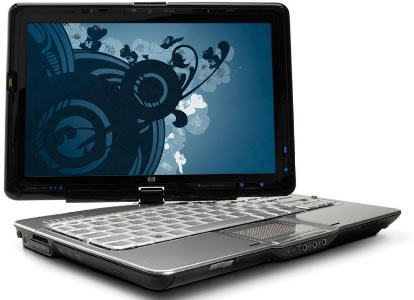
http://usercast.files.wordpress.com.....-tablet-pc.jpg
That one is mine ^^ it's really good, but taking me forever to adjust to D:
That one is mine ^^ it's really good, but taking me forever to adjust to D:

The main difficulty with tablets (not Tablet PCs or Screen Tablets, i.e. the Wacom Cintiq) is that with traditional drawing, and mouse-driven digital work, the position of your hand, the position of the drawing utensil/pointer, and where it points to, in most cases are a live and "real time" representation of where you are, relative to your hand, and all the action - before, after, and during - is seen directly WHERE it happens. With tablets, the action and interactive pieces of the task is done in one place, normally on the desk/your lap, and the feedback/results are in a separate area. While it's similar in that the pointer shows where you are, etc, there is still a difference that can throw you off. I haven't figured it out myself, but it's definitely a challenge to those who haven't used one before. If you continue to have trouble adjusting, and you want to get into serious digital work, look into getting a tablet PC or a screen tablet like the Cintiq (or look for a how-to to make your own with a tablet and LCD monitor), as they give the capabilities with digital art, while staying as close to traditional media as well - as if you drew on paper.


Comments