
 FA+
FA+ Shop
Shop
4091
Views
Views
50
Favorites
Favorites
Category
All / Inflation
Species Unspecified / Any
Size 960 x 640
File Size 40.5 kB
Report this content
More from SqueakyTails


Inflatable Text RPG v0.0.3 (Python Files Download)
Note: You MUST install Python 3.2 and Pygame 1.9.2 for this to work! Sorry about that...
(Click here and download the "TextAdventure0.0.3" folder from the GameVersions folder)
Last updated Dec 26 2015
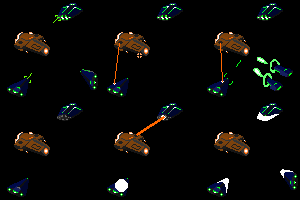
This is version 0.0.3 of my Toy RPG! In short, your goal in this game is to roam the land and battle the toys that challenge you, by deflating or popping them! It's very simple, probably unbalanced and glitchy and whatnot, and, as you can see, has almost no graphics or sound to speak of. But I tried hard on the text, hopefully that's good enough! XD
Features:
18 Unique Enemies with (mostly) unique AI and text!
9 Bonus Wolf Enemies!
3 Choices of Weapon!
2 Character Classes (Balloonie and Pooltoy)!
10 Biomes, and 900 tiles to walk into!
1 Save System!
Almost 45 minutes of gameplay!
No sound!
Horrible graphics! :P
For Windows users:
To install Python, go to this page and download "Windows x86 MSI Installer (3.2.5)" about halfway down the page. Then run the installer and ensure that if you go to "C:\" there's a folder called "Python32". That means you've probably installed Python correctly!
To install Pygame, go this this page, then download "pygame-1.9.2a0.win32-py3.2.msi" and run that installer. I think that should put Pygame where it belongs.
To run the game, copy the whole TextAdventure0.0.3 folder to C:\Python32 and open it. (It MUST be inside the Python32 folder!) Then simply run MainGame.py! If you'd like to see my programming, right click any of the .py files and click "Edit with IDLE".
Please leave a comment with any thoughts about the game, glitches you find or questions about installation!
If you find a glitch:
>>Check the update log to make sure you're on the newest version
>>If it crashes the game, right click MainGame.py -> Edit with IDLE, then press F5 on the screen that pops up. Then do the glitch again and note me with the error message that Python Shell gives you. Probably I just missed something stupid and I can fix it right away.
>>If it just does weird things, note me with exactly how you did the glitch and exactly what it does. That'll take me a bit longer, but I'm sure I can work out the problems!
(Click here and download the "TextAdventure0.0.3" folder from the GameVersions folder)
Last updated Dec 26 2015
This is version 0.0.3 of my Toy RPG! In short, your goal in this game is to roam the land and battle the toys that challenge you, by deflating or popping them! It's very simple, probably unbalanced and glitchy and whatnot, and, as you can see, has almost no graphics or sound to speak of. But I tried hard on the text, hopefully that's good enough! XD
Features:
18 Unique Enemies with (mostly) unique AI and text!
9 Bonus Wolf Enemies!
3 Choices of Weapon!
2 Character Classes (Balloonie and Pooltoy)!
10 Biomes, and 900 tiles to walk into!
1 Save System!
Almost 45 minutes of gameplay!
No sound!
Horrible graphics! :P
For Windows users:
To install Python, go to this page and download "Windows x86 MSI Installer (3.2.5)" about halfway down the page. Then run the installer and ensure that if you go to "C:\" there's a folder called "Python32". That means you've probably installed Python correctly!
To install Pygame, go this this page, then download "pygame-1.9.2a0.win32-py3.2.msi" and run that installer. I think that should put Pygame where it belongs.
To run the game, copy the whole TextAdventure0.0.3 folder to C:\Python32 and open it. (It MUST be inside the Python32 folder!) Then simply run MainGame.py! If you'd like to see my programming, right click any of the .py files and click "Edit with IDLE".
Please leave a comment with any thoughts about the game, glitches you find or questions about installation!
If you find a glitch:
>>Check the update log to make sure you're on the newest version
>>If it crashes the game, right click MainGame.py -> Edit with IDLE, then press F5 on the screen that pops up. Then do the glitch again and note me with the error message that Python Shell gives you. Probably I just missed something stupid and I can fix it right away.
>>If it just does weird things, note me with exactly how you did the glitch and exactly what it does. That'll take me a bit longer, but I'm sure I can work out the problems!
Category All / Inflation
Species Unspecified / Any
Size 960 x 640px
File Size 40.5 kB

Fun game so far, very interesting, I just can't seem to figure out how to deflate my targets, I can pin them, but even though I can bear hug them, I can't seem to actually deflate anyone, which is how I would prefer to take down my targets, in as harmless a manner as possible.
Perhaps in future versions, a tutorial world be nice to explain how to do certain actions.
Perhaps in future versions, a tutorial world be nice to explain how to do certain actions.
Ok, from what I can tell, it seems regularly backing up my save file in the backups folder seems to have fixed the problem of the saves getting corrupted occasionally, so maybe try to incorporate some auto-save feature that also saves over the back-ups as needed.
Otherwise, I haven't run into any other problems since Ive started running the game in the shell, It seems to me it might be something to add to your instructions, as I haven't run into a single problem so far while doing that means of play.
Otherwise, I haven't run into any other problems since Ive started running the game in the shell, It seems to me it might be something to add to your instructions, as I haven't run into a single problem so far while doing that means of play.


One other thing I ran into (again, the code window closes if the game closes) is random crashing occassionally when I'm walking around.
I do like how your stats go up the bigger you are, it's a nice trade off if you've got the wiggle room to get away with it, but I'm still hoping you'll figure out a way to implement perks that can make deflation good instead~
I do like how your stats go up the bigger you are, it's a nice trade off if you've got the wiggle room to get away with it, but I'm still hoping you'll figure out a way to implement perks that can make deflation good instead~
I guess that's all that I can really test of this current version. What you have so far seems pretty solid, just needs more content like artwork, character perks, a story of some kind, stuff like that. Otherwise a very solid Alpha Release. Look forward to the future updates!
I do have some more feedback though:
One: Being able to inflate/deflate yourself through other means , like letting air out of a valve/balloon neck, or pumping it in, perhaps allowing for better volume control outside of battle would be nice.
Two: I know you can bear hug your opponents to deflate them, but I would also like it if there was a speed related option that involved opening their valve or neck and letting air out that way, so you could be as non-violent as possible.
Three: Maybe the "gold" could be inflatable coins, and be used for stuff like an Inn, equipment, and spells?
One: Being able to inflate/deflate yourself through other means , like letting air out of a valve/balloon neck, or pumping it in, perhaps allowing for better volume control outside of battle would be nice.
Two: I know you can bear hug your opponents to deflate them, but I would also like it if there was a speed related option that involved opening their valve or neck and letting air out that way, so you could be as non-violent as possible.
Three: Maybe the "gold" could be inflatable coins, and be used for stuff like an Inn, equipment, and spells?
One: Roleplay reasons really. Feels more immersive if you have options.
Two: Some people wanna play as a balloonie though, who specialize in speed, you should really give both classes good KO options.
Three: Awesome! Just have them spill out of the defeated creature or something, be creative with it.
Two: Some people wanna play as a balloonie though, who specialize in speed, you should really give both classes good KO options.
Three: Awesome! Just have them spill out of the defeated creature or something, be creative with it.
It's fine really, I'll see what you've got in the pipeline then. I'm not trying to force it down your throat, I'm just trying to brainstorm ideas for potential options, that's all.
Besides, the sound of popping bothers me, but that's completely besides the point now isn't it
Besides, the sound of popping bothers me, but that's completely besides the point now isn't it

Pretty neat! This is a good base, just need more things to fill it out. (more detail, enemies, quests, building, ect...)
Also I got past level 8 once so far and then the game refuses to continue, just goes away upon hitting the continue button, tried the idel and F5 thing but did not see figure out anything, did not notice a change.
Also I got past level 8 once so far and then the game refuses to continue, just goes away upon hitting the continue button, tried the idel and F5 thing but did not see figure out anything, did not notice a change.
Might have been doing it wrong befor cuss now something has popped up.
>>>
Traceback (most recent call last):
File "C:\Python32\lib\shelve.py", line 111, in __getitem__
value = self.cache[key]
KeyError: 'MaxVol'
During handling of the above exception, another exception occurred:
Traceback (most recent call last):
File "C:\Users\raggon\Downloads\GameVersions\TextAdventurev0.0.3\MainGame.py", line 1825, in <module>
startGame()
File "C:\Users\raggon\Downloads\GameVersions\TextAdventurev0.0.3\MainGame.py", line 1792, in startGame
player = loadPlayer(True, 0, 0)
File "C:\Users\raggon\Downloads\GameVersions\TextAdventurev0.0.3\MainGame.py", line 1186, in loadPlayer
gameSave["MaxVol"],
File "C:\Python32\lib\shelve.py", line 114, in __getitem__
value = Unpickler(f).load()
EOFError
>>>
Note I changed my name to raggon after Users/ but this is likely unimportant.
I also popped from a cave spider before exiting from the game.
>>>
Traceback (most recent call last):
File "C:\Python32\lib\shelve.py", line 111, in __getitem__
value = self.cache[key]
KeyError: 'MaxVol'
During handling of the above exception, another exception occurred:
Traceback (most recent call last):
File "C:\Users\raggon\Downloads\GameVersions\TextAdventurev0.0.3\MainGame.py", line 1825, in <module>
startGame()
File "C:\Users\raggon\Downloads\GameVersions\TextAdventurev0.0.3\MainGame.py", line 1792, in startGame
player = loadPlayer(True, 0, 0)
File "C:\Users\raggon\Downloads\GameVersions\TextAdventurev0.0.3\MainGame.py", line 1186, in loadPlayer
gameSave["MaxVol"],
File "C:\Python32\lib\shelve.py", line 114, in __getitem__
value = Unpickler(f).load()
EOFError
>>>
Note I changed my name to raggon after Users/ but this is likely unimportant.
I also popped from a cave spider before exiting from the game.

Well, after a long time of fiddling to get this working on my Mac (Kind of a shitty process getting it to run for Python3 on El Capitan) the game works. There is a warning, but it works. Until you run into an enemy - there is no battle sequence, I just immediately get 2-3 messages about my demise then the game restarts.
Also you get an "Index out of Range" exception when you step off the map. Might wanna fix that ;)
Here's a screen cap: https://www.dropbox.com/s/utwvqhvl8.....44.50.png?dl=0
Also you get an "Index out of Range" exception when you step off the map. Might wanna fix that ;)
Here's a screen cap: https://www.dropbox.com/s/utwvqhvl8.....44.50.png?dl=0
Are you on the newest version? I updated the game code to fix that, I think. Second, I'm not sure I can help you with a Mac >_< I've no experience with them. Are you going into the beach or forest first? If you're too slow and weak, an enemy can defeat you before you have a chance to react. Try fighting enemies on the plains!

Ok, ran into an issue: Windows 10 (PU DA PUMPH! ((DRUM))
In all seriousness:
Running on windows 10, latest updates.
Downloaded and installed as told to, exactly the files that were mentioned... and it won't run.
It pops up the black box window of python and auto closes out so fast no text has time to be put up or anything. Just LoadQUIT... heh
So um, dunno what is causing that specifically.
I've also tried just putting the files directly from the game folder into the python main folder and same issue.
In all seriousness:
Running on windows 10, latest updates.
Downloaded and installed as told to, exactly the files that were mentioned... and it won't run.
It pops up the black box window of python and auto closes out so fast no text has time to be put up or anything. Just LoadQUIT... heh
So um, dunno what is causing that specifically.
I've also tried just putting the files directly from the game folder into the python main folder and same issue.
If you find a glitch:
>>Check the update log to make sure you're on the newest version
>>If it crashes the game, right click MainGame.py -> Edit with IDLE, then press F5 on the screen that pops up. Then do the glitch again and note me with the error message that Python Shell gives you. Probably I just missed something stupid and I can fix it right away.
>>If it just does weird things, note me with exactly how you did the glitch and exactly what it does. That'll take me a bit longer, but I'm sure I can work out the problems!
>>Check the update log to make sure you're on the newest version
>>If it crashes the game, right click MainGame.py -> Edit with IDLE, then press F5 on the screen that pops up. Then do the glitch again and note me with the error message that Python Shell gives you. Probably I just missed something stupid and I can fix it right away.
>>If it just does weird things, note me with exactly how you did the glitch and exactly what it does. That'll take me a bit longer, but I'm sure I can work out the problems!
Python 3.2.5 (default, May 15 2013, 23:06:03) [MSC v.1500 32 bit (Intel)] on win32
Type "copyright", "credits" or "license()" for more information.
>>> ================================ RESTART ================================
>>>
Traceback (most recent call last):
File "C:\Python32\TextAdventurev0.0.3\MainGame.py", line 2, in <module>
import pygame, time, sys, random, shelve, GameText, ItemData, copy
File "C:\Python32\lib\site-packages\pygame\__init__.py", line 95, in <module>
from pygame.base import *
ImportError: DLL load failed: The specified module could not be found.
>>>
Type "copyright", "credits" or "license()" for more information.
>>> ================================ RESTART ================================
>>>
Traceback (most recent call last):
File "C:\Python32\TextAdventurev0.0.3\MainGame.py", line 2, in <module>
import pygame, time, sys, random, shelve, GameText, ItemData, copy
File "C:\Python32\lib\site-packages\pygame\__init__.py", line 95, in <module>
from pygame.base import *
ImportError: DLL load failed: The specified module could not be found.
>>>

For Python # https://www.python.org/downloads/windows/ the "Windows x86-64 MSI installer" link will give you an executable installer.
For Pygame (3.4 compatible): http://stackoverflow.com/questions/.....ndows-7-64-bit the "pygame-1.9.2a0.win-amd64-py3.4.exe (onedrive)" link will give you an executable installer.
These should install like any other program. Do Python first, then Pygame. Hope this helps.
Cheers!
For Pygame (3.4 compatible): http://stackoverflow.com/questions/.....ndows-7-64-bit the "pygame-1.9.2a0.win-amd64-py3.4.exe (onedrive)" link will give you an executable installer.
These should install like any other program. Do Python first, then Pygame. Hope this helps.
Cheers!

Heh, this is a cute alpha, It took me three times before I finally got it to work. This is what I figured out I was doing wrong:
1. Install the SPECIFIC versions from the sites you have linked.
2. Install Python first THEN Pygame. Pygame needs to see the installed version of Python otherwise you just get a blank black block that briefly flashes when one tries to run the game.
The game runs fine, I got your current listing. The only issue I'm having is that the save feature does not seem to work.
When I copied the game to the Python32 folder, I left it in a game subfolder for neatness sake. Should the raw files be in the Python32 folder?
Lacking the ability to save, I just cheated and upped the XP of the initial wolf, lion and that blasted horse :P
Having fun so far! =^^=
Thanks for sharing this with us!
1. Install the SPECIFIC versions from the sites you have linked.
2. Install Python first THEN Pygame. Pygame needs to see the installed version of Python otherwise you just get a blank black block that briefly flashes when one tries to run the game.
The game runs fine, I got your current listing. The only issue I'm having is that the save feature does not seem to work.
When I copied the game to the Python32 folder, I left it in a game subfolder for neatness sake. Should the raw files be in the Python32 folder?
Lacking the ability to save, I just cheated and upped the XP of the initial wolf, lion and that blasted horse :P
Having fun so far! =^^=
Thanks for sharing this with us!


You got a fun game started here - hope to see more additions to it some time, and hopefully fixings too;
Upon reaching level 6+, saving game gets borked, and always returns following error on load:
Traceback (most recent call last):
File "G:\Python32\lib\shelve.py", line 111, in __getitem__
value = self.cache[key]
KeyError: 'MaxExp'
Game ver 0.0.3, python/pygame used is the ones you have in the description.
Upon reaching level 6+, saving game gets borked, and always returns following error on load:
Traceback (most recent call last):
File "G:\Python32\lib\shelve.py", line 111, in __getitem__
value = self.cache[key]
KeyError: 'MaxExp'
Game ver 0.0.3, python/pygame used is the ones you have in the description.
Somehow I have found a workaround that quite literally magically works somehow - saving then backing up the savegame to another folder WITHOUT closing the game keeps the save working - it's as if closing the game corrupts the save that is in the same folder as the game... but that's the magic for me, just backing up before closing doesn't even corrupt it anymore when closing.
tl;dr/hard to understand:
save -> close = corrupt save
save -> backup -> close = no corrupt files at all
...I have absolutely no idea what's going on myself honestly, to make it work like that.
tl;dr/hard to understand:
save -> close = corrupt save
save -> backup -> close = no corrupt files at all
...I have absolutely no idea what's going on myself honestly, to make it work like that.






Comments