
 FA+
FA+ Shop
Shop


Okaaaay, what to say about this?
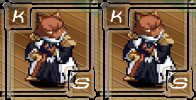 jeffkage suggested a color trade with me.
The artwork is by Zaos
Zaos
The lineart is http://www.furaffinity.net/view/1989748/
Jeff said to surprise him with the colors.
Well, sometimes when I hear that and I'm working with pen and pencil, that irreverent 5-year old that wants to see how many colors can be put on a single character comes out to strike vengeance for 30 years of suppression.
I'm not sure what to think of it. I'm not that happy with the quality of the coloring, but I'm never happy with my pencil work, and the scan lost much of the metallic shading, but it's kinda cool in an anime way.
Anyway, here's one variant on the image.
 jeffkage suggested a color trade with me.
 The artwork is by
 Zaos
Zaos The lineart is http://www.furaffinity.net/view/1989748/
Jeff said to surprise him with the colors.
Well, sometimes when I hear that and I'm working with pen and pencil, that irreverent 5-year old that wants to see how many colors can be put on a single character comes out to strike vengeance for 30 years of suppression.
I'm not sure what to think of it. I'm not that happy with the quality of the coloring, but I'm never happy with my pencil work, and the scan lost much of the metallic shading, but it's kinda cool in an anime way.
Anyway, here's one variant on the image.
Category Artwork (Traditional) / Portraits
Species Vulpine (Other)
Size 459 x 912px
File Size 73.1 kB


Ok that's cool I'd like to know how you did this one
http://www.furaffinity.net/view/2051418/
with the black lines being that same color as the fur and junk x3
http://www.furaffinity.net/view/2051418/
with the black lines being that same color as the fur and junk x3
We can trade coloring secrets I want to know how you got the 3D effect on http://www.furaffinity.net/view/2058094
First off, I work in Paint Shop Pro 7, but this should work in any program that does layers.
I make 2 layers, both with the lineart.
The top one at 15% transparent (barely visible) and is only the lineart. All the white spaces need to be deleted so they are completely transparent.
The bottom one at 100% transparency -- solid. This one gets colored.
Make this one the only visible one.
First fill in all the colors, leaving the lines intact.
Then I color the lines the same color as what they contain, or half and half if you want to (half the line the color next to it)
Then make the layer with the lines visible.
Play with the transparency of the line layer until you are happy with the look.
Then I do the shading, if I'm going to shade it.
Then merge the layers and save as the final format.
I can probably work up a quick tutorial that shows this if you'd like.
First off, I work in Paint Shop Pro 7, but this should work in any program that does layers.
I make 2 layers, both with the lineart.
The top one at 15% transparent (barely visible) and is only the lineart. All the white spaces need to be deleted so they are completely transparent.
The bottom one at 100% transparency -- solid. This one gets colored.
Make this one the only visible one.
First fill in all the colors, leaving the lines intact.
Then I color the lines the same color as what they contain, or half and half if you want to (half the line the color next to it)
Then make the layer with the lines visible.
Play with the transparency of the line layer until you are happy with the look.
Then I do the shading, if I'm going to shade it.
Then merge the layers and save as the final format.
I can probably work up a quick tutorial that shows this if you'd like.
I just establish a light source and then use a base color
like say blue for the suit I use the magic one tool and highlight the suit
then i go over it with the air brush tool with Opacity at 100% and color everywhere highlighted
the i lower the opacity to and use black and go over and edge several times until i get the shade of black i want
repeat that step with white
like say blue for the suit I use the magic one tool and highlight the suit
then i go over it with the air brush tool with Opacity at 100% and color everywhere highlighted
the i lower the opacity to and use black and go over and edge several times until i get the shade of black i want
repeat that step with white


Comments