
 FA+
FA+ Shop
Shop
402
Views
Views
11
Favorites
Favorites
Category
Artwork (Digital) / Fanart
Species Pokemon
Size 1280 x 788
File Size 155.1 kB
Report this content
More from Springheel


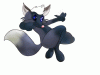
Dewotts are more svelte (and more fast and agile) without their hakamas ((skirts); only problem: no place to store their weapons.
This guy clearly is looking for problems, to the extent he hasn't the 'normal' shells but a special model, much more powerful.
They say a mysterious Pokemon is fashioning special weaponry and holsters for guys like him.
Done entirely on screen with Illustrator; effects and lettering Photoshop
This guy clearly is looking for problems, to the extent he hasn't the 'normal' shells but a special model, much more powerful.
They say a mysterious Pokemon is fashioning special weaponry and holsters for guys like him.
Done entirely on screen with Illustrator; effects and lettering Photoshop
Category Artwork (Digital) / Fanart
Species Pokemon
Size 1280 x 788px
File Size 155.1 kB

It has helped me a lot the custom brush I did, not to mention the gradients I uploaded to Illustrator. I know I am barely scratching the surface but I am happy with what I have learned. The problem (and secret) is that you must follow a rather long path to do things; you depend of the tool bar in a close association with the windows bar, even much more than with Photoshop. That and the fact that you have very frequently to type strict alphanumeric codes, especially with coloring AND a vital step when you color is that you must select first the color - or gradient; -, then do the lineart corrections necessary and when you are going to fill, NEVER touch the dropper but rather click the live paint bucket icon, otherwise you'll flood everything (lineart included) with the chosen color or gradient! WOW, a champagne colored otter!!
The other superuseful tool is the knife tool. Initially, I began to use it to apply some light and such, now I use it also to apply different color in the figure (Lest's say ventral and lower face coloration. This way you avoid having to draw a line showing where the ventral colors go. I guess that the immortal stement of Master Yoda is a must for whom wants to master a system different from that you usually work with: "Unlearn"
That's exactly why I am also studying Corel Draw: To be more versatile.
The other superuseful tool is the knife tool. Initially, I began to use it to apply some light and such, now I use it also to apply different color in the figure (Lest's say ventral and lower face coloration. This way you avoid having to draw a line showing where the ventral colors go. I guess that the immortal stement of Master Yoda is a must for whom wants to master a system different from that you usually work with: "Unlearn"
That's exactly why I am also studying Corel Draw: To be more versatile.

And I shunned Illustrator for years till a friend sent me a video of how to color and ink in a single layer; it's much more simple than it could be thought. from there, I learned to make my own brush for inking... little by little I have explored additional things. Nit much but enough for my work, I color almost always with gradients and use PS for additional effects and lettering.
Knife 'cuts' pieces of an object (i.e. Illustrator-ese for drawing); you can divide a solid figure in various shapes or, in a pic, remove part of the color in a section of the pic. With this, you can add reflected light, shadows, gradients or -as I am using it now paint a whole section with a lighter color (for instance, belly and underparts)
Now, the only tricky thing here is to remember to select beforehanded the color you'll apply and then use the Livepaint bucket... and TRY NOT to use the dropper, because it could well paint ALL the pic with the selected color.
Ican teach you to use Illustrator for drawing (forget shapes, perspective and all that complex stuff, the basics only
Sweetie, when you do a pic, you first sketch and scan or you draw directly?
Knife 'cuts' pieces of an object (i.e. Illustrator-ese for drawing); you can divide a solid figure in various shapes or, in a pic, remove part of the color in a section of the pic. With this, you can add reflected light, shadows, gradients or -as I am using it now paint a whole section with a lighter color (for instance, belly and underparts)
Now, the only tricky thing here is to remember to select beforehanded the color you'll apply and then use the Livepaint bucket... and TRY NOT to use the dropper, because it could well paint ALL the pic with the selected color.
Ican teach you to use Illustrator for drawing (forget shapes, perspective and all that complex stuff, the basics only
Sweetie, when you do a pic, you first sketch and scan or you draw directly?

Comments