
 FA+
FA+ Shop
Shop
356
Views
Views
35
Favorites
Favorites
Category
All / All
Species Unspecified / Any
Size 1280 x 1016
File Size 1.19 MB
Report this content
★
More from Rondo


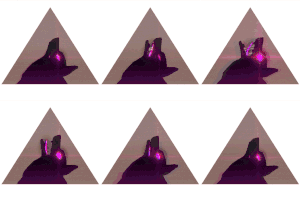
truly an experience
Category All / All
Species Unspecified / Any
Size 1280 x 1016px
File Size 1.19 MB





a freeware program called apophysis
if you want the link, i can send it to you easily
the program itself isn't big, you can run it without installing
but its a lot to take in at once
and while pictures are rendering, it slows your computer (unless you've got a beastly processor) to a skidding halt
if you want the link, i can send it to you easily
the program itself isn't big, you can run it without installing
but its a lot to take in at once
and while pictures are rendering, it slows your computer (unless you've got a beastly processor) to a skidding halt
http://sourceforge.net/projects/apo.....9.exe/download
thats the direct link, click it and you instantly download the file
lol
at least i think anyway
anywho, enjoy!
whoops
X3
thats the direct link, click it and you instantly download the file
lol
at least i think anyway
anywho, enjoy!
whoops
X3
here's the baseline basics
open the program
to the left is the random batch (don't rely on it, youll never stop, trust me)
on the top bar are a whole bunch of buttons
click the one with TWO triangles, red and yellow to bring up the edit window
there, move the triangles around to change the picture
when you feel ready, go to the right of the edit window and change the numbers in the variation list (go small numbers, like 1 and less)
go tot he main window and click the gradient button, thats the color change window
click the gradient and slide it, or click the word PRESET and it randomly chooses a color set to use
there's much more to it than this, but this is basics, you gotta learn the rest!
lol
oh
and hit ctrl P and look through the options till you find PNG transparency
DISABLE that
it screws with your images, believe me
open the program
to the left is the random batch (don't rely on it, youll never stop, trust me)
on the top bar are a whole bunch of buttons
click the one with TWO triangles, red and yellow to bring up the edit window
there, move the triangles around to change the picture
when you feel ready, go to the right of the edit window and change the numbers in the variation list (go small numbers, like 1 and less)
go tot he main window and click the gradient button, thats the color change window
click the gradient and slide it, or click the word PRESET and it randomly chooses a color set to use
there's much more to it than this, but this is basics, you gotta learn the rest!
lol
oh
and hit ctrl P and look through the options till you find PNG transparency
DISABLE that
it screws with your images, believe me
int he edit window, on the far left, is a button that creates a BLANK slate
you start off with a single triangle, red usually
and you just work up from there
adding triangles and variations
and just working a picture from nothing
oh
and don't mix two variations
forgot to mention that
you start off with a single triangle, red usually
and you just work up from there
adding triangles and variations
and just working a picture from nothing
oh
and don't mix two variations
forgot to mention that
its automatically black
but if you didn't disable png transparency, it'll show up as white
but if you enable post process render in the render window (click the yellow cog/gear thing) then you can change the background color after it finishes rendering
or you can go to the gradient window and change it in the tab labeled render
but if you didn't disable png transparency, it'll show up as white
but if you enable post process render in the render window (click the yellow cog/gear thing) then you can change the background color after it finishes rendering
or you can go to the gradient window and change it in the tab labeled render

http://www.furaffinity.net/view/2824686 there is the newest one......not as good as the other one....even though this had the background
http://sourceforge.net/projects/apo.....9.exe/download
thats the direct link, click it and you instantly download the file
lol
at least i think anyway
anywho, enjoy!
thats the direct link, click it and you instantly download the file
lol
at least i think anyway
anywho, enjoy!


Comments