
 FA+
FA+ Shop
Shop
![[GIF] Shark Attack](http://d.furaffinity.net/art/blunkinator/1547779708/1547779708.blunkinator_lancusharkchompfinal.gif "Click to change the View")
![[GIF] Half-Elf is Ready to Fight](http://t.furaffinity.net/32017537@150-1561290489.jpg "[GIF] Half-Elf is Ready to Fight")
![[GIF] Ye Olde Werewoof](http://t.furaffinity.net/31939408@150-1560734515.jpg "[GIF] Ye Olde Werewoof")

107 submissions
![[GIF] Trichromacy in the Rain](http://t.furaffinity.net/28772059@150-1537650422.jpg "[GIF] Trichromacy in the Rain")
![[GIF] Just Transformin' in the Rain](http://t.furaffinity.net/28564617@150-1536034970.jpg "[GIF] Just Transformin' in the Rain")


The toy fish never see it coming, the fools.
Commission for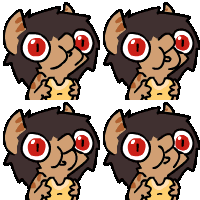 Lancu who was super mega ultra patient with how long it took me to get this done. Thank you!
Commission for
 Lancu who was super mega ultra patient with how long it took me to get this done. Thank you!
Category Artwork (Digital) / All
Species Unspecified / Any
Size 900 x 600px
File Size 6.58 MB
Listed in Folders



there is none that I know of but when I still tagged, I basically had a list of stuff for certain topics, and a list of topics I should add. Topics were from memory species, background ("plain_background", "red_background" etc, but also just stuff being there like "chair"), resolution ("hi_res", "absurd_res" etc, if the resolution is not special it needs no tag), animated or not, clothing (there is hardly a piece of clothing without tags), piercings/jewellry (which?), tattoos/markings, genders in the pic, 'special features' of the characters (like "wings" and stuff, also hair style) and nsfw stuff (whole list of subtopics like visible bodyparts, position etc)
I tagged images with my characters in it, I can't draw nor animate, so I basically kept text files handy with all the tags for my characters (like character X: "shark" "female" "stripes" "red_stripes" "ear_piercing" "armlet" "long_tail" etc) and just added/removed as needed for the pic.
A good way to find the proper tags is to use the tag search with wildcharts and reading the description for the tags (clicking the wiki article link). For example, resolution, search for *res*, and if you click on the wiki article for absurd res, it tells you it's for pics ≥ 3200×2400. Do not know how to describe the background? "*background*" is your friend. If the tags have below 100 posts, disregard them.
keep in mind that back when I did it, I got a bit obsessive. Some of my posts made it in the most-tagged-of-all-time list. So feel free to just scrap topics you don't care about like background. Eventually, other people will add them.
I tagged images with my characters in it, I can't draw nor animate, so I basically kept text files handy with all the tags for my characters (like character X: "shark" "female" "stripes" "red_stripes" "ear_piercing" "armlet" "long_tail" etc) and just added/removed as needed for the pic.
A good way to find the proper tags is to use the tag search with wildcharts and reading the description for the tags (clicking the wiki article link). For example, resolution, search for *res*, and if you click on the wiki article for absurd res, it tells you it's for pics ≥ 3200×2400. Do not know how to describe the background? "*background*" is your friend. If the tags have below 100 posts, disregard them.
keep in mind that back when I did it, I got a bit obsessive. Some of my posts made it in the most-tagged-of-all-time list. So feel free to just scrap topics you don't care about like background. Eventually, other people will add them.
also keep in mind that e621 is "tag what you see". What that means is that stuff you know about characters but is not in the pic shouldn't be tagged. Does sharky here have a belly piercing? if so it's not visible in this animation so no tag. Is the arm reaching in a specific, for example male character? we can't see it, so it would be at best "ambiguous_gender" not "male", if you wnted to tag the gender at all. And so on. The only thing you should tag from "knowledge" instead of "seeing" is the character name.
speaking of which, if you want to tag your character names, check if there is a tag for that character already. If so, don't use it, make a new tag like "charname_(blunkinator)". You can make a new character tag really easy by just setting it as a tag for an image and putting "char:" in front of it, like "char:charname_(blunkinator)". Using any tag that doesn't exist yet will just cause e621 to create it from scratch, which is usually something you don't want because if nobody ever used it why would anyone search for it, and prefacing it with "char:" means the tag will be of the type character. Once it's made, using just the tag with no prefix is enough.
You can do it similarly for artist tags, if nothing of yours was ever uploaded to e621 by other people (who already made that tag). I think the prefix there was simply "artist:"
speaking of which, if you want to tag your character names, check if there is a tag for that character already. If so, don't use it, make a new tag like "charname_(blunkinator)". You can make a new character tag really easy by just setting it as a tag for an image and putting "char:" in front of it, like "char:charname_(blunkinator)". Using any tag that doesn't exist yet will just cause e621 to create it from scratch, which is usually something you don't want because if nobody ever used it why would anyone search for it, and prefacing it with "char:" means the tag will be of the type character. Once it's made, using just the tag with no prefix is enough.
You can do it similarly for artist tags, if nothing of yours was ever uploaded to e621 by other people (who already made that tag). I think the prefix there was simply "artist:"





Thank you!
There's a tl;dr at the end of this. Note me if you want to chat about this more!
I see you have one animation up in your gallery, so I'm going to assume you might know some of this, but please let me know if the words I'm using are gibberish to you.
Character consistency is easier when doing pose to pose animation. Drawing out the major poses and making sure those are the right size and on model means that when drawing the in-betweens, the character won't be growing/shrinking/changing shape as much because you're comparing your current drawing to the frames before and after it. Also just constantly referring the character reference while drawing is good practice.
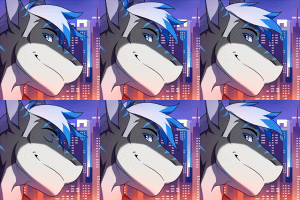
I'm still practicing with this one- but planning your animations out ahead of time will save you time animating. For me, I've started doing this by drawing out potential key poses, different angles, etc. all on one page until I decide on what works for the animation. As opposed to just having a vague idea and then immediately trying to animate it.
I'm not 100% at following this yet, 'cause I still like to really roughly animate straight ahead and 'feel it out' until it seems right, which means a lot of redrawing if I end up deciding to change some/all of the action. Planning ahead and just quickly sketching everything out saves you from redrawing a lot. It's a good habit to get into. I know people use their planning to decide on their timing, but I'm still at a point where I need to feel out my timing while I'm animating.
My own process isn't always consistent, but I tend to have an idea of what I want, and then I sketch it out straight ahead. I draw frame after frame of major poses until this action is clear. Then I add in holds on the frames where action is slow to get a sense for the timing. From there (depending on the animation) I pick my key poses and draw those out and make sure they're on model, while leaving out things like hair, tails, or clothes, or anything that's going to get dragged around by the body. After getting the key poses, I go back through and do all the inbetweens. I fiddle with the timing a lot during this and add/remove frames as needed. Things like hair are generally last and animated straight ahead, 'cause what happens to them entirely depends on what happens with the body.
There's other steps depending on what's going on in the animation of course.
tl;dr version: plan ahead to save time, draw loose 'n rough at first, keep your key poses on model, leave overlapping action (hair/clothes/tails) until the end
If you want to talk about animation more, feel free to drop me a note! I can try to explain things better and give examples of stuff if I have more of an idea of what you already know and what you're planning on doing with animation, and what sort of advice you want. c:
There's a tl;dr at the end of this. Note me if you want to chat about this more!
I see you have one animation up in your gallery, so I'm going to assume you might know some of this, but please let me know if the words I'm using are gibberish to you.
Character consistency is easier when doing pose to pose animation. Drawing out the major poses and making sure those are the right size and on model means that when drawing the in-betweens, the character won't be growing/shrinking/changing shape as much because you're comparing your current drawing to the frames before and after it. Also just constantly referring the character reference while drawing is good practice.
I'm still practicing with this one- but planning your animations out ahead of time will save you time animating. For me, I've started doing this by drawing out potential key poses, different angles, etc. all on one page until I decide on what works for the animation. As opposed to just having a vague idea and then immediately trying to animate it.
I'm not 100% at following this yet, 'cause I still like to really roughly animate straight ahead and 'feel it out' until it seems right, which means a lot of redrawing if I end up deciding to change some/all of the action. Planning ahead and just quickly sketching everything out saves you from redrawing a lot. It's a good habit to get into. I know people use their planning to decide on their timing, but I'm still at a point where I need to feel out my timing while I'm animating.
My own process isn't always consistent, but I tend to have an idea of what I want, and then I sketch it out straight ahead. I draw frame after frame of major poses until this action is clear. Then I add in holds on the frames where action is slow to get a sense for the timing. From there (depending on the animation) I pick my key poses and draw those out and make sure they're on model, while leaving out things like hair, tails, or clothes, or anything that's going to get dragged around by the body. After getting the key poses, I go back through and do all the inbetweens. I fiddle with the timing a lot during this and add/remove frames as needed. Things like hair are generally last and animated straight ahead, 'cause what happens to them entirely depends on what happens with the body.
There's other steps depending on what's going on in the animation of course.
tl;dr version: plan ahead to save time, draw loose 'n rough at first, keep your key poses on model, leave overlapping action (hair/clothes/tails) until the end
If you want to talk about animation more, feel free to drop me a note! I can try to explain things better and give examples of stuff if I have more of an idea of what you already know and what you're planning on doing with animation, and what sort of advice you want. c:



Comments