
 FA+
FA+ Shop
Shop
362
Views
Views
27
Favorites
Favorites
Category
All / Fantasy
Species Western Dragon
Size 698 x 721
File Size 300.5 kB
Report this content
More from GibbousWolf


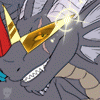
My big cranky dracolich from a D&D type campaign setting. Naaaada much else to say about it, really. It was a quick doodle that was just as quickly colored in PS. Nothin' particularly special about it.
Category All / Fantasy
Species Western Dragon
Size 698 x 721px
File Size 300.5 kB


Sure thing! It was very simple. I used PS to do this one quick and dirty.
Basically, I just took my pencil sketch, darkened it up a bit, then tossed on a multiply layer. I used the fill tool to cover the entire multiply layer in the background color you see.
Next I took the paintbrush tool at 100% and at a decent size to go back over Hal's head and neck with a deeper red. About the midrange color you see up there is what I swathed him in.
After that I took minimal time with a slightly darker shade and added some depth here and there, then took a slightly lighter shade to follow it up a bit.
That done, I took a dusky, dark blue just to change it up a bit, added some markings with it, as you can see.
After that, I worked out the details, like his teeth and eyes by zooming in so I could accrately work within the lines of the sketch.
With this particular piece I didn't even bother with smudging or blurring, and if you look at it closely enough, you can tell. All the color is just blobbed on there with various opacities to give it a more shaded effect.
The only place I really worked with smudging or blurr was in the detail on the eye and the teeth. ^_^
Hope that's what you were looking for. Otherwise, ask away and I'll try to be more concise.
Basically, I just took my pencil sketch, darkened it up a bit, then tossed on a multiply layer. I used the fill tool to cover the entire multiply layer in the background color you see.
Next I took the paintbrush tool at 100% and at a decent size to go back over Hal's head and neck with a deeper red. About the midrange color you see up there is what I swathed him in.
After that I took minimal time with a slightly darker shade and added some depth here and there, then took a slightly lighter shade to follow it up a bit.
That done, I took a dusky, dark blue just to change it up a bit, added some markings with it, as you can see.
After that, I worked out the details, like his teeth and eyes by zooming in so I could accrately work within the lines of the sketch.
With this particular piece I didn't even bother with smudging or blurring, and if you look at it closely enough, you can tell. All the color is just blobbed on there with various opacities to give it a more shaded effect.
The only place I really worked with smudging or blurr was in the detail on the eye and the teeth. ^_^
Hope that's what you were looking for. Otherwise, ask away and I'll try to be more concise.



Comments