
 FA+
FA+ Shop
Shop
7284
Views
Views
479
Favorites
Favorites
Category
Artwork (Digital) / Tutorials
Species Unspecified / Any
Size 382 x 1280
File Size 390.4 kB
Report this content
More from Zambuka


Listed in Folders


You guys asked for it
Category Artwork (Digital) / Tutorials
Species Unspecified / Any
Size 382 x 1280px
File Size 390.4 kB



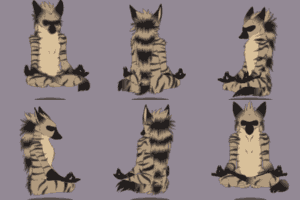



You can just get a DS and something to run homebrew (See http://en.wikipedia.org/wiki/Ninten....._DS_homebrew).
Then get "Colors!" (colors.collectingsmiles.com) and you're good to go.... It uses the DS's pressure sensitivity the same way a tablet does. (Only the original DS and the DS Lite work though, not any of the new DSi's or anything.)
OR you could get an iProduct and get the same application, minus the pressure sensitivity.
Then get "Colors!" (colors.collectingsmiles.com) and you're good to go.... It uses the DS's pressure sensitivity the same way a tablet does. (Only the original DS and the DS Lite work though, not any of the new DSi's or anything.)
OR you could get an iProduct and get the same application, minus the pressure sensitivity.
yeah this whole money thing... being a college student I have very little spare cash and I'm dedicating what remains of my current spare amount to fwa. I'll have to look into that after fwa, assuming I have spare cash left after wards. Thanks for the suggestion though because I always love to save money!
:D I know how it goes...
I would reccomend some site like DealExtreme.com or deveno.com (I don't remember if deveno.com actually sells the replacement parts, but his ebay store (turbocomputers) has all sorts of awesome stuff like that. You chould check it out when you get a chance, they have great prices! (And no, I don't work for them lol)
I would reccomend some site like DealExtreme.com or deveno.com (I don't remember if deveno.com actually sells the replacement parts, but his ebay store (turbocomputers) has all sorts of awesome stuff like that. You chould check it out when you get a chance, they have great prices! (And no, I don't work for them lol)




















I've never gotten an answer to this before, so you might be able to help. I've always just painted my colours on and skipped step #3 to go straight to step #4 and 5. How exactly does the multiplied tone layer work and does it work.. better? It seems just like an extra, slightly useless step to paint everything twice. Or am I missing something?
I hope this helps, let me know if I'm missing the mark.
#3 is the base colours. This tends to be the layer where I pull the colours directly from the reference sheet/image. This means the colours for the character are "correct" and the markings are laid in at this stage.
#4 is a tone layer. This changes the tones towards one particular colour or mood scheme. All you do is flood fill a layer and use the layer modes to set it to multiply. There isn't anything more to it than that. I used multiply in this case because it's a night time scene. In other instances I'll use hue or overlay depending on what the picture demands (hue just to shift the colour/overlay shifts the colour and lightens).
#5 is just a regular shading layer. Figure out your light source, plonk in some shading.
#3 is the base colours. This tends to be the layer where I pull the colours directly from the reference sheet/image. This means the colours for the character are "correct" and the markings are laid in at this stage.
#4 is a tone layer. This changes the tones towards one particular colour or mood scheme. All you do is flood fill a layer and use the layer modes to set it to multiply. There isn't anything more to it than that. I used multiply in this case because it's a night time scene. In other instances I'll use hue or overlay depending on what the picture demands (hue just to shift the colour/overlay shifts the colour and lightens).
#5 is just a regular shading layer. Figure out your light source, plonk in some shading.
oooh. Yeah, that does make alot more sense when it's put that way. I was thinking the 'final' colour was the actual colour of the character, so it confused me as to why he had to be painted twice. I wasn't taking into account that the character was a different colour for the reference. I've always seen people do it in step by steps, but they never really explain why o_o
That actually helps quite a bit! Thanks!
That actually helps quite a bit! Thanks!



Glowfox's tutorial might be more useful to you: http://www.furaffinity.net/view/4298630/



Comments