
 FA+
FA+ Shop
Shop
737
Views
Views
14
Favorites
Favorites
Category
Artwork (Digital) / Comics
Species Unspecified / Any
Size 975 x 651
File Size 183.7 kB
Report this content
★
More from Noben


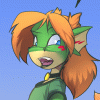
Splitting/Making a Comic Tutorial Page 5
http://www.altermeta.net
Flats and basic shading. You can see the difference that little bit makes between these two shots.
Flat colours are super easy. Whatever method you want to use, just fill in the blanks, paint by the numbers, whatever you need to do. The one thing I do keep in mind is to have four main layers, about about one grouped layer.
-Scales
--Skin/Markings
-Hair
-Clothing
-Other (this includes mouth, eyes, objects the characters are interacting with)
For shading, what I do is create a grouped layer with each colour layer in photoshop. You create a grouped layer by holding down Control and Alt and hitting "G". This will indent the layer and lock whatever you draw on it with the already filled pixels of the layer that it's grouped onto. In this case, it's so I can shade like crazy and not go outside the lines, while keeping the main flat colours intact.
I set the shading layer to 30%, but you can up that depending on lighting. Its all your own thing here. I pick a purplish tone (can be dark, but it can also be bright) and just paintbucket the whole shading layer and then erase where I think it shouldn't be shaded.
You can also pick other shadow colours, I just tend to stick with purples for most images.
First ~ Previous = Next ~ Last
Flats and basic shading. You can see the difference that little bit makes between these two shots.
Flat colours are super easy. Whatever method you want to use, just fill in the blanks, paint by the numbers, whatever you need to do. The one thing I do keep in mind is to have four main layers, about about one grouped layer.
-Scales
--Skin/Markings
-Hair
-Clothing
-Other (this includes mouth, eyes, objects the characters are interacting with)
For shading, what I do is create a grouped layer with each colour layer in photoshop. You create a grouped layer by holding down Control and Alt and hitting "G". This will indent the layer and lock whatever you draw on it with the already filled pixels of the layer that it's grouped onto. In this case, it's so I can shade like crazy and not go outside the lines, while keeping the main flat colours intact.
I set the shading layer to 30%, but you can up that depending on lighting. Its all your own thing here. I pick a purplish tone (can be dark, but it can also be bright) and just paintbucket the whole shading layer and then erase where I think it shouldn't be shaded.
You can also pick other shadow colours, I just tend to stick with purples for most images.
First ~ Previous = Next ~ Last
Category Artwork (Digital) / Comics
Species Unspecified / Any
Size 975 x 651px
File Size 183.7 kB


How exactly do you put your flats down, though? I'm always tempted to try and magicwand it, and take advantage of the fact that the linework will cover up the ragged edges, but then it seems like I spend so long cleaning the things it missed that I may as well have done it by hand... but there's got to be a better way, or smarter software that's meant for linework, or something... or am I just trying too hard to fix a problem that doesn't need fixing. :P (How long do the flats take compared to everything else? It always seems like it's the longest step to me, but I'm not sure if that's just because it's the least interesting, or just because I'm not as comfortable with a mouse/stylus yet..)
No. The shading layers are grouped with the foreground/character layers. The backgrounds are behind all of it.
When you group your shading layer with the already filled flat colours, the only place the shadows I've paintbucketed in take up are in the areas you've filled the flats. (even the shadow colour covers the entire picture, it's masked and only shows in the already filled pixels of the flat colours)
I'm probably horrible at describing this. I might have to do an actual tutorial, showing the layer configuration.
When you group your shading layer with the already filled flat colours, the only place the shadows I've paintbucketed in take up are in the areas you've filled the flats. (even the shadow colour covers the entire picture, it's masked and only shows in the already filled pixels of the flat colours)
I'm probably horrible at describing this. I might have to do an actual tutorial, showing the layer configuration.

Comments