
 FA+
FA+ Shop
Shop
74
Views
Views
2
Favorites
Favorites
Category
Artwork (Digital) / Tutorials
Species Unspecified / Any
Size 1024 x 1024
File Size 281.6 kB
Report this content
More from Boxes the Mouse


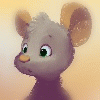
A multi post break down of a recent post here it's gonna be pretty technical, a little dry, but lightweight. It just goes over my process with some tips. (there might be grammar error's I usually don't type this much)
If you're not familiar with Blender or Upbge here's a stockpile of youtubers I learned from about Upbge and Blender in general.
Blender Guru (the quintessential blender teacher, but check his oldest video's for context)
John Hamilton (good material shader tutorials)
ThaTimster (good tutorials and a resource for GLSL shaders)
<<FA Post Transcript>>
My mesh design is actually pretty rough, but the idea was get
it done quick. Ideally you want all quads, but for lower-poly
models triangles can help with contour and silhouette,
as well as make stitching shapes together easier.
The material shader actually hides quite a bit, and
the ears, hair tufts, and tail are not manifold and don't connect
to the rest of the mesh within the object. Whether it needs
to be a manifold mesh or just overlapping shapes depends
on the desired result. The important thing is that there
needs to be some form of looping geometry around the
eyes and mouth for better deformation during animation.
As a side note the eye aesthetic I chose for this was a
concave eye, with a "flattened" disconnected iris and pupil.
This eye design works great for toony and non photo real
styles, but requires shape keys or special rigging
to animate. The positive being that the eyelid closing
Shape Key is easier to adjust with a pleasant result.
If you're not familiar with Blender or Upbge here's a stockpile of youtubers I learned from about Upbge and Blender in general.
Blender Guru (the quintessential blender teacher, but check his oldest video's for context)
John Hamilton (good material shader tutorials)
ThaTimster (good tutorials and a resource for GLSL shaders)
<<FA Post Transcript>>
My mesh design is actually pretty rough, but the idea was get
it done quick. Ideally you want all quads, but for lower-poly
models triangles can help with contour and silhouette,
as well as make stitching shapes together easier.
The material shader actually hides quite a bit, and
the ears, hair tufts, and tail are not manifold and don't connect
to the rest of the mesh within the object. Whether it needs
to be a manifold mesh or just overlapping shapes depends
on the desired result. The important thing is that there
needs to be some form of looping geometry around the
eyes and mouth for better deformation during animation.
As a side note the eye aesthetic I chose for this was a
concave eye, with a "flattened" disconnected iris and pupil.
This eye design works great for toony and non photo real
styles, but requires shape keys or special rigging
to animate. The positive being that the eyelid closing
Shape Key is easier to adjust with a pleasant result.
Category Artwork (Digital) / Tutorials
Species Unspecified / Any
Size 1024 x 1024px
File Size 281.6 kB


Comments