
 FA+
FA+ Shop
Shop
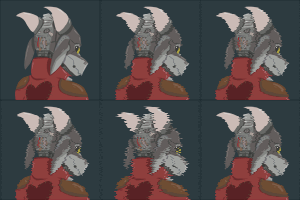
Okay, I need to know...
9 years ago
General
Because, basically, I have deduced that most people seem to think my art is worth fuck all. Apparently the pieces I work on for 25 hours are worth about as many dollars as I spend in hours. 25 dollars for 25 hours of work... Wtf? What am I doing wrong?
So here, let's use an art piece for example. This one. http://www.furaffinity.net/view/20276151/
How much would you pay for it or something similar? Please, I have to know. I don't want my expensive materials and years of practice to be worth fuck all...
So here, let's use an art piece for example. This one. http://www.furaffinity.net/view/20276151/
How much would you pay for it or something similar? Please, I have to know. I don't want my expensive materials and years of practice to be worth fuck all...

Or maybe I should just stop trying... fuck...
But I'll keep trying, of course. I always practice.
Don't give up on your amazing talents! It really sucks when you do a lot of work with very little pay off, especially if this is your source of income. I'm not discounting that at all, but I think you should always remember what made drawing fun for you in the first place, and why you pour a day's worth of time into making sure that a piece is absolutely perfect.
You've been blessed with something truly awesome. Never let your passion for what you love become drowned out.
I hope this helped ^^
With that said, a lot of the secret to creating art that catches most furries' eyes offhand, in my experience -- and attracting the money of people who unfortunately are mostly interested in a particular style of art -- is about picking up a very specific array of graphical/rendering-related techniques and tricks, rather than being so much about spending some long time in practice. And it often isn't really obvious from a lot of tutorial resources ("practice more!! do this arbitrary thing! do that arbitrary thing! work hard!!") that don't suggest general guidance, so I feel you I think...
Unfortunately, I don't know a huge amount about physical artwork aside from the expense of it and some limited watercolor experience. If you're looking to break into the furry market without chewing through a lot of cost on materials, I would strongly recommend going digital. It's my understanding that the lessons learned in digital art can be applied pretty generally, too.
You can get tablets that work nicely from $40-$200, especially used, and if you're in the market for a screen tablet, the kind that you can see what you're drawing on the tablet itself, there are some less expensive alternatives out there to Wacom (the most famous and most overpriced). Huawei is a name I've heard before, I think. Graphics tablets can last; I used one from 1999 to do my art up into the year 2011. Additionally, some tablet PCs (like the Surface or the iPad, or possibly the Nexus) can be useful drawing tools as well.
Free digital art software has advanced to the point where more or less all essential ground for almost any kind of visual artist can be covered by free programs, so you don't need any extra money in that regard. The most useful heavyweights in software are, in my experience:
1. FireAlpaca and MediBang Paint. Built off of the same engine, they feature a lot of useful tools for lineart/inking, fast coloring, and (in MediBang at least) comic panel composition.
2. Krita. This program, though still in late development, basically replaces the functionality of Photoshop for all painting purposes. It's got a good selection of brushes, and you can add in more. Its photoediting tools lack a little, though.
3. GIMP. GIMP has loads of options and features for photomanipulation and less so for painting, so it's most useful for adding certain visual effects and stuff like designing a portfolio website, or extracting lineart from a picture. I only really use it with a tutorial in hand, since it's more of a toolbox than an art program.
The general art areas where you may want to bulk up chiefly are:
1. Perspective, and/or more dynamic posing. A lot of your pictures are well-composed, and do a good job at positioning the central characters/subjects emphatically in the frame, and giving a good idea of what's going on. However your characters' poses themselves are often stiff, without a lot of bend or curve/flow or "gesture" to the limbs/body. Proko's tutorials on gesture may be useful, as they cover a lot of the basics on how to rough out more dynamic posing. Additionally, drawing scenes from different camera angles would expand the possibilities a lot.
2. Color theory and lighting (esp. in the context of perspective). Your shadows are often very light and diffuse, close to the base color of their object, so they tend to blend in with the rest of the picture. One way to quickly make art stand out visually is to employ stark shadows/high lighting contrasts, and to carry this out effectively you need to portray objects blocking light from each other and casting both big and small shadows on one another and so on. As far as colors go, you're good at choosing palettes, but it might help to color your shadows using the ambient color of the scene. Choosing a highlight/lightsource color for coloring illuminated, bright spots and a shadow/ambient color is a simple technique that works for me. AndroidArts has a pretty comprehensive basic tutorial on lighting here, and the comics of Evan Dahm plus Gigi D.G.'s Cucumber Quest among her other works provide good examples of stark, effective lighting technique that makes use of color and contrast,
3. Art simplification techniques. Your avatar is a pretty good example of this, IMO, as it mostly eschews shading in favor of using the base colors of each surface to convey them visually. It results in an effective and clean-looking piece. Margaret Trauth's art exemplifies this kind of stuff pretty well, I think.
I'd also recommend looking at chiaoscuro and film noir styles for inspiration, esp for darker scenes like you draw a lot.
But there's also, equally as useful and perhaps easier to get a handle on, digital art techniques. Your pixel art was nicely put together, and I've seen you add large spots of airbrush light and smoke to your traditional pictures, but there are a number of relatively simple techniques that you can use to get a picture very eye-catching to a general public.
1. An art program with a good "Pen" tool. A lot of art programs, particularly those designed to cater to comics illustrators, have a pen brush that allows you to draw smooth yet sharply defined lines and blocks of color. I use the pen tool in FireAlpaca for basically everything in a lot of my more recent art -- it's an easy way to rough out the shapes in a drawing and the basic colors, which you can then refine easily using the same pen tool.
2. Blend modes/Mixing modes. Blend modes change the way color on one layer of a drawing is mixed with the colors below it. Generally, blend modes either are used to darken, lighten, or create neon effects on underlying layers. This page provides a decent overview of the more common blend modes. The main advantage of blend modes is that you can designate different layers to contain shadow and bright-light paint separately from the base drawing, so you don't have to re-paint the same thing every time you edit, but they're also useful for quickly achieving high-color-contrast FX that are popular in furry art. Gigi D.G.'s work probably uses a lot of these.
3. Use stark, highly-saturated colors. This isn't really a PC specific tip but it is easy on the PC, I think... A lot of your traditional works have a very mute-grey color profile. Even if your picture is dark, using colors with high saturation will help make the picture stand out a lot.
Blend modes and high saturation colors are probably the biggest things you can take advantage of. To give some examples of my own: Piece One and Piece Two. I used the Hard Light blend mode in #2 to do the neon green lighting.
http://helpfulharrie.tumblr.com/ is a pretty useful blog to search up art tutorials and stuff. I also maintain a little library at http://erin-space-goat.tumblr.com/t.....art+reference/ if it's of interest. Hope that helps some.
Now, I actually have an old Tablet; its a Wacom of some sort. Sadly, not one of the ones you draw on the screen, just a lower end model. It also only ever worked in Gimp- I have Photoshop CS4, but for some reason, the tablet was very laggy in the program. So I just generally leave it for aftereffect and stuff, but I have noticed that it's even lacking in that. And yeah, people have told me I should learn digital better so I am trying; I just haven't posted any here yet. I figured out how to turn my pen linework into pure black digital lines via GIMP, and that's going to probably be the basis of whatever digital work I do in the future. I'll keep working on refining that once I finish this third commission I got out of the blue. I have been having some success at least, anyways.
Right now, I'm doing my best to work on things. My second commission (Only releasing when the commissioner asks for a special reason) certainly is a lot better in my pose work, with a good bit of fluidity in it. And I'll keep on doing that sort of stuff in the future as well; I have plans, hehe~
Thanks for all of this though! The sheer number of links here means this is probably one of the most helpful comments I've had in the history of, well, ever- I'll look into this soon when I'm not bogged down in college work. Thanks for writing all of that!